AI Assistant for Admins - Beta
Last updated: October 20, 2026
The AI Assistant in the PULT dashboard helps admins get insights from their workplace data quickly – just ask a question in natural language. This article explains the start page, what the assistant can do and how your data is protected.
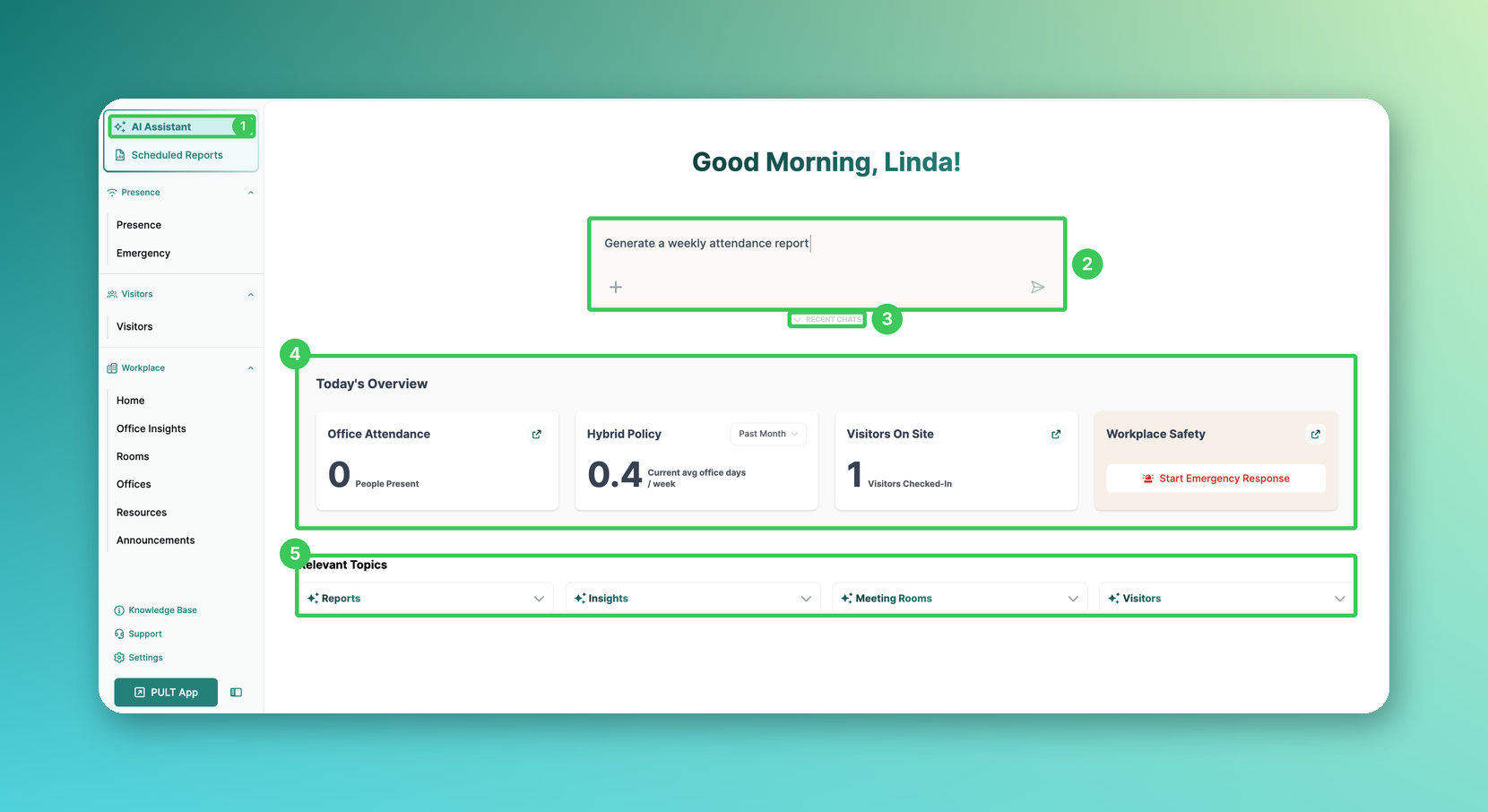
1. AI Assistant
In the PULT dashboard, click AI Assistant at the top of the left menu.
2. Ask a question
Type your question in the input field and send it with the arrow. Examples:
Today's bookings of employees
How many guests did not check out?
The ratio between booked desks and actual check-ins
The office capacity used over the past month, by office
3. Recent Chats
Click Recent Chats to open your previous conversations. They are personal – other team members cannot see them.
4. Today's Overview (new)
Key figures at a glance: office attendance, hybrid policy (average office days per week), visitors on site and workplace safety with the button to start an emergency response. The arrow icons open the related page.
5. Relevant Topics
Ready-made example questions for reports, insights, meeting rooms and visitors. Click a topic to see the suggestions and click a suggestion to use it.
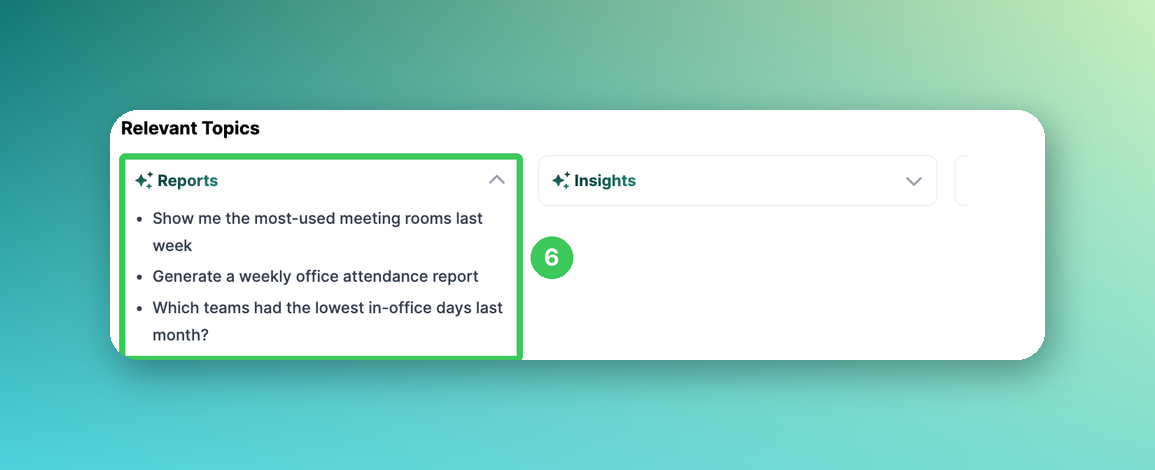
6. Example: Reports
For example, “Generate a weekly office attendance report” or “Which teams had the lowest in-office days last month?”.
What the AI Assistant can do
It only uses data that is available in PULT: booking data, presence data and visitor data. It also answers questions about meeting rooms and room bookings (availability, reservations, capacities).
Results are shown as clear tables that you can download and reuse.
You can rate answers with thumbs up/down and copy messages.
It is read-only: it cannot create, change or delete anything (e.g. users). Uploads are currently not supported.
It is not connected to the Help Center and cannot explain how features work – for that, use the Knowledge Base or contact support.
With Scheduled Reports you can also receive reports automatically by email – see How to use "Scheduled Reports".
Security & data privacy
All data is processed and stored exclusively within the EU (Sweden or France).
We use Microsoft Azure Cloud.
Neither PULT nor Microsoft use your data or requests to train AI models.
Data is only processed when you actively send a request. If the AI Assistant is not used, no data is processed.
No third party has access to your data in PULT.
Frequently asked questions
Who can use the AI Assistant?
Admins in the PULT dashboard.
Are the answers always correct?
The answers are AI-generated and can contain mistakes. Please double-check important results.
Related articles
If you have any questions, feel free to contact our support team at support@pult.com.