Meeting Room Agent – Smart AI Room Optimization
Last updated: October 22, 2026
The Meeting Room Agent (Room Agent) uses AI to optimize your meeting rooms. It analyzes how rooms are booked and suggests a better allocation – it never changes anything automatically. This article explains how to use it.
It works with Microsoft 365 and Google Calendar via your PULT integration.
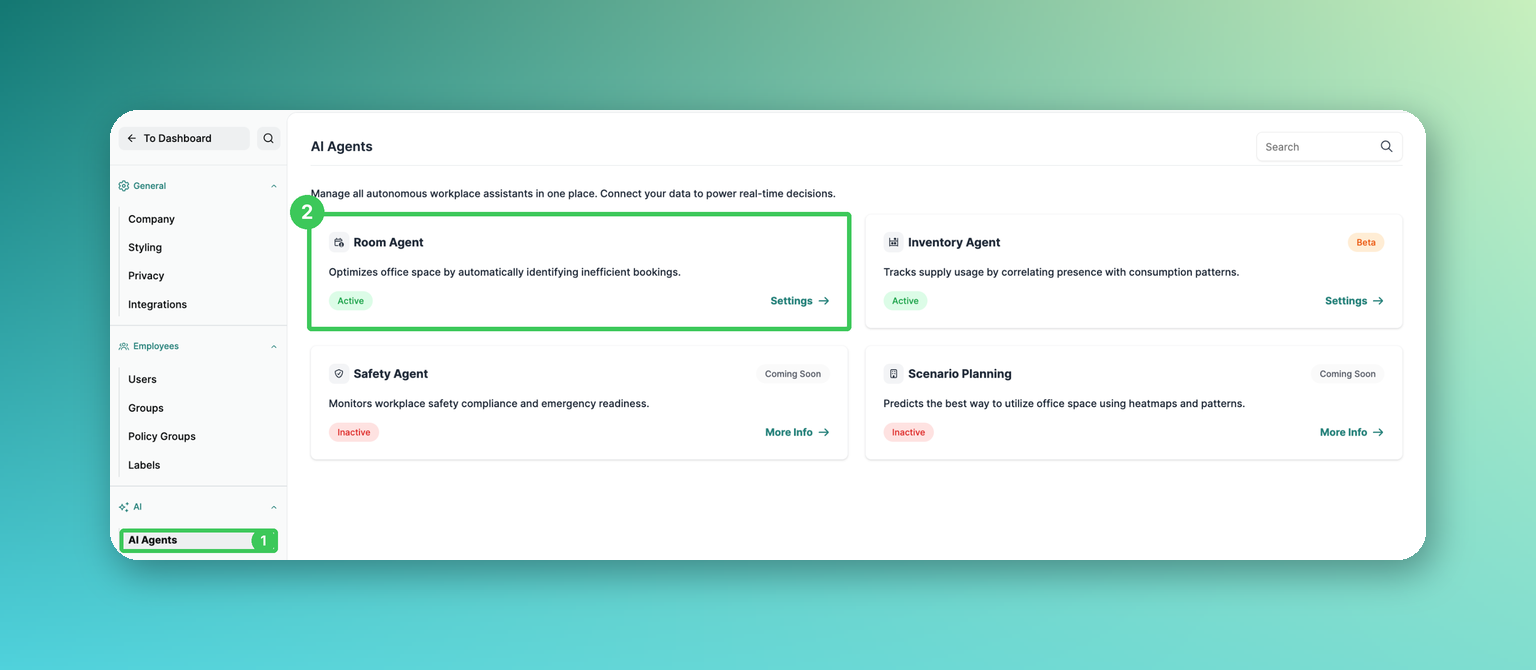
1. AI Agents
In the PULT dashboard, go to Settings → AI → AI Agents.
2. Room Agent
The card shows whether the agent is active. Click Settings to open the recommendations.
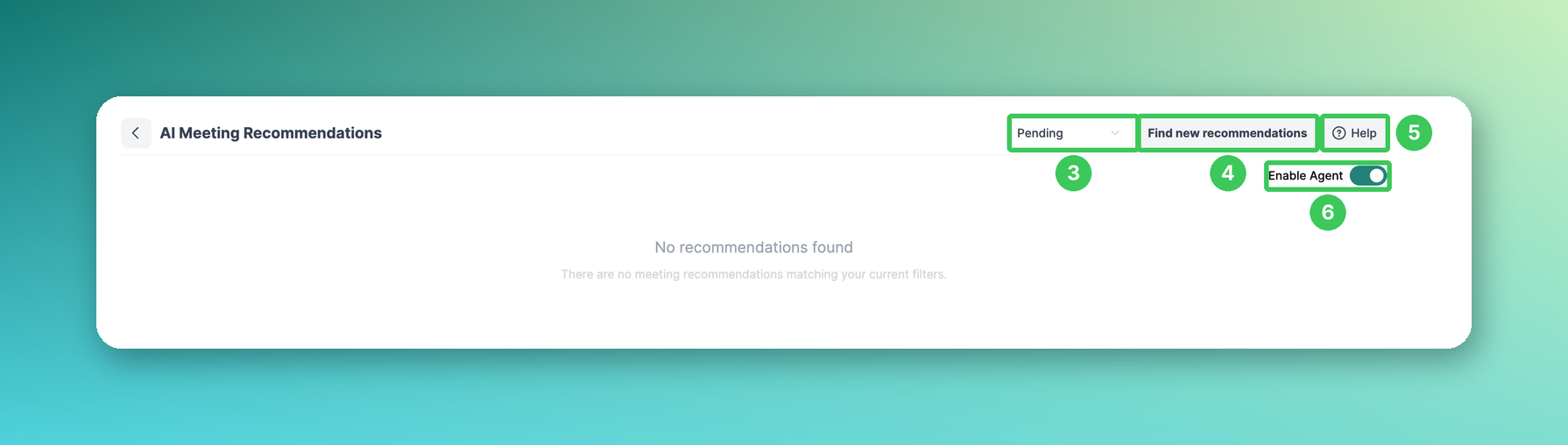
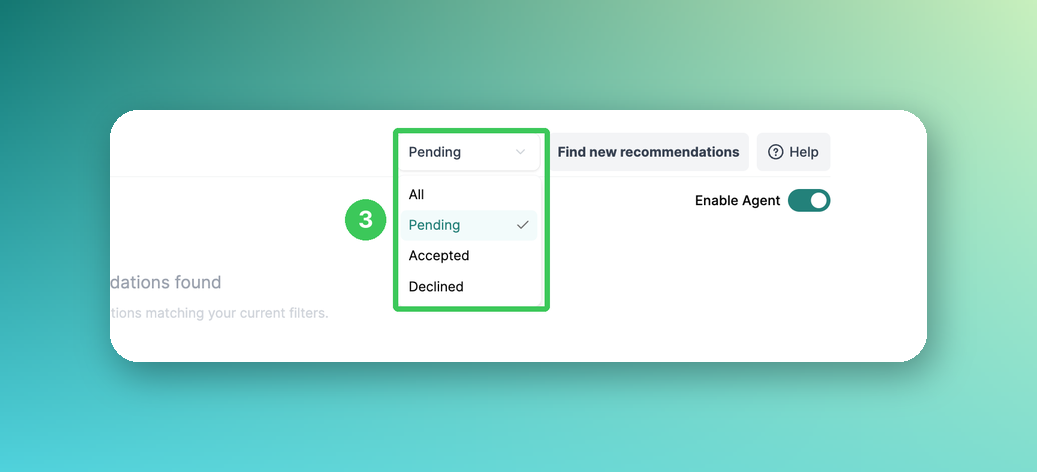
3. Filter
Show all recommendations or only pending, accepted or declined ones.
4. Find new recommendations
Starts a new scan of all meeting rooms immediately. This usually takes a few minutes. Otherwise, the agent checks your rooms every 3 hours.
5. Help
Opens the help for this page.
6. Enable Agent
Turn the agent on or off. When disabled, processing stops immediately; previous recommendations remain visible.
Recommendations
The agent suggests improvements such as:
Right-sizing rooms – move small meetings out of large conference rooms
Preventing conflicts – add buffer time between back-to-back meetings
Load balancing – distribute meetings to underused rooms
Location awareness – only suggest rooms in the same building
Each recommendation shows its impact and the AI's reasoning. You can accept or decline it:
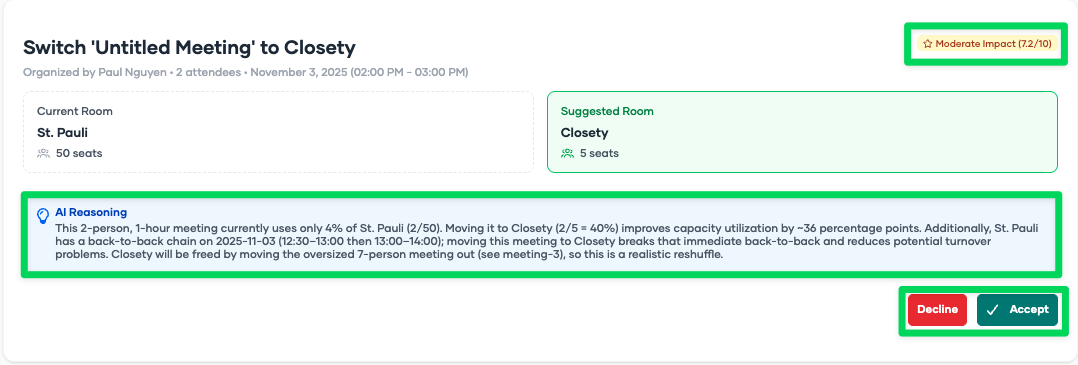
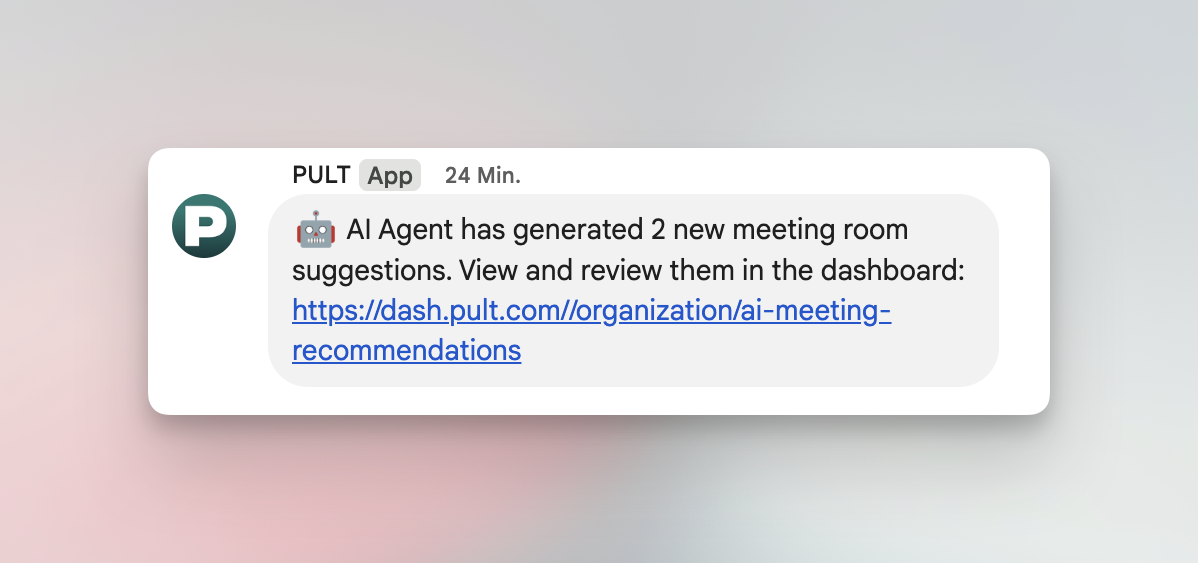
Admins are notified as soon as there are new recommendations – also in Google Chat, Slack or Microsoft Teams:
Privacy & security
No data storage by the AI provider (real-time processing only, zero data retention). All data processing is governed by our data processing agreement (DPA).
Metadata only: room name, capacity, building, location, resource email, meeting times, attendee counts, organizer and attendee emails, simplified IDs
Never processed: meeting titles, descriptions, notes, attachments, chats, recordings or personal calendar data
Strict organization isolation, TLS 1.3 in transit and AES-256 at rest; access for admins only
You stay in control – all suggestions require approval. PULT is GDPR compliant and ISO 27001 certified.
Frequently asked questions
Is our data used to train AI models?
No – your data is never used for training. All data processing is governed by our data processing agreement (DPA).
Is it GDPR compliant?
Yes – with data minimization, encryption and audit logging.
What happens if we disable the agent?
All processing stops immediately. Previous recommendations remain visible.
Related articles
If you have any questions, feel free to contact our support team at support@pult.com.