Restrict Guest Bookings to Admins
Last updated: January 21, 2026
By default, all users in your organization can book and invite guests. However, you can restrict this functionality to admin users only for better oversight and control over who has access to your facilities.
By default, all users in your organization can book and invite guests. However, you can restrict this feature to admins to have better control over who has access to your workspaces.
How to enable guest bookings for admins only:
Go to Company Settings in the admin dashboard.
Navigate to the Booking Settings section.
Turn off the toggle “Enable guest bookings for non-admins” to restrict guest bookings to admins.
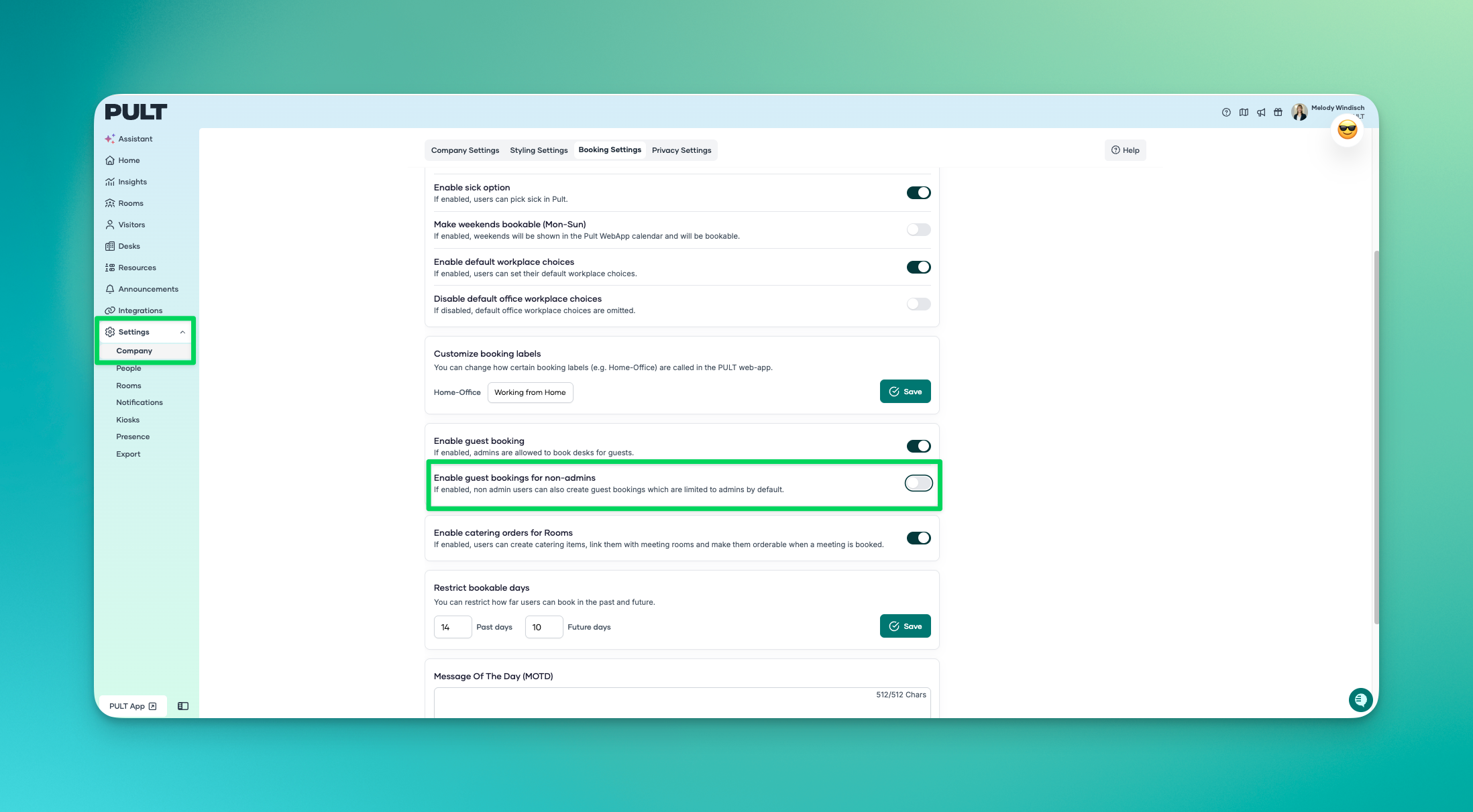
Once this setting is disabled, only users with administrator rights can book workspaces for guests and invite them.
Regular users will no longer see the option to create guest bookings, so all guest access is managed centrally by the designated administrators.