Visit Data Retention Settings
Last updated: May 6, 2026
PULT allows admins to control how long visitor data is stored. With the Visit Data Retention setting, you can define a retention period (in days) after which guest visit records, kiosk check-in records, and signed documents are automatically deleted. This helps your organization stay compliant with data privacy regulations such as GDPR.
By default, visitor data is stored indefinitely. Once you set a retention period, a daily background job will automatically remove all visitor records older than the specified number of days.
What gets deleted:
Guest visit records
Kiosk check-in/check-out records
Digitally signed documents associated with those visits
How to Configure Visit Data Retention
Log in to the PULT Admin Dashboard.
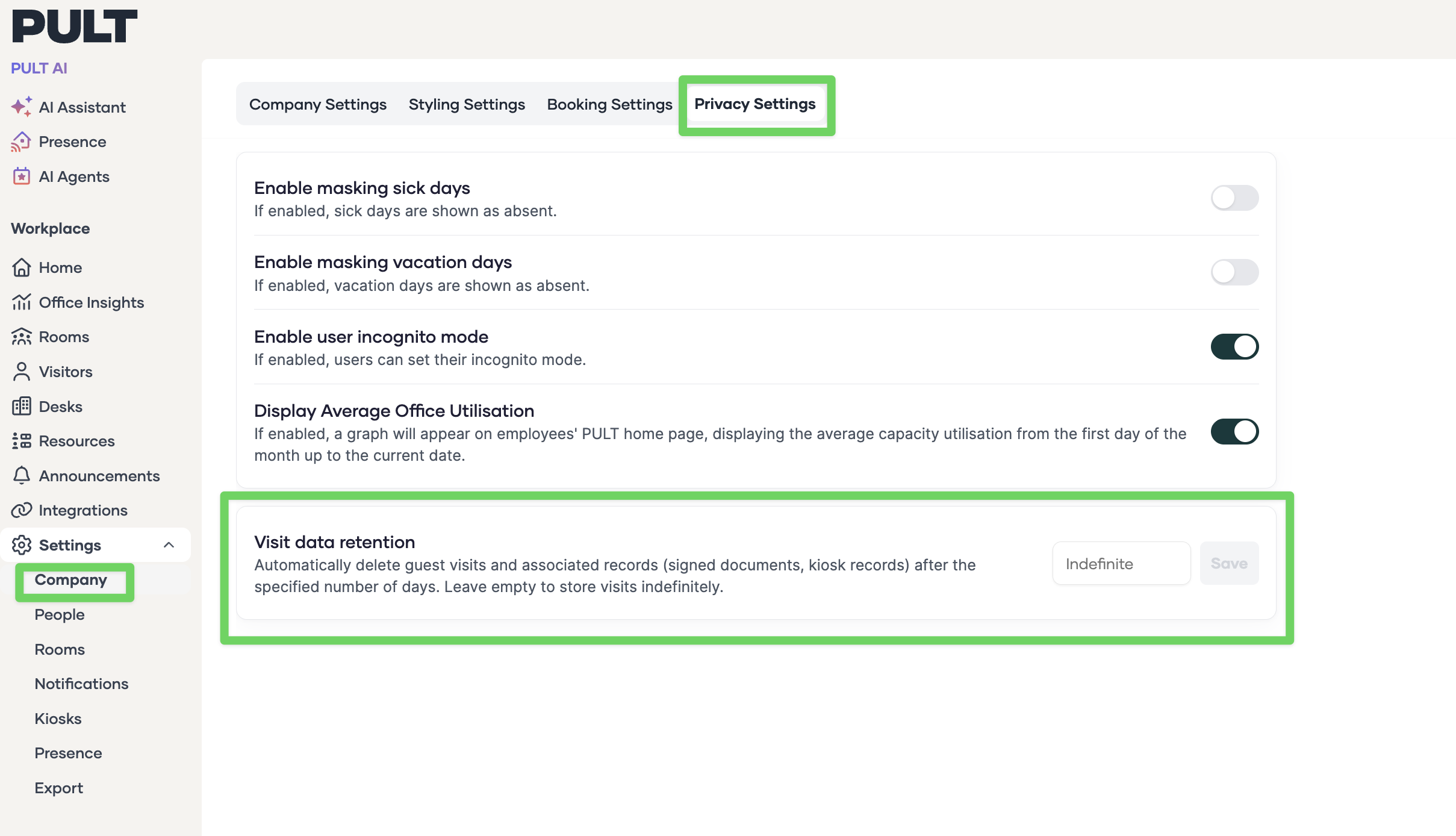
Navigate to Settings - Company - Privacy Settings
Find the Visit Data Retention section
Enter your preferred retention period:
Enter a number of days (e.g. 90, 180, 365) after which visitor data will be automatically deleted.
Leave the field empty or select Indefinite to store visitor data forever.
Click Save to apply your changes.
Once saved, PULT runs a daily background job that checks for visitor records older than your configured retention period and permanently deletes them.
⚠ Important: Deletion is permanent. Once visitor data is removed, it cannot be recovered. Make sure to export any data you need before setting a short retention period.
FAQ
What happens if I don't set a retention period?
Visitor data is stored indefinitely by default. Nothing changes unless you actively configure a retention period.
Does this affect all locations?
Yes, the retention setting applies organization-wide to all guest visits across all your offices.
Can I export visitor data before it's deleted?
Yes. We recommend exporting your visitor logs regularly if you need to keep records beyond the retention period.
When does the deletion actually happen?
A background job runs once daily and removes all visitor records that exceed the configured retention period.
Does this delete pre-registered visitors who haven't checked in yet?
No. The retention setting only applies to completed guest visits (i.e., visits that have already occurred).