Frontdesk Role: Visitor Management
Last updated: October 21, 2026
Users with the Visitor Manager (Frontdesk) role get a focused, visitor-only experience: in the PULT web app they land directly on Guest Booking, and in the dashboard they only see visitor management. This article shows admins how to assign the role and what Frontdesk users can see. It also explains the External Visitor Manager role for external reception staff.
What Frontdesk users see
Landing page: Frontdesk users land on Guest Booking when they open the web app.
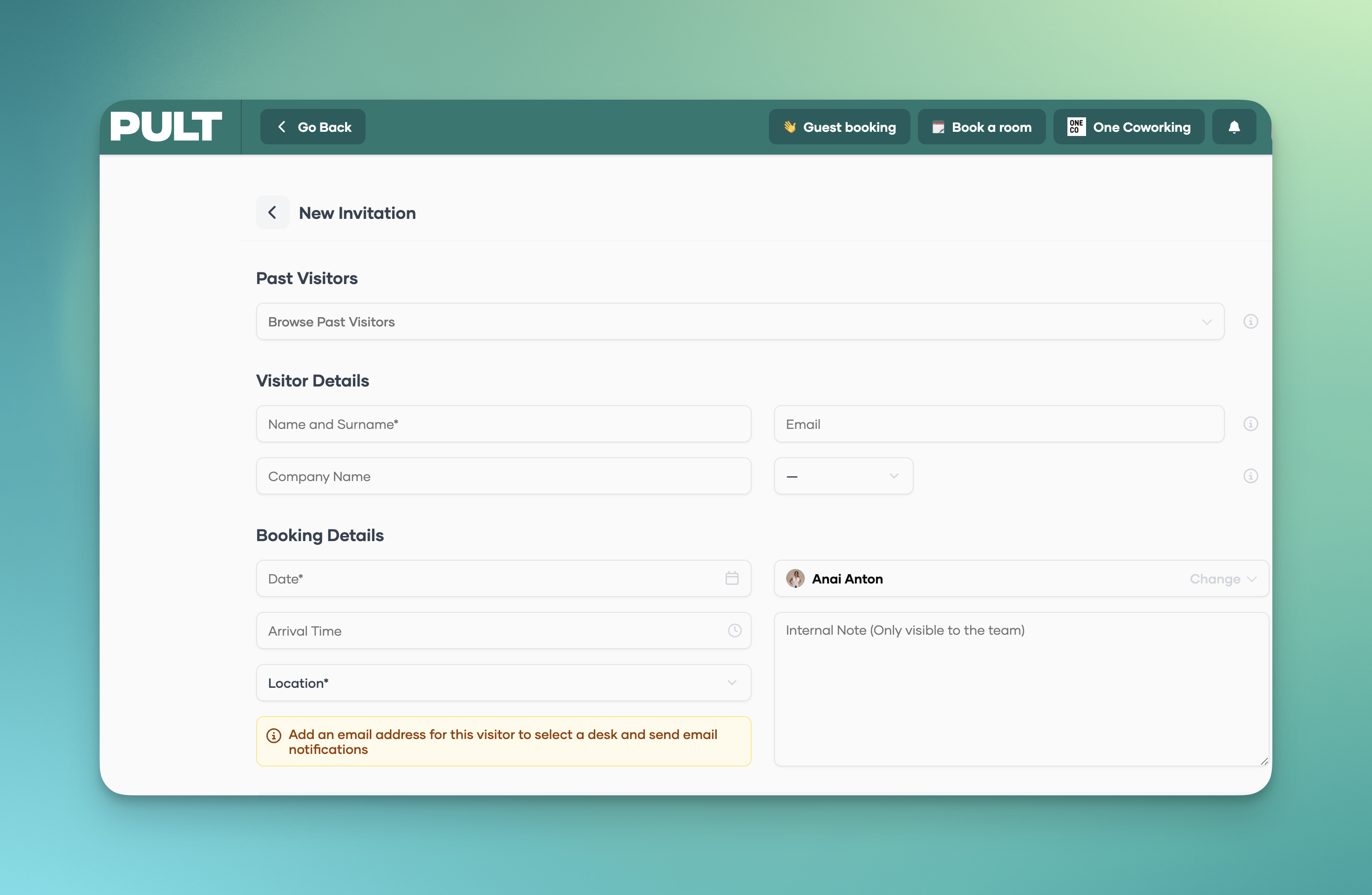
Hidden pages: Presence and other employee-only views are hidden. If a Frontdesk user opens a hidden page via a direct link, they are redirected to the visitor page.
People (read-only): Frontdesk users can view the list of active PULT users, e.g. to verify a colleague's identity when someone has forgotten their keycard. They cannot change anything there.
Assign the role
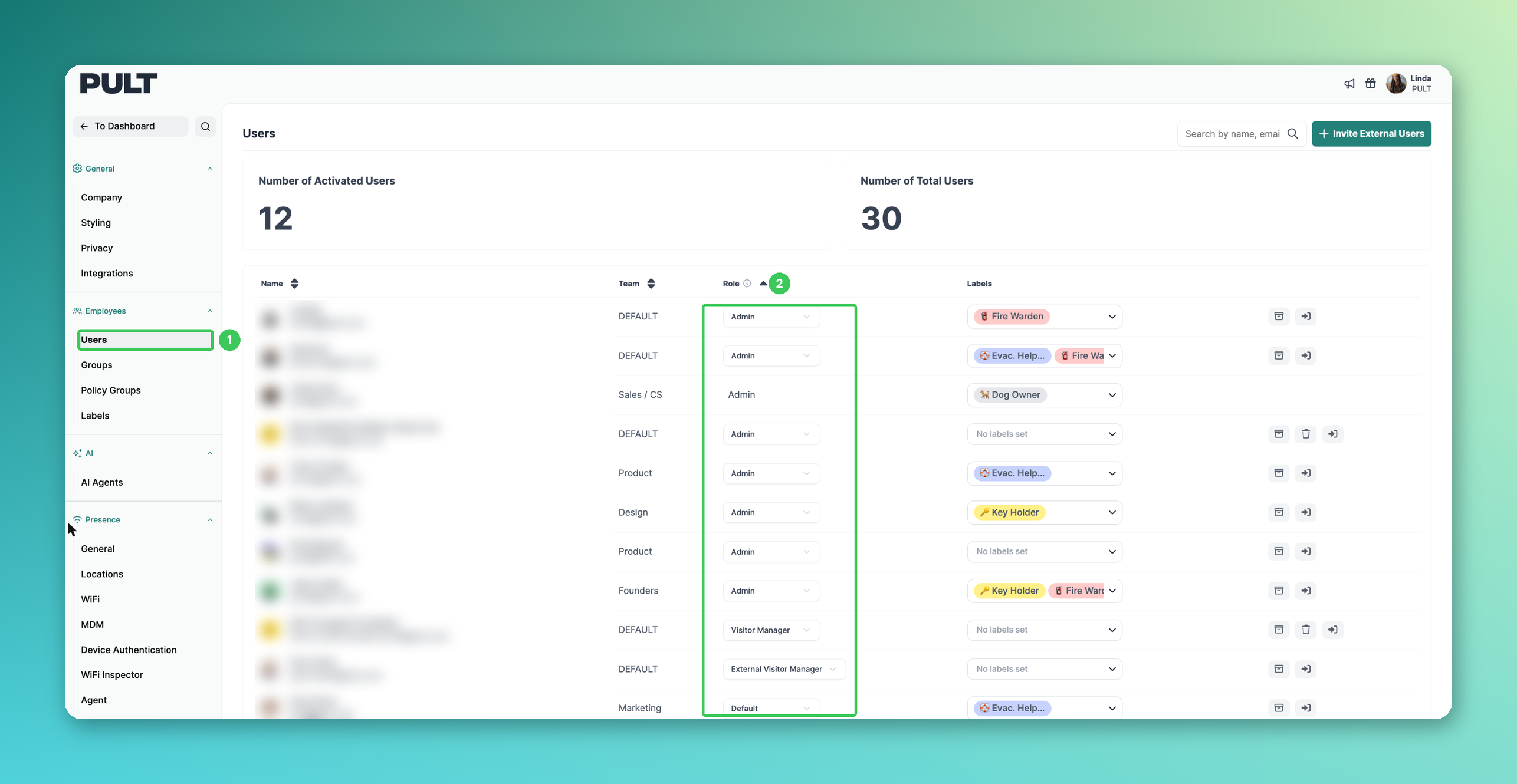
1. Users
In the PULT dashboard, go to Settings → Employees → Users.
2. Role
Find the user and open the dropdown in the Role column.
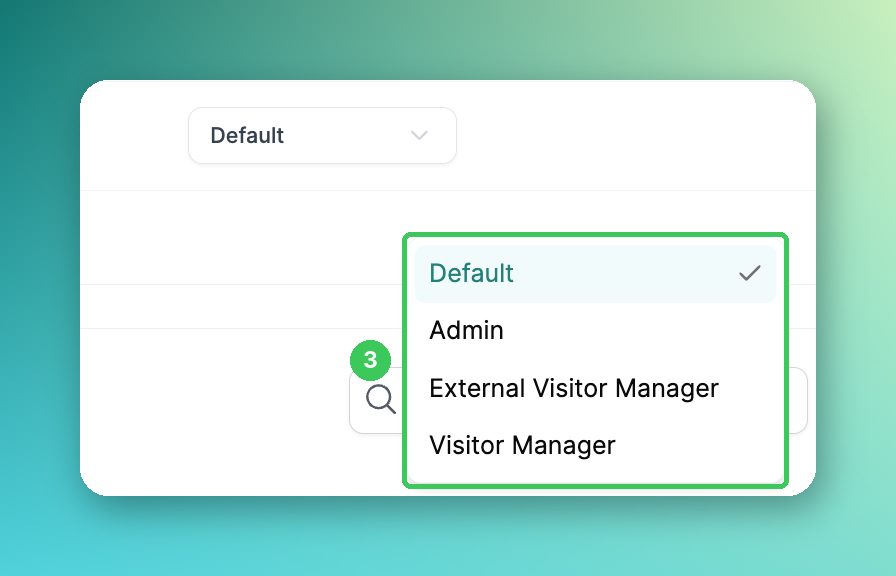
3. Visitor Manager
Select Visitor Manager. The next time the user logs in, they only see visitor management.
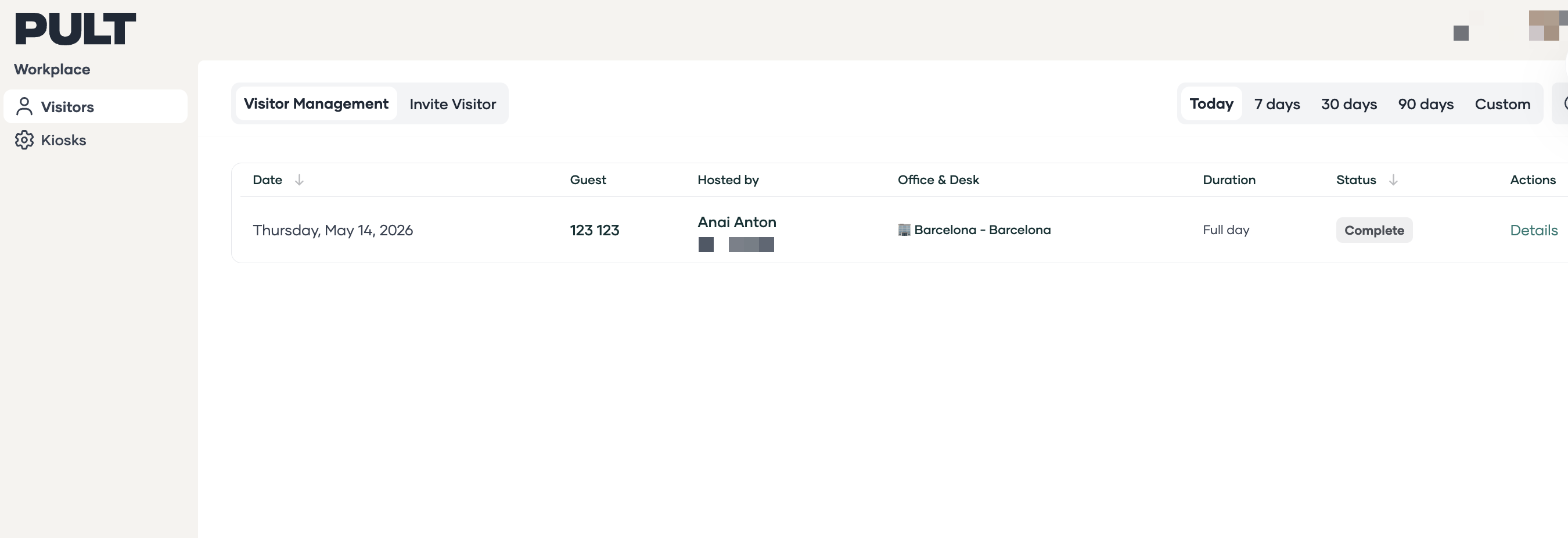
Let Frontdesk users book desks (optional)
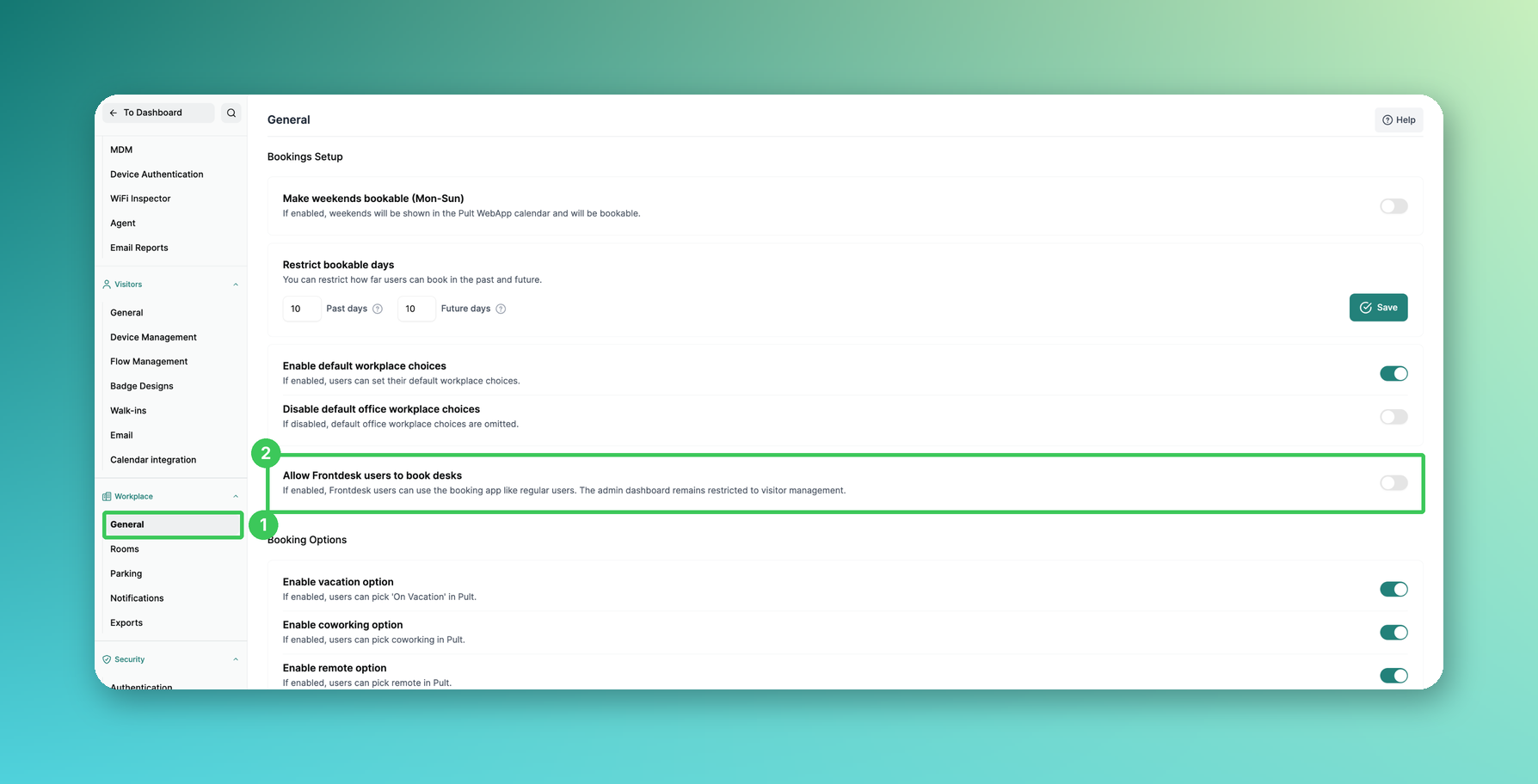
1. General
Go to Settings → Workplace → General.
2. Allow Frontdesk users to book desks
If enabled, Frontdesk users can use the booking app like regular users. The admin dashboard remains restricted to visitor management.
External Visitor Manager role
The External Visitor Manager role is meant for reception staff who don't belong to your company – for example an external reception or facility service. They take care of your visitors, but they can't change your visitor management setup.
Web app: Like Visitor Managers, they land directly on Guest Booking and can invite visitors.
No Admin Dashboard button: Unlike Visitor Managers, they don't see the Admin Dashboard button in the web app.
Visitor management: They can view visitors, check them in and out and send invitations – but they can't change flows, kiosk devices or other settings.
📌 Already a PULT user? Skip steps 1–3 and assign the role directly (steps 4–5).
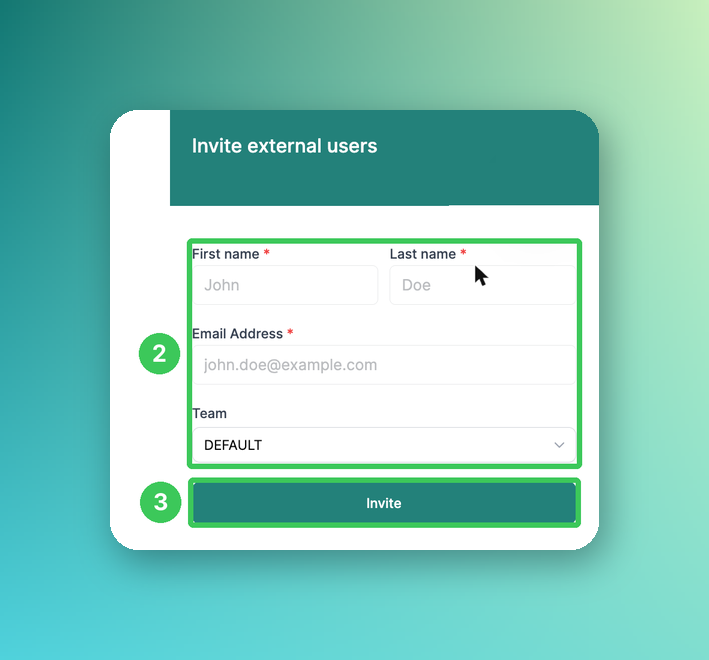
1. Invite External Users
If the person doesn't have a PULT account yet, go to Settings → Employees → Users and click Invite External Users at the top right.
2. Personal details
Enter the first name, last name and email address and select a Team.
3. Invite
Click Invite. The person is added to your organization as a user.
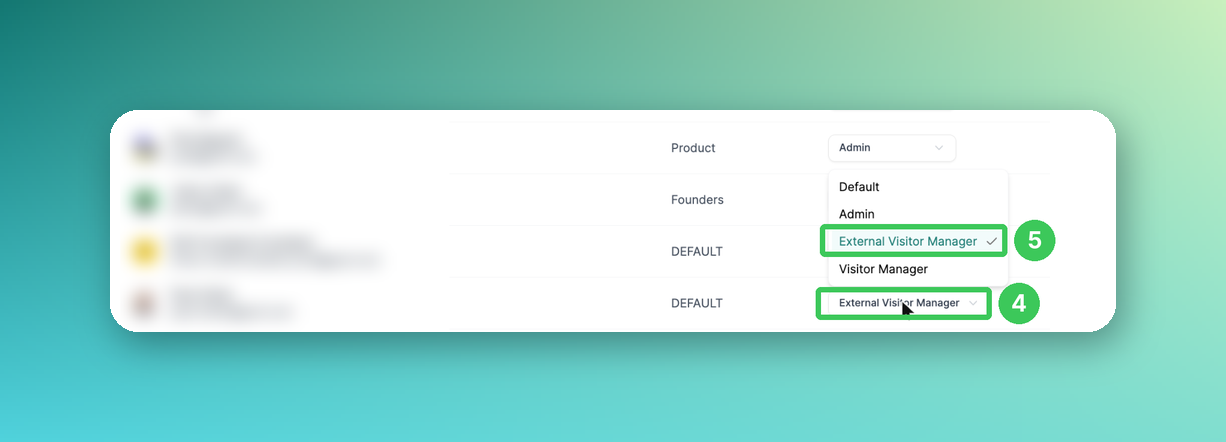
4. Role
In the user list, open the dropdown in the Role column for this person.
5. External Visitor Manager
Select External Visitor Manager.
Overview
Feature | Visitor Manager | External Visitor Manager |
|---|---|---|
Guest Booking: invite visitors | ✅ Yes | ✅ Yes |
View visitors, check in & out | ✅ Yes | ✅ Yes |
Admin Dashboard button in the web app | ✅ Yes | ❌ No |
Change flows, kiosk devices & settings | ✅ Yes | ❌ No |
People (list of active users) | ✅ Read-only | – |
Desk booking | Optional (setting above) | – |
Presence | ❌ No | ❌ No |
Reports & Insights | ❌ No | ❌ No |
Frequently asked questions
Which role should I choose?
Choose Visitor Manager for your own reception team that also looks after the visitor setup (flows, kiosk devices). Choose External Visitor Manager for reception staff from a service provider who should only take care of your visitors.
Does the role affect the kiosk app?
No. The kiosk app is not affected – the role only applies to the web app and the dashboard.
What happens if a Frontdesk user opens a bookmarked desk booking link?
They are redirected to Guest Booking without an error message.
Related articles
If you have any questions, feel free to contact our support team at support@pult.com.