Guest Booking Settings
Last updated: October 20, 2026
This article shows admins where to control who can create guest bookings in PULT, how far in advance guests can be booked and how visitors are checked out. The settings apply to your whole organization.
Guest booking settings
In the PULT dashboard, go to Settings → Visitors → General.
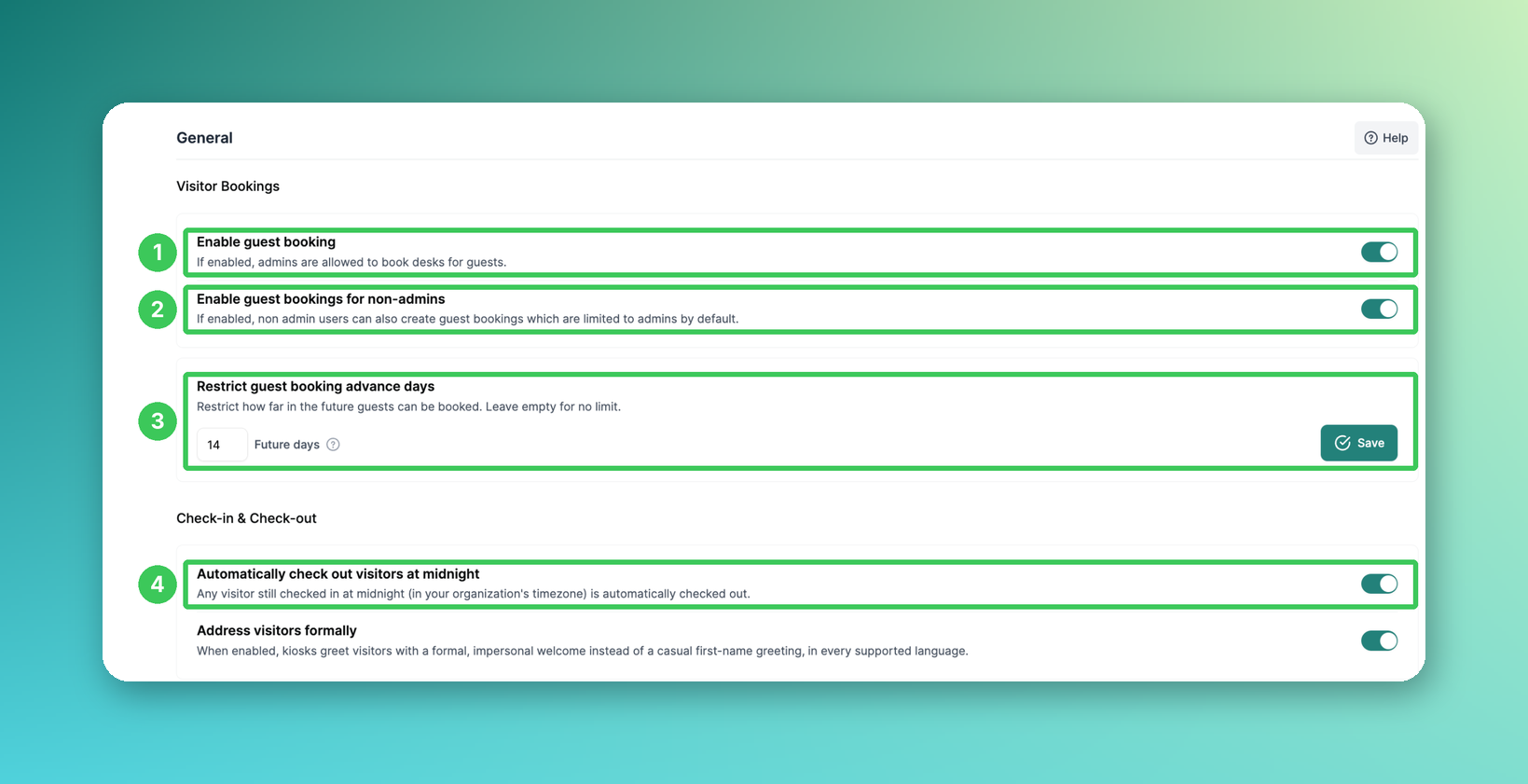
1. Enable guest booking
When enabled, admins can book desks for guests. This is the main switch for guest bookings – if it is turned off, setting 2 has no effect either.
2. Enable guest bookings for non-admins
By default, only admins can create guest bookings. When enabled, non-admin users can also book desks for guests – useful for teams that often host external visitors. Requires setting 1.
3. Restrict guest booking advance days (new)
Enter how many days in advance guests can be booked and click Save. Leave the field empty for no limit.
4. Automatically check out visitors at midnight
Visitors who are still checked in at midnight (in your organization's time zone) are checked out automatically. This keeps your visitor logs accurate and avoids entries carrying over to the next day. Visitors checked out this way appear as checked out in reporting.
Desk bookings for Frontdesk users
Go to Settings → Workplace → General.

5. Allow Frontdesk users to book desks
Frontdesk users usually only have access to visitor management in the admin dashboard. When this setting is enabled, they can also use the booking app like regular users to book desks for themselves. The admin dashboard remains restricted to visitor management.
Frequently asked questions
Why can't my employees book desks for guests?
Check that both Enable guest booking (1) and Enable guest bookings for non-admins (2) are turned on.
Can I limit how far in advance guests are booked?
Yes, use Restrict guest booking advance days (3).
Who do these settings apply to?
They apply to your whole organization and to all locations.
Related articles
If you have any questions, feel free to contact our support team at support@pult.com.