Automatic End-of-Day Visitor Checkout
Last updated: June 11, 2026
PULT supports automatic end-of-day visitor checkout. When this feature is enabled, visitors who forget to check out manually are automatically checked out at midnight.
This keeps your visitor logs accurate and ensures no visitors appear as "still on-site" the next morning.
This feature was introduced to help offices where visitors frequently leave without checking out at the kiosk, causing inaccurate presence data and open visitor records.
How to Enable Automatic Visitor Checkout
Open the PULT Admin Dashboard.
Go to Settings → Company → Booking Settings
Find the Automatic Checkout toggle.
Enable the toggle.
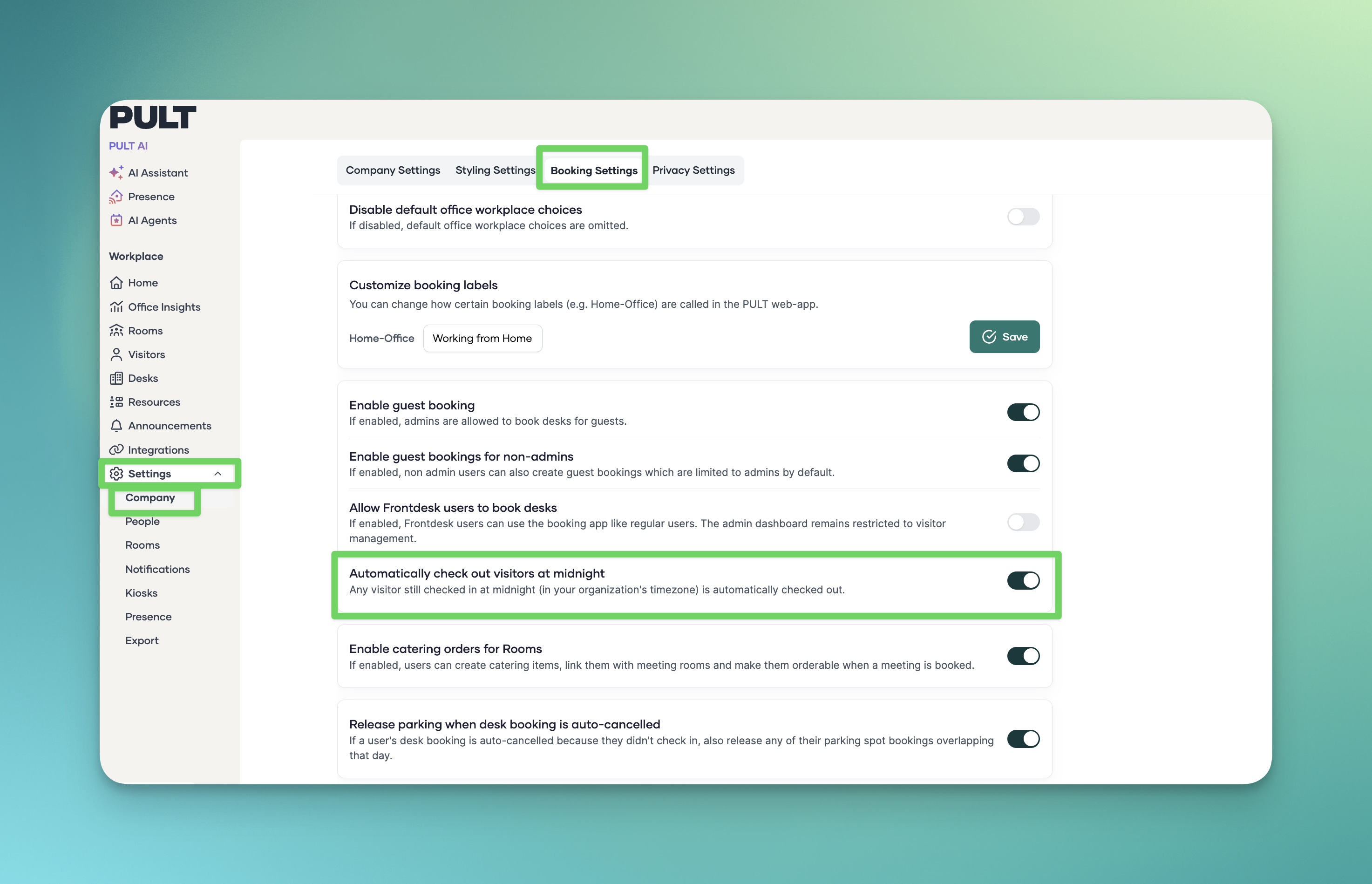
Click Save.
Once enabled, all visitors who have not manually checked out will be automatically marked as checked out at midnight.
How It Works
The system runs a background job at midnight each day.
Any visitor still marked as "checked in" at that time is automatically checked out.
The checkout timestamp in the visitor log will show the configured auto-checkout time.
No notification is sent to the visitor — the checkout happens silently.
FAQ
What time does the automatic checkout happen?
A: Always at midnight.
Does this apply to all office locations?
A: Yes. The automatic checkout setting applies organisation-wide across all your offices and kiosk devices.
Will the visitor receive a notification when they are auto-checked out?
A: No. The automatic checkout happens silently in the background. The visitor will not receive any email or notification.
Can I see which visitors were automatically checked out?
A: Yes. Visitors who were auto-checked out appear in your visitor logs with the configured checkout time as their check-out timestamp.
Does automatic checkout affect visitor data retention?
A: No. The automatic checkout only updates the check-out timestamp. How long visitor data is stored is controlled separately via the Visit Data Retention Settings.
What if a visitor checks out manually before the auto-checkout time?
A: Nothing changes for them. The automatic checkout only applies to visitors who are still marked as "checked in" at the configured time.
Related Articles
Tags: Visitor Management