How to Enable Recurring Parking Bookings
Last updated: June 12, 2026
As an admin, you can enable recurring parking bookings for your users directly from the dashboard:
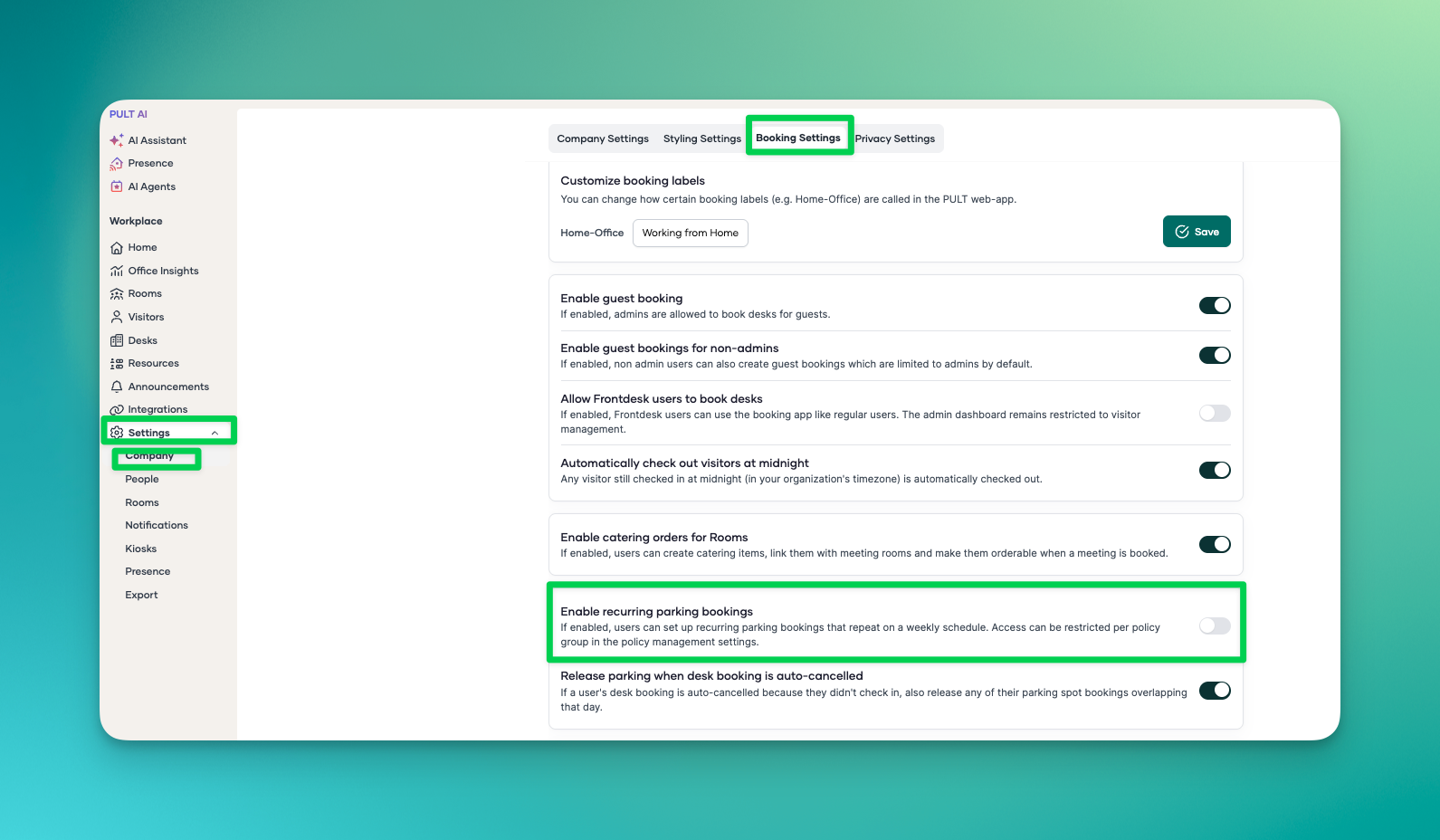
In the dashboard, go to Settings → Company → Booking Settings.
Scroll down to the Recurring Parking Bookings section.
Click the toggle to activate the setting for your users.
The setting is saved automatically. Once enabled, your users will be able to set up recurring parking bookings from their profile page.
Here you can find more information on setting up recurring parking bookings.