Recurring Parking Bookings (Default Parking Spot)
Last updated: June 12, 2026
With Recurring Parking Bookings, you can reserve a parking spot on specific days of the week — automatically and on a recurring basis. This is ideal if you regularly come to the office on the same days and want your parking spot secured in advance.
Your selected parking spot will be automatically booked for you on the days you choose. On days you are not coming to the office, you can release your spot so it becomes available to other colleagues.
How to Set Up Recurring Parking Bookings
Log in to PULT and click on your profile (top-right corner) - Settings
Scroll down to the Recurring Parking Bookings section on your profile page.
Choose between Everyday or Weekdays using the toggle at the top right of the section.
Select the specific days of the week you want your parking spot to be booked (e.g. Monday, Wednesday, Friday).
Click + Add Date Range to define the time period for your recurring booking.
In the calendar picker, select a start date and an end date for the recurring series.
You can add multiple date ranges if needed (e.g. "04 Jun 2026 – 30 Aug 2026" and "23 Sep 2026 – 30 Sep 2026").
To remove a date range, click the ✕ next to it.
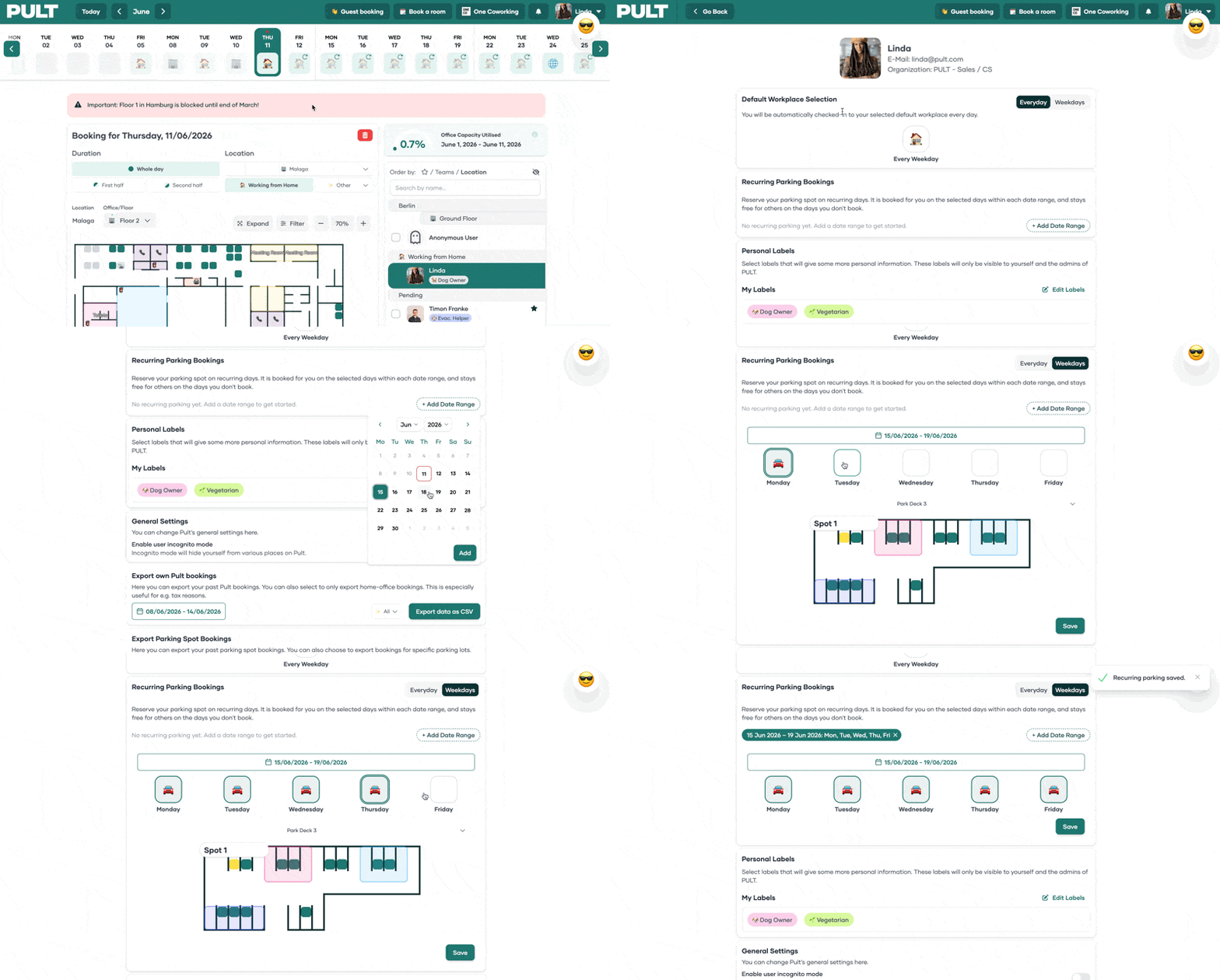
Your parking spot will now be automatically reserved on the selected days within the chosen date ranges.
How to Release Your Spot on a Specific Day
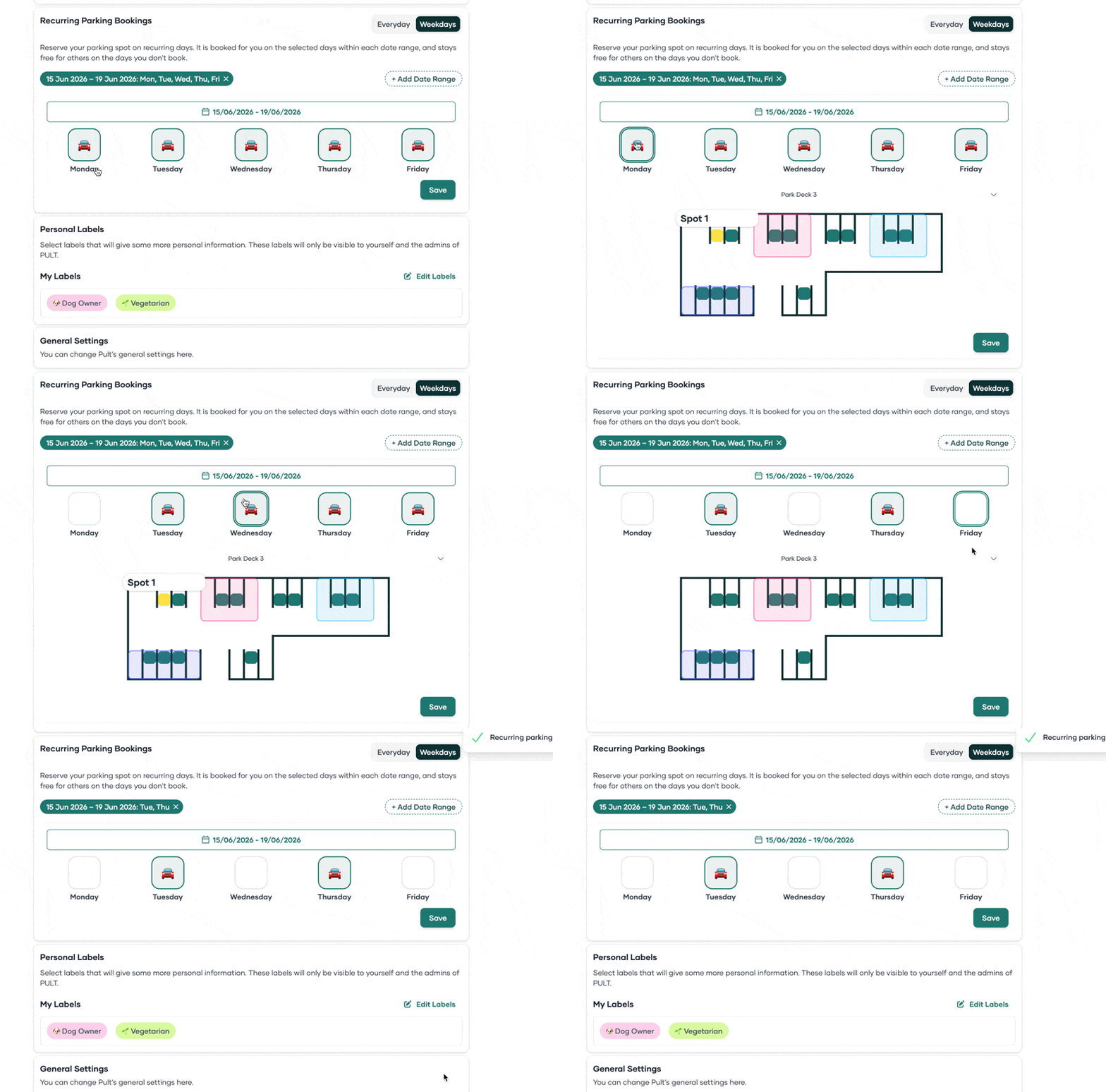
If you are not coming to the office on a day where you have a recurring parking booking, you can cancel that individual booking with a double click. This frees up the spot for other colleagues to use.
Admin Settings (Policy Groups)
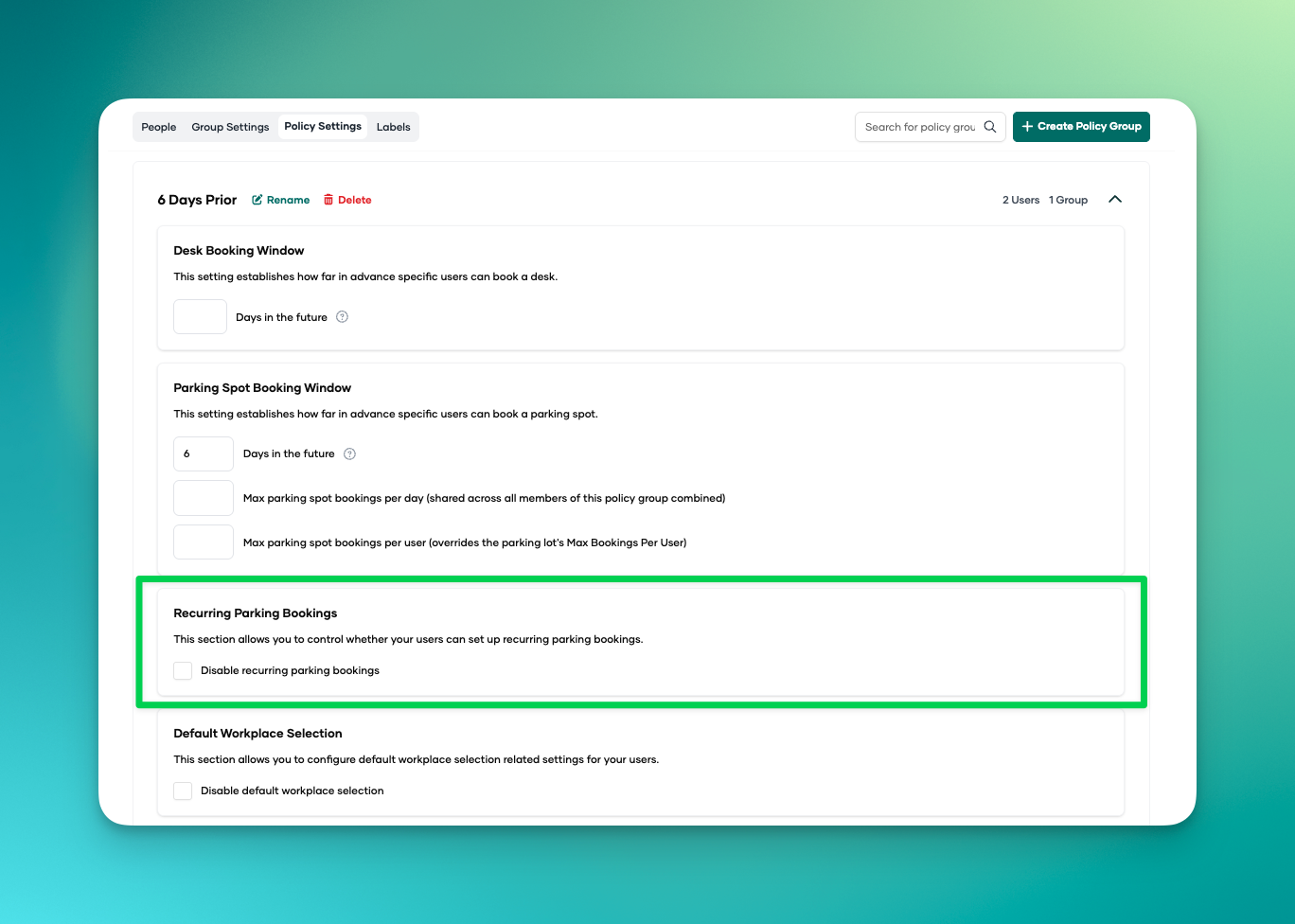
Admins can enable or disable recurring parking bookings for specific user groups via Policy Groups. This allows organisations to control which employees have access to recurring parking reservations.
FAQ
Q: What is the difference between Recurring Desk Bookings and Recurring Parking Bookings?
A: They work similarly. Both let you set up automatic bookings on specific weekdays. Recurring Desk Bookings reserve your desk, while Recurring Parking Bookings reserve your parking spot. Both appear on your profile page.
Q: Can I have multiple date ranges for my recurring parking booking?
A: Yes. Click + Add Date Range to add additional periods. For example, you could set one range for summer and another for autumn.
Q: What happens if I don't need my parking spot on a specific day?
A: You can cancel the individual booking for that day. This releases the spot so other colleagues can book it.
Q: Can my admin restrict who can use recurring parking bookings?
A: Yes. Admins can enable or disable this feature per user group using Policy Groups in the admin dashboard.
Q: Do recurring parking bookings count toward the booking limit / capacity?
A: Yes. Recurring bookings occupy a parking spot just like a regular booking. If capacity is reached, other users will not be able to book that spot.
Q: What happens to my recurring booking if I leave the company?
A: An admin should remove the recurring booking when offboarding an employee. Otherwise, the spot will remain reserved.
Tags: Parking