Calendar Indicator for Check-Ins
Last updated: December 1, 2025
The calendar displays a color-coded indicator whenever a manual or presence-based check-in has been recorded for that day.
By hovering or clicking on a day in the calendar, you can also view the exact timestamp of the check-in.
🟩 Whole-Day Bookings
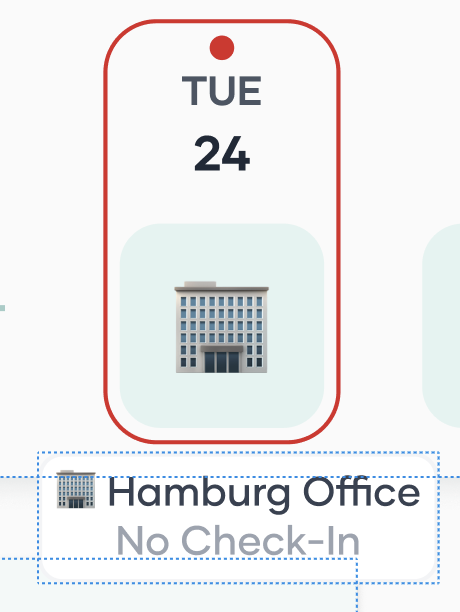
No check-in | 🔴 Red | “No check-in” |
Check-in recorded | 🟢 Green | Check-in timestamp |
🟧 Half-Day Bookings
No check-in | 🔴 Red | “No check-in” |
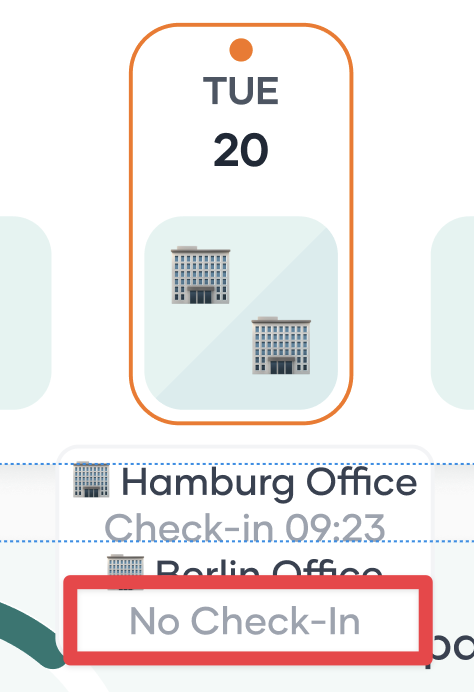
1 of 2 check-ins completed | 🟠 Orange | “No check-in” (for the missing one) |
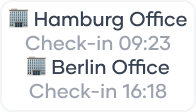
Both check-ins completed | 🟢 Green | Two timestamps (one per check-in) |
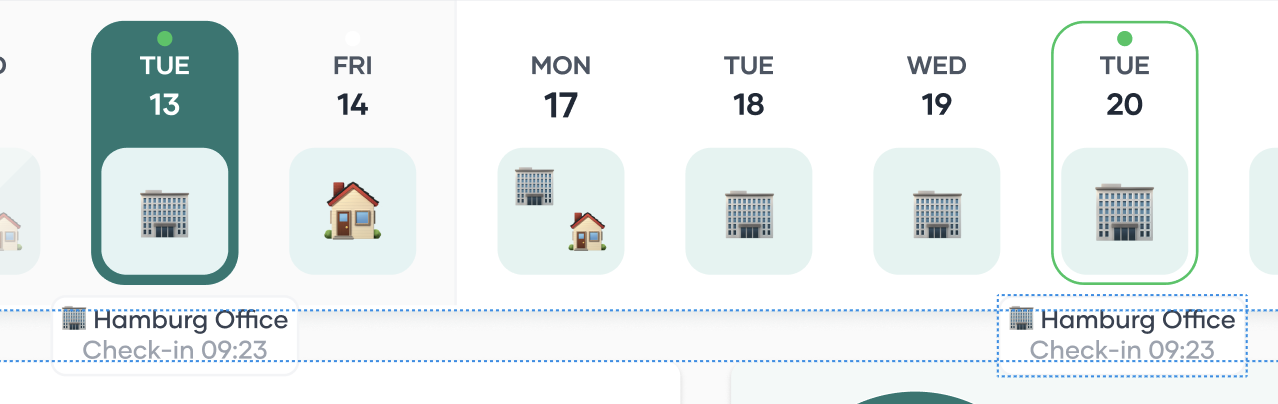
Examples:
Check in: Green + Check in time stamp

No Check in: Red + 'No check in'
Two check-ins: Green + both timestamps
One office check-in + one other-type check-in:
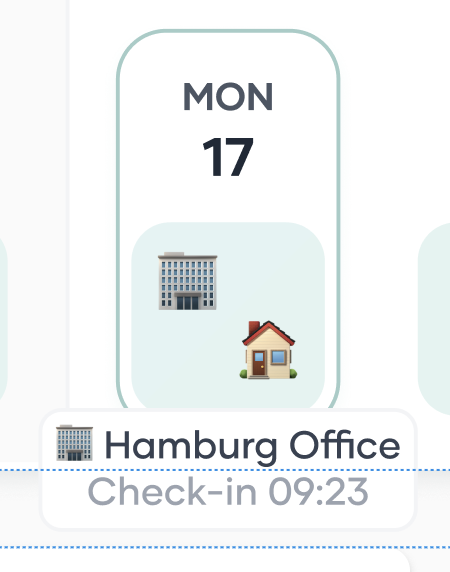
Only one check-in done: Orange + “No check-in”
📘 Past Bookings
For past bookings, only pop-ups are shown, allowing you to review previous check-in data without altering it.