Default workplace selection
Last updated: October 21, 2026
With the default workplace selection you set where you usually work on each weekday. PULT then books it for you automatically.
📌 Admins can switch off the default workplace selection for policy groups (see Team-Specific Default Workplaces). In that case, you won't see this section.
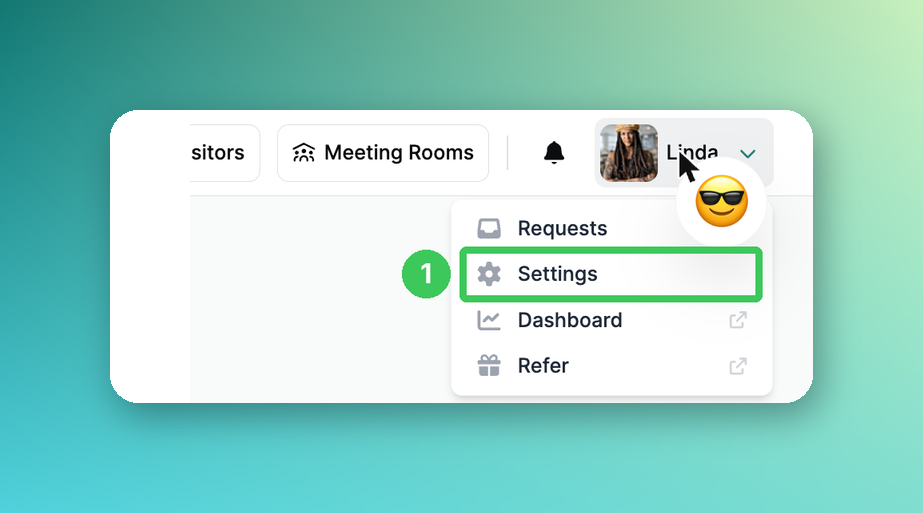
1. Settings
Click your name in the top right of the PULT app and select Settings.
Set up your week
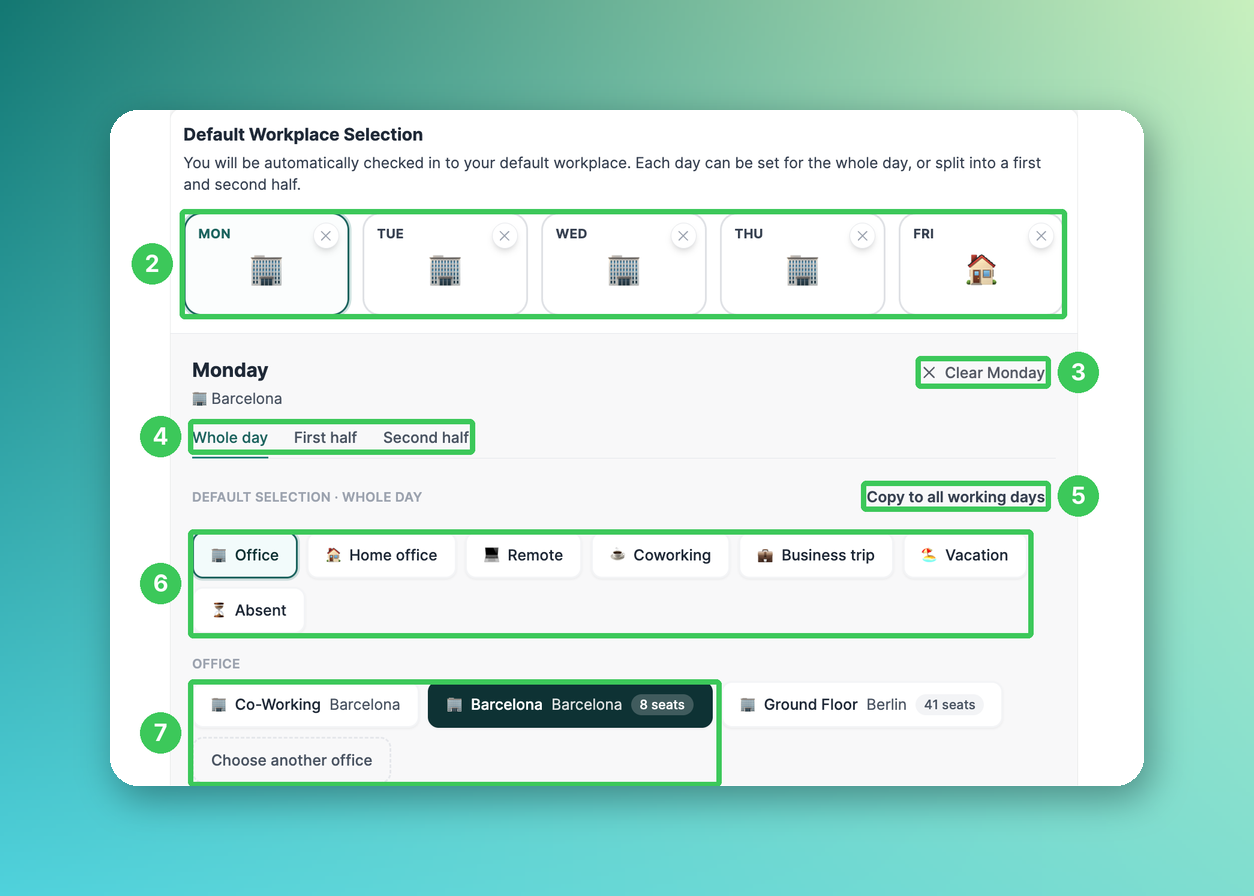
2. Weekdays
Select a weekday to set its default. The icon shows what is currently set; the × removes the default for that day.
3. Clear day
Removes the default for the selected day.
4. Whole day or half days
Set the whole day, or the first and second half separately.
5. Copy to all working days
Applies the selection of this day to all working days.
6. Workplace type
Choose Office, Home office, Remote, Coworking, Business trip, Vacation or Absent. Which options you see depends on your organization's settings.
7. Office
For Office, choose the office. Further offices are available under Choose another office.
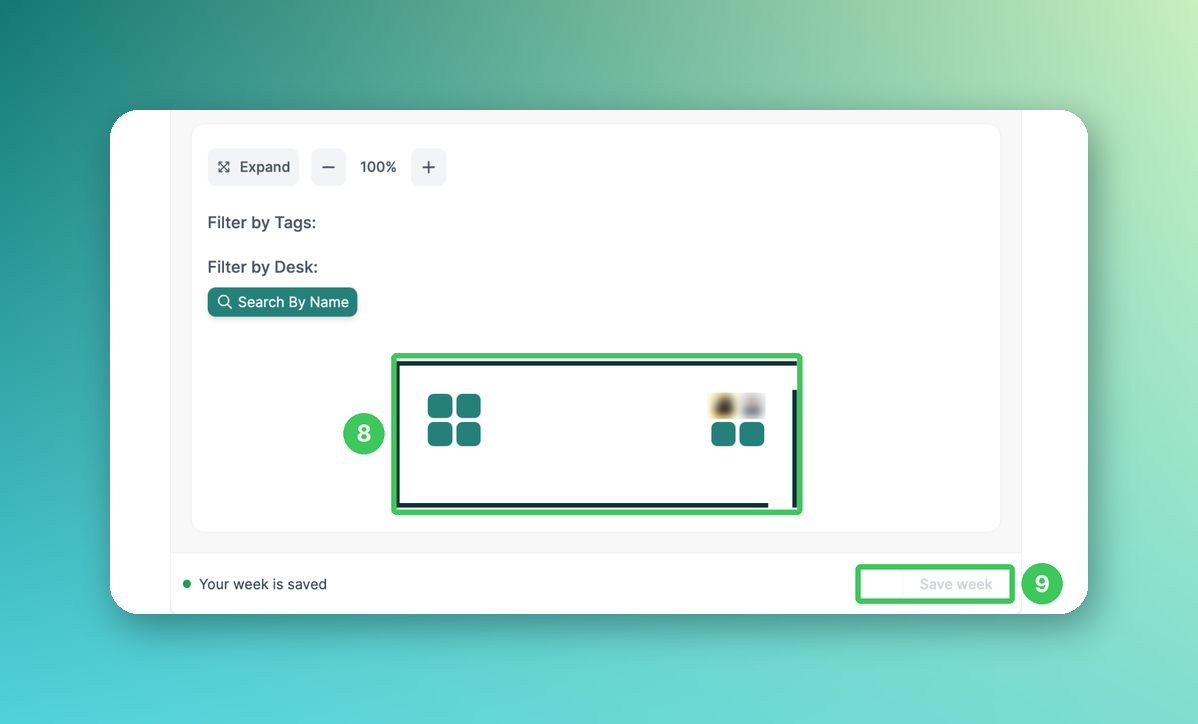
8. Desk
Choose your desk on the floor plan. You can filter by tags or search for a desk by name.
9. Save week
Saves your changes. Your week is saved shows that everything is up to date.
What happens next?
PULT books your default workplace for you and checks you in automatically.
Your default desk is shown as taken on the floor plan and can't be booked by others.
If you book something else for a single day in My Workplace (e.g. home office), this booking replaces your default for that day.
Frequently asked questions
Can I also reserve a parking spot on fixed days?
Yes, with recurring parking bookings in the same settings (see Recurring Parking Bookings (Default Parking Spot)).
Can an admin change my default workplace?
Yes. Admins and team leads can sign in as you and adjust it (see How to Delete Another User's Desk Reservation (for Admins and Team Leads only)).
I don't see the default workplace selection. Why?
Your admin has probably switched it off for your policy group (see Team-Specific Default Workplaces).
Related articles
If you have any questions, feel free to contact our support team at support@pult.com.