Team-Specific Default Workplaces
Last updated: November 21, 2025
Overview
You can configure default workplace selections based on policy-groups in PULT. This is especially useful for organizations with diverse user groups, where not everyone should have access to the same default workplace options.
How to Set Team-Based Default Workplaces
Navigation in PULT:
Open the Admin Dashboard.
Click on Settings, then select the People sub-menu.
Under People, go to Policy Settings.
Click “Create Policy Group”.
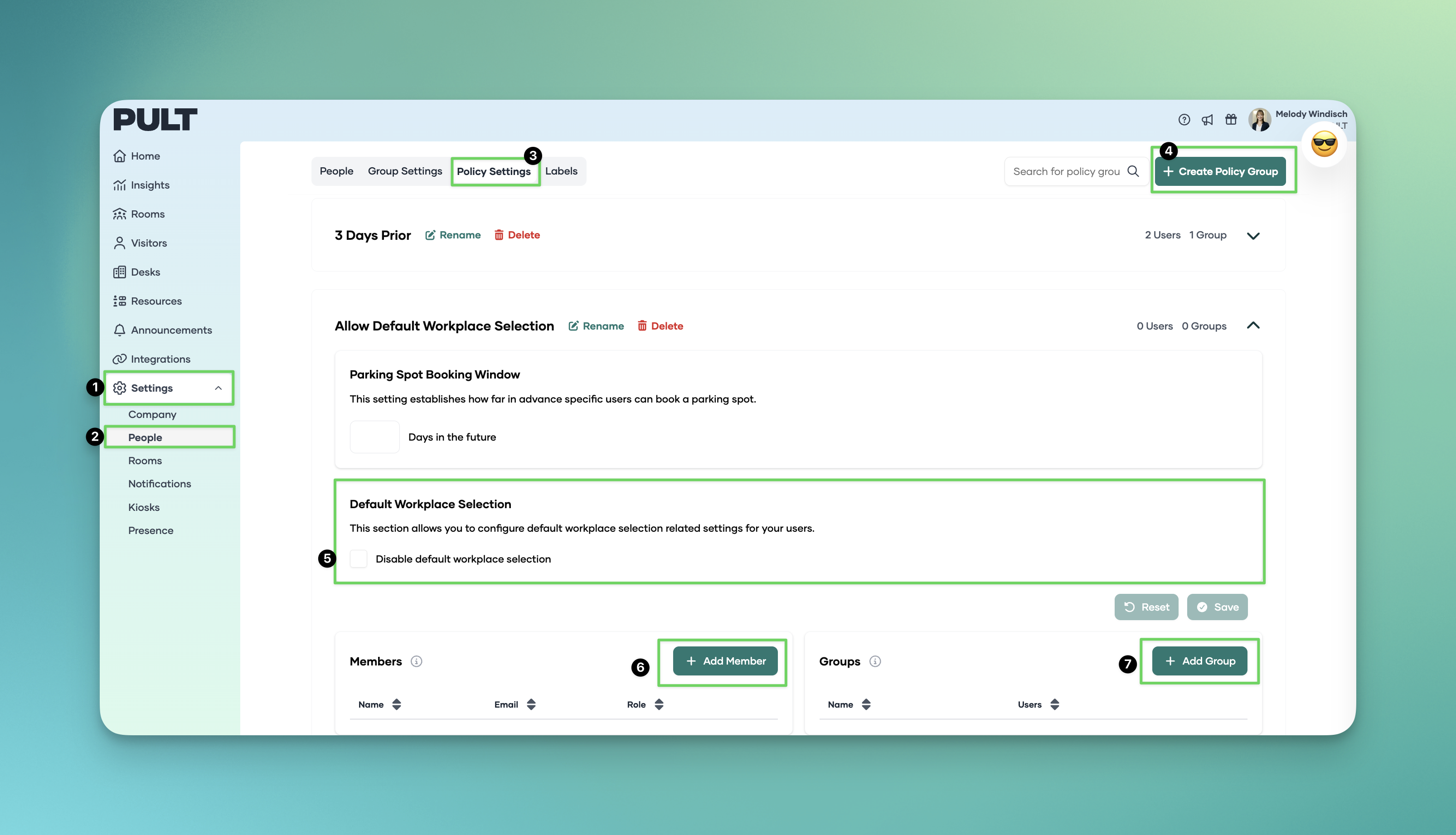
Configure the Policy Group:
Add individual users or entire groups to the Policy Group.
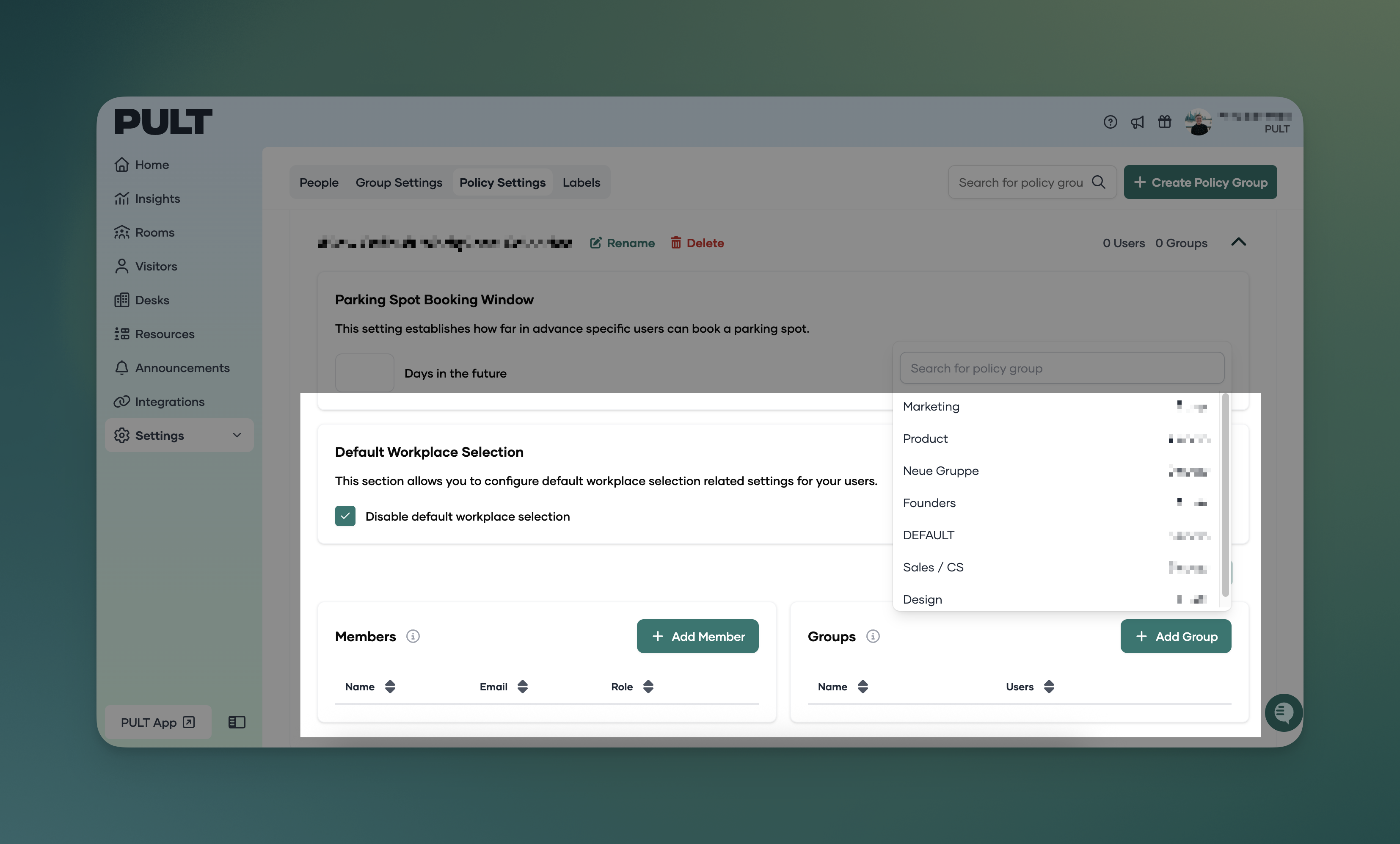
Specify whether they are not allowed to book default workplaces.
In the floor plans, you can also add the Policy Groups defined here to the desk policies (not just individual members or groups). Each Policy Group can contain multiple users and groups.
Save your changes.
Improved Control and Granularity
Teams with different workplace entitlements can now be managed more efficiently.