Assign Desks to Employees or Teams
Last updated: June 9, 2026
This article explains how to block desks for fixed seats and how to set up policies for specific areas and desks.
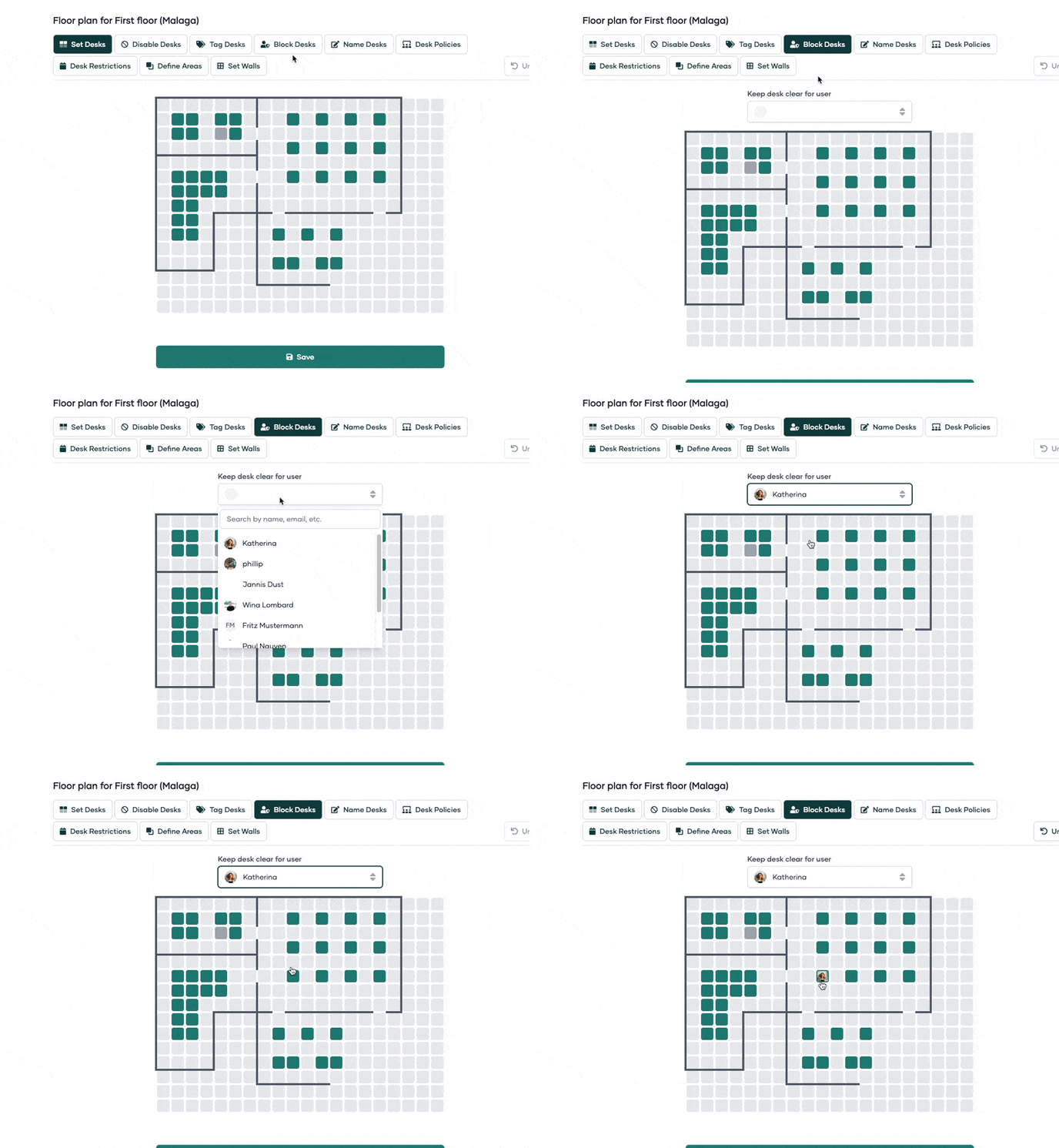
Block Desks
If you want to prevent certain desks from being booked by everyone, use the 'Block Desks' feature. This can be useful for (fix-) desks, which should only be bookable by one person.
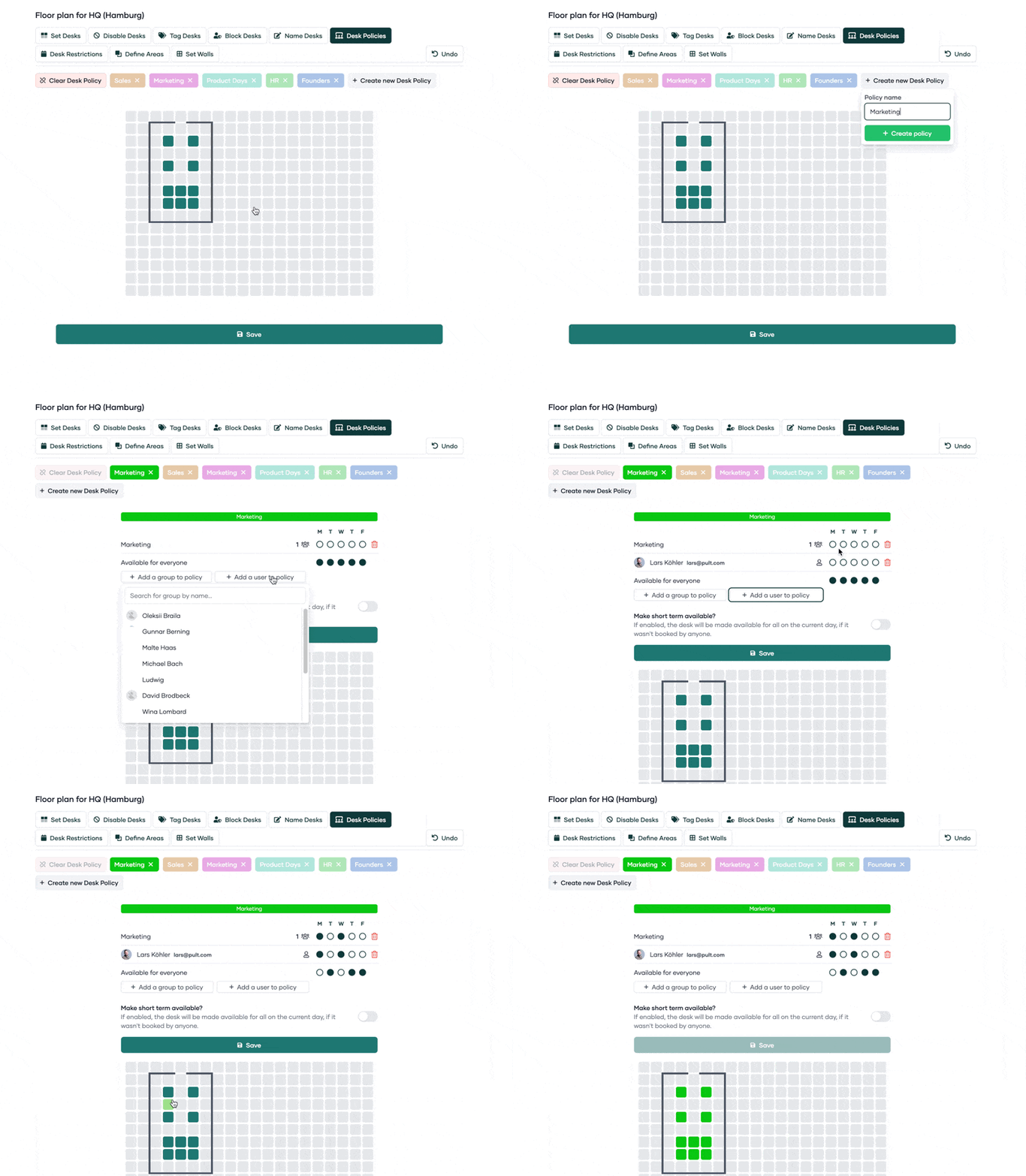
Desk Policies
Our floor plan builder allows you to define policies for groups of desks.
You might create a policy for the 'Sales Area' or the 'Quiet Zone Desks.'
This feature was designed to add policies to desk(s) that are only bookable for one or more team(s) on selected days.
When setting up desk restrictions, you can also specify whether the restriction should apply only to guests or to all users, giving you more control over desk access.
You can also add individual users to the Desk Policies, for example if you only want to grant access to selected members of a team and not the entire team.
You can also add policy groups here.
When configuring desk policies for specific groups, you have two reservation options:
Reserve desks exclusively - Desks remain reserved for the designated group members at all times, regardless of whether they book them
Enable automatic release - If a reserved desk is not booked by someone from the designated group on the same day, it becomes available for others to book
Note: With automatic release, a desk will be released even if only one person from the group doesn't show up. The system does not support conditionally releasing all reserved desks only when the entire group is absent.
Workaround for temporary release: If you need to release desks when you know all group members will be absent, you can manually remove the desk policy. However, you'll need to reconfigure the reservation policy afterward to restore the group reservation.
Tipp: If you have 'Team Days' (e.g. for the Sales team every Thursday) this feature helps you set this up.