How do I add PULT to the Home Screen of my iPhone?
Last updated: October 26, 2026
You can save PULT as a web app on your iPhone and open it with one tap from your home screen. This article shows you how.
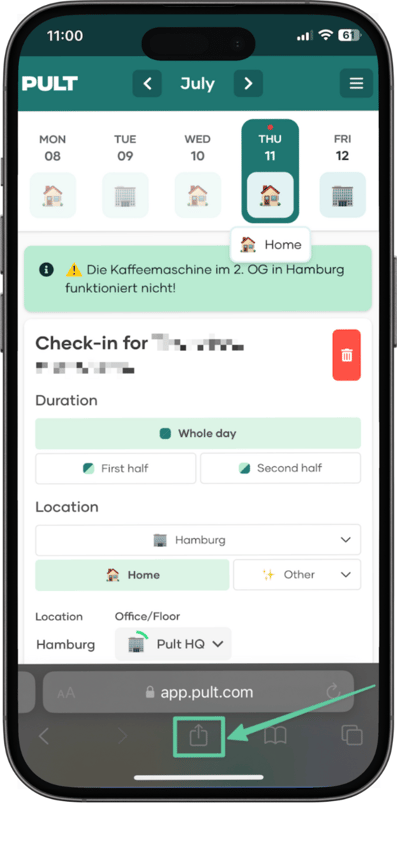
1. Open PULT in Safari
Go to app.pult.com, sign in and tap the Share button.
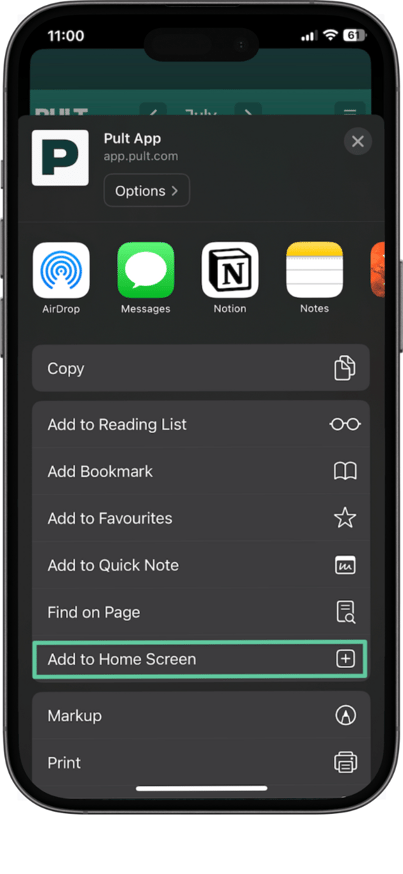
2. Add to Home Screen
Tap Add to Home Screen.
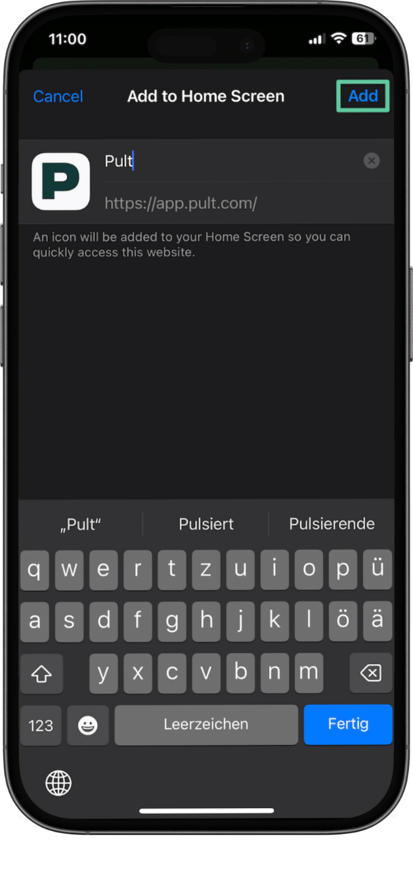
3. Confirm
Change the name if you like and tap Add.
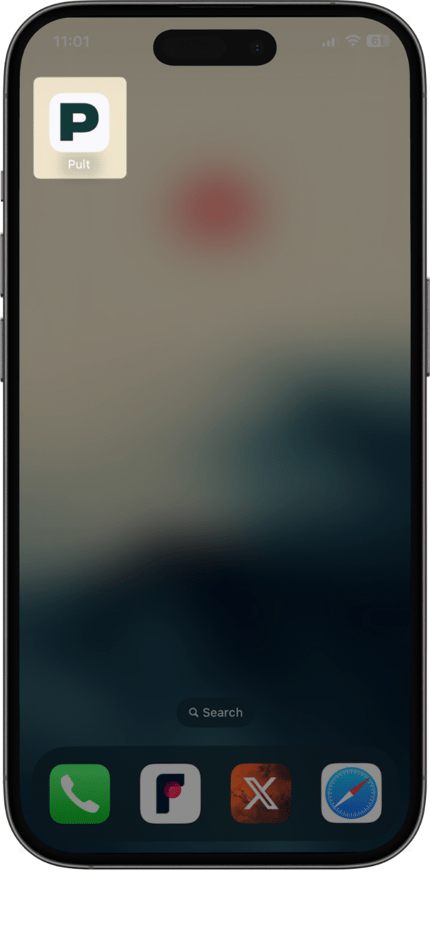
Done – PULT is now on your home screen:
Frequently asked questions
Is this the same as the PULT app?
It opens the PULT web app in its own window, without the browser bar – you use the same features as in the browser.
Related articles
If you have any questions, feel free to contact our support team at support@pult.com.