Whitelabel Color Configuration – Overview
Last updated: December 8, 2025
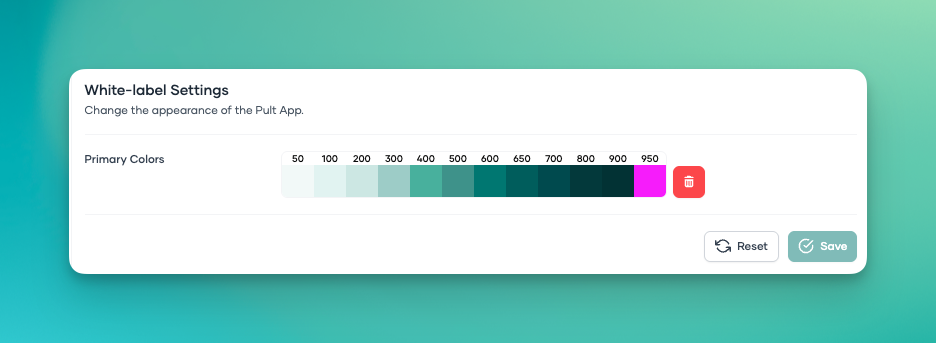
Below you’ll find a breakdown of what each Whitelabel color token controls inside Pult.
This helps you understand how different UI elements change based on the color values you set.
50
Currently not affecting any visible UI elements.
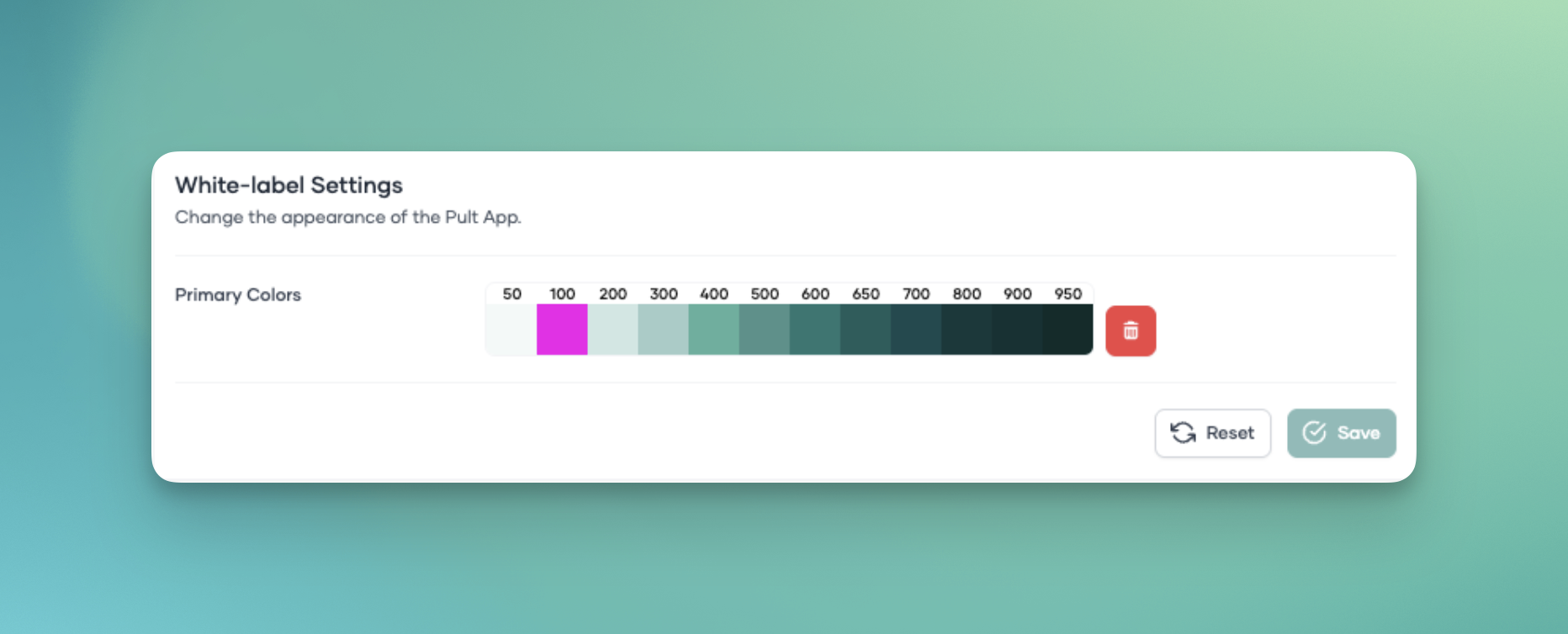
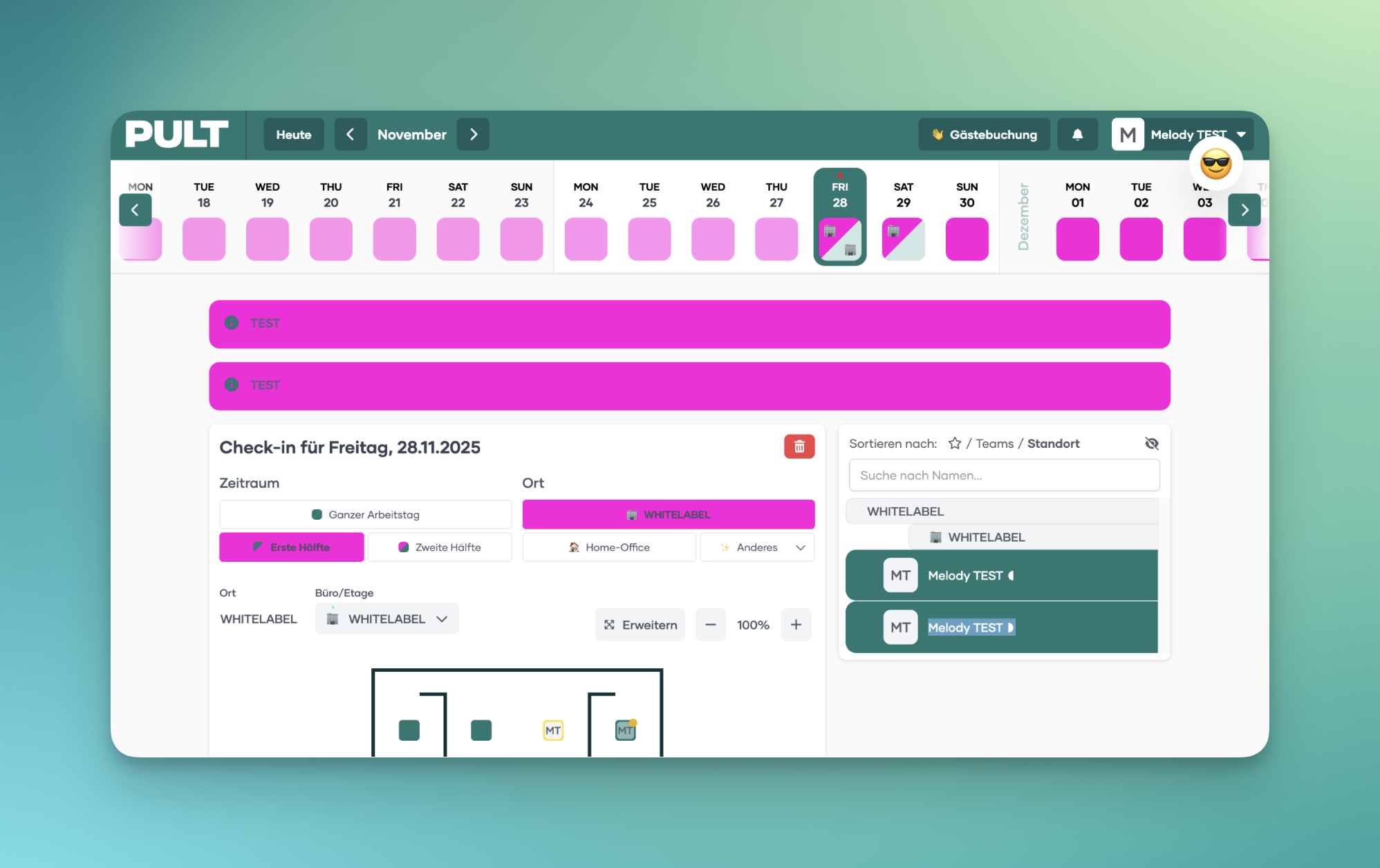
100
Controls several key background and highlight elements, including:
Background color behind days in the calendar view
Button color for Office & Floor selection
Background for Emergency / General Messages
Background for Message of the Day
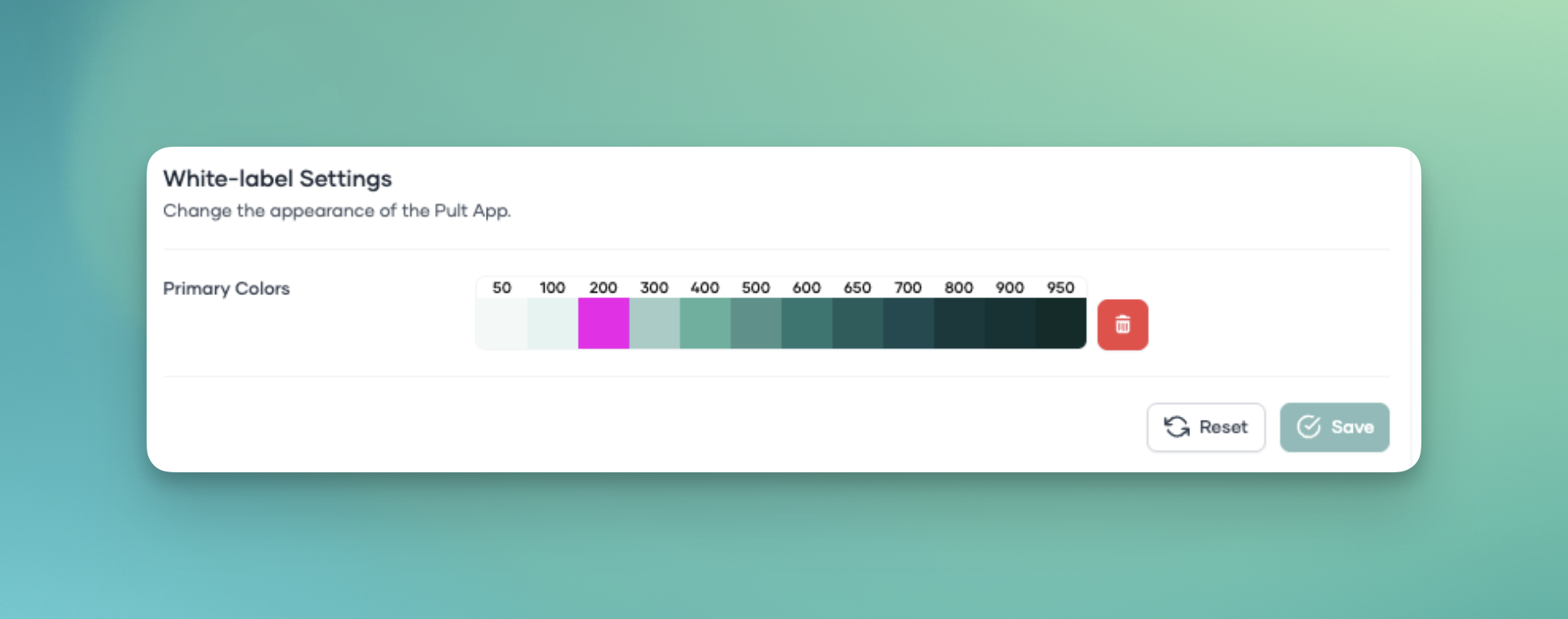
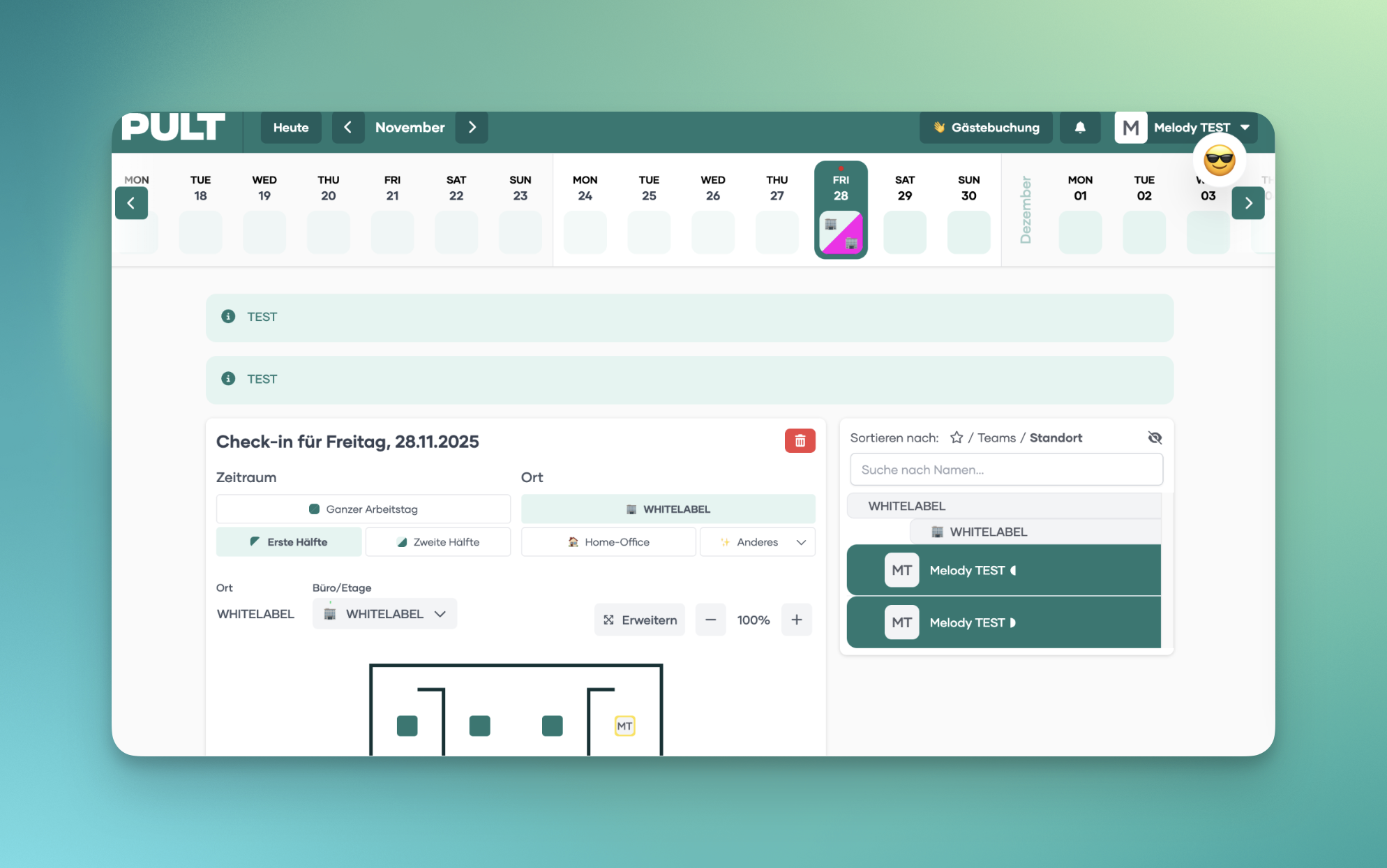
200
Changes the color of the second half-day booking in the calendar view.
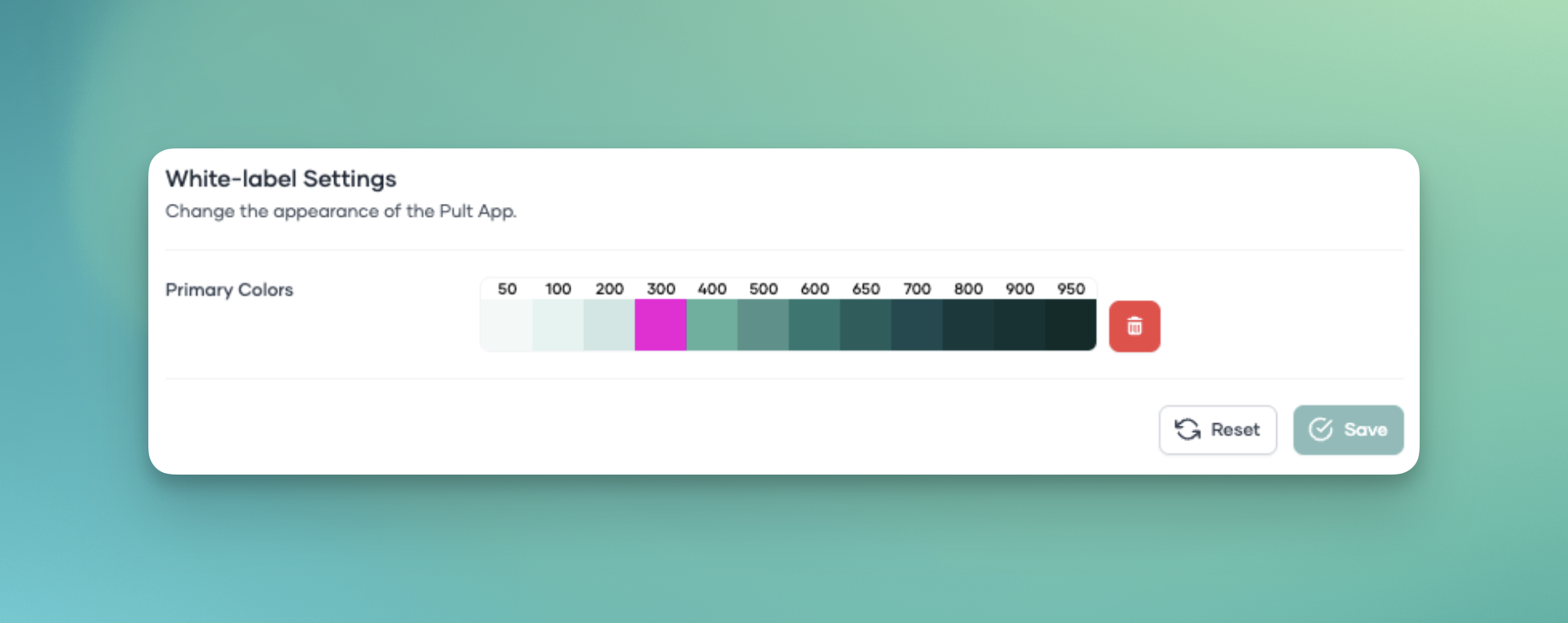
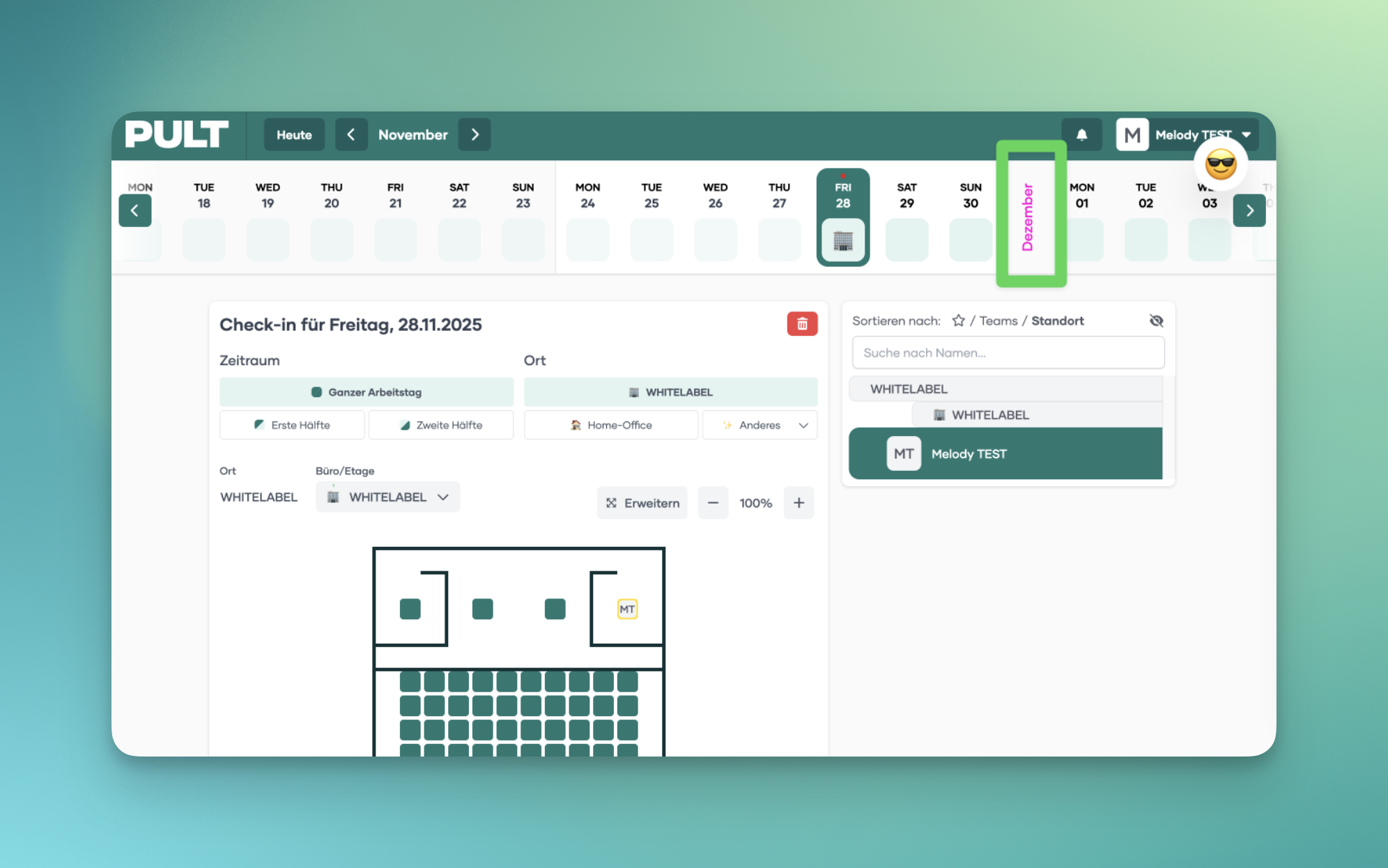
300
Controls the color of the month header in the calendar view.
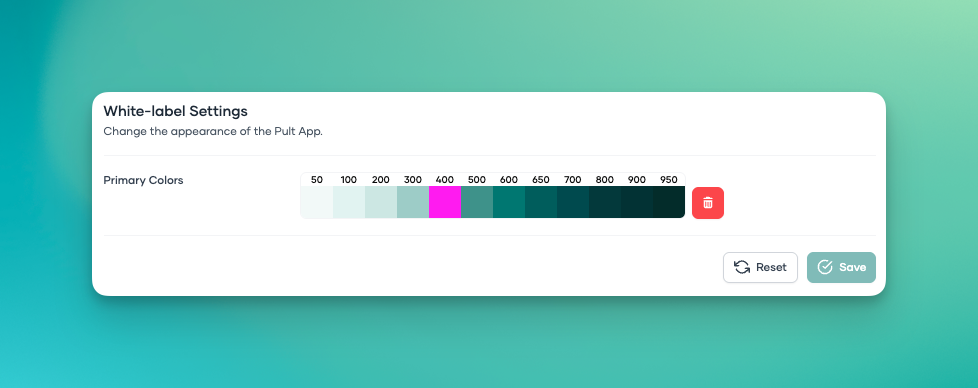
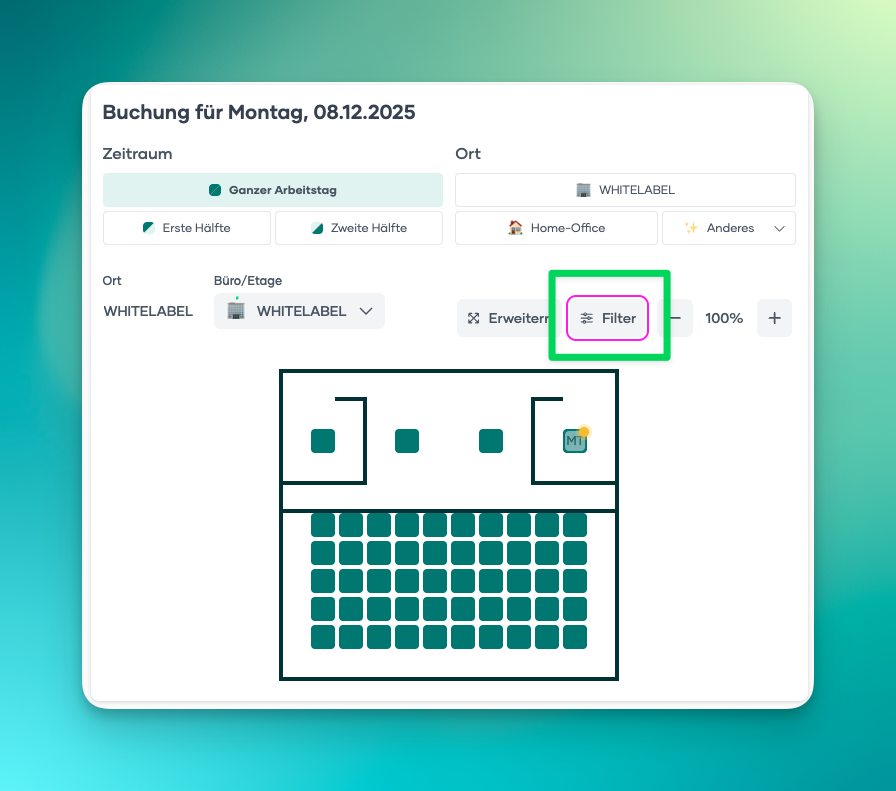
400
Changes the border color of the "filter" in the floorplan on the web app.
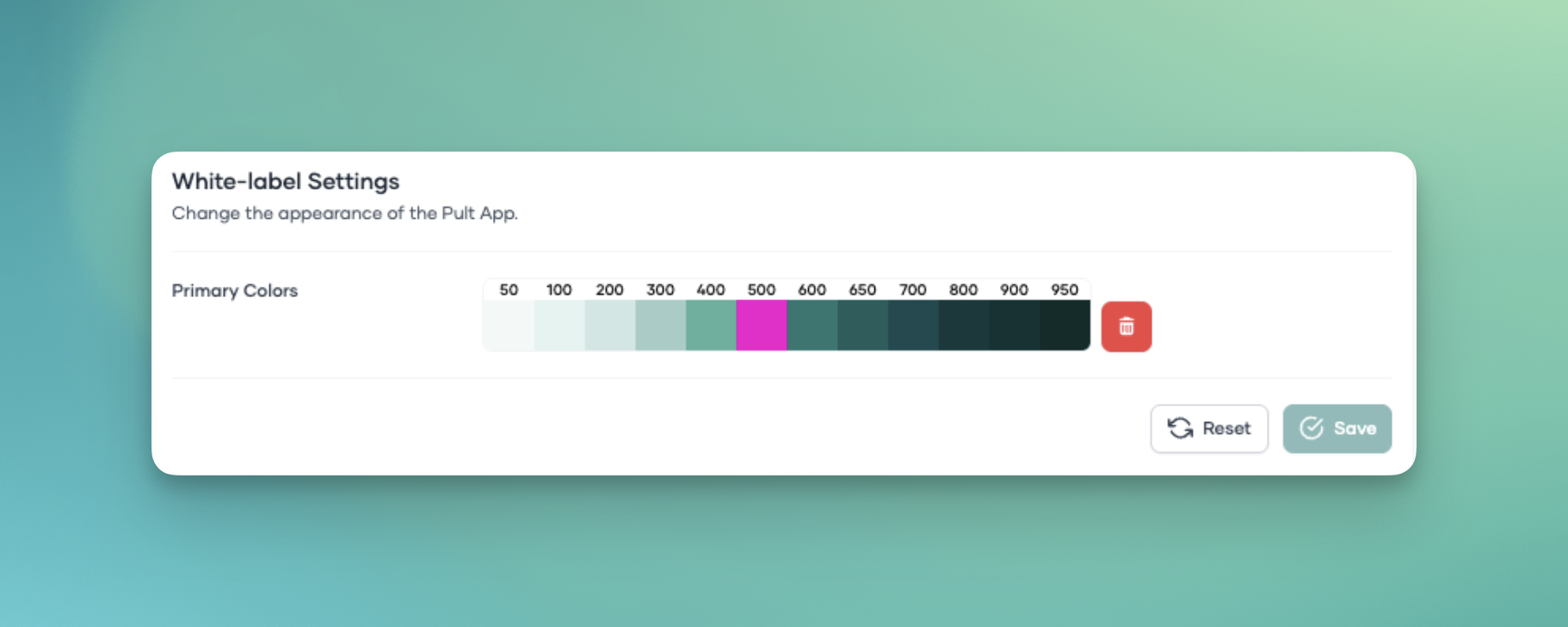
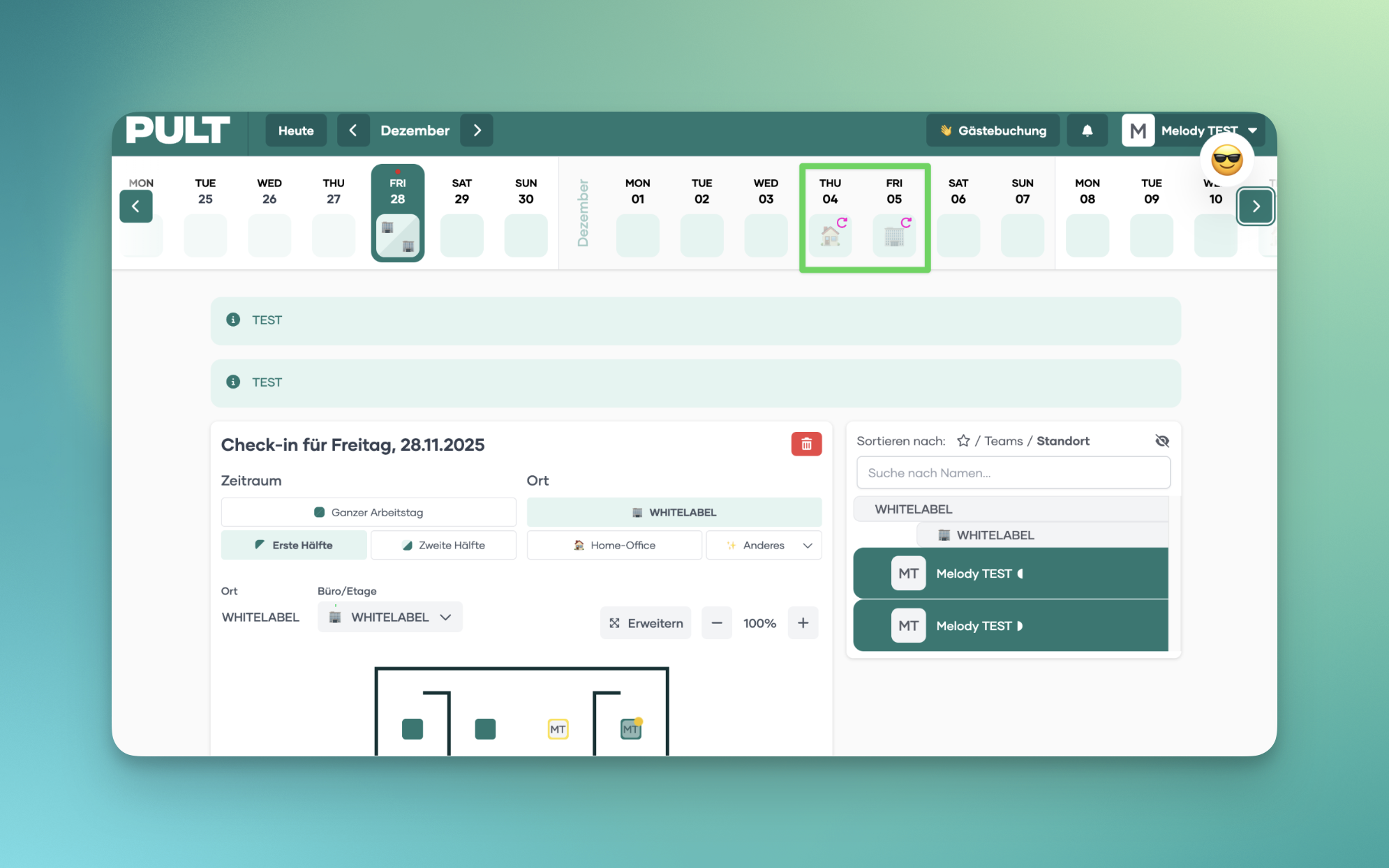
500
Changes the color of the icons in the calendar view indicating whether a booking is a Default Booking.
600
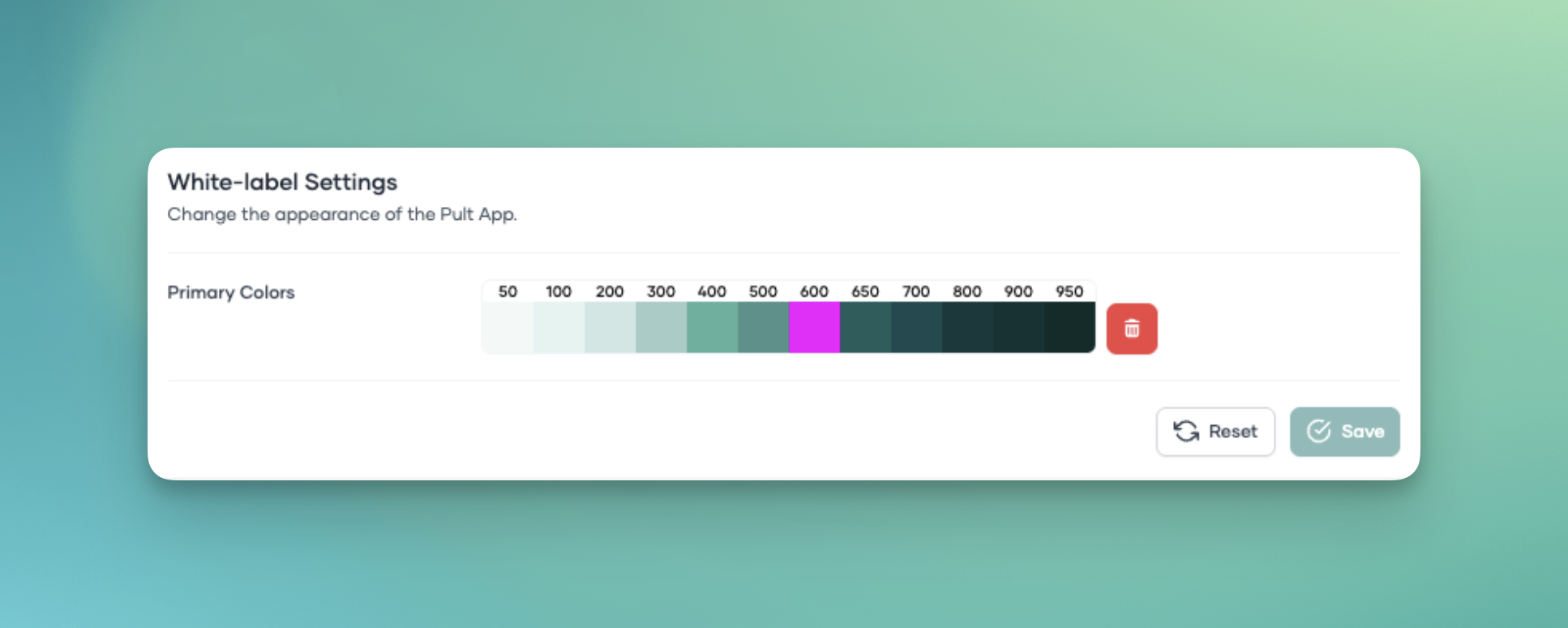
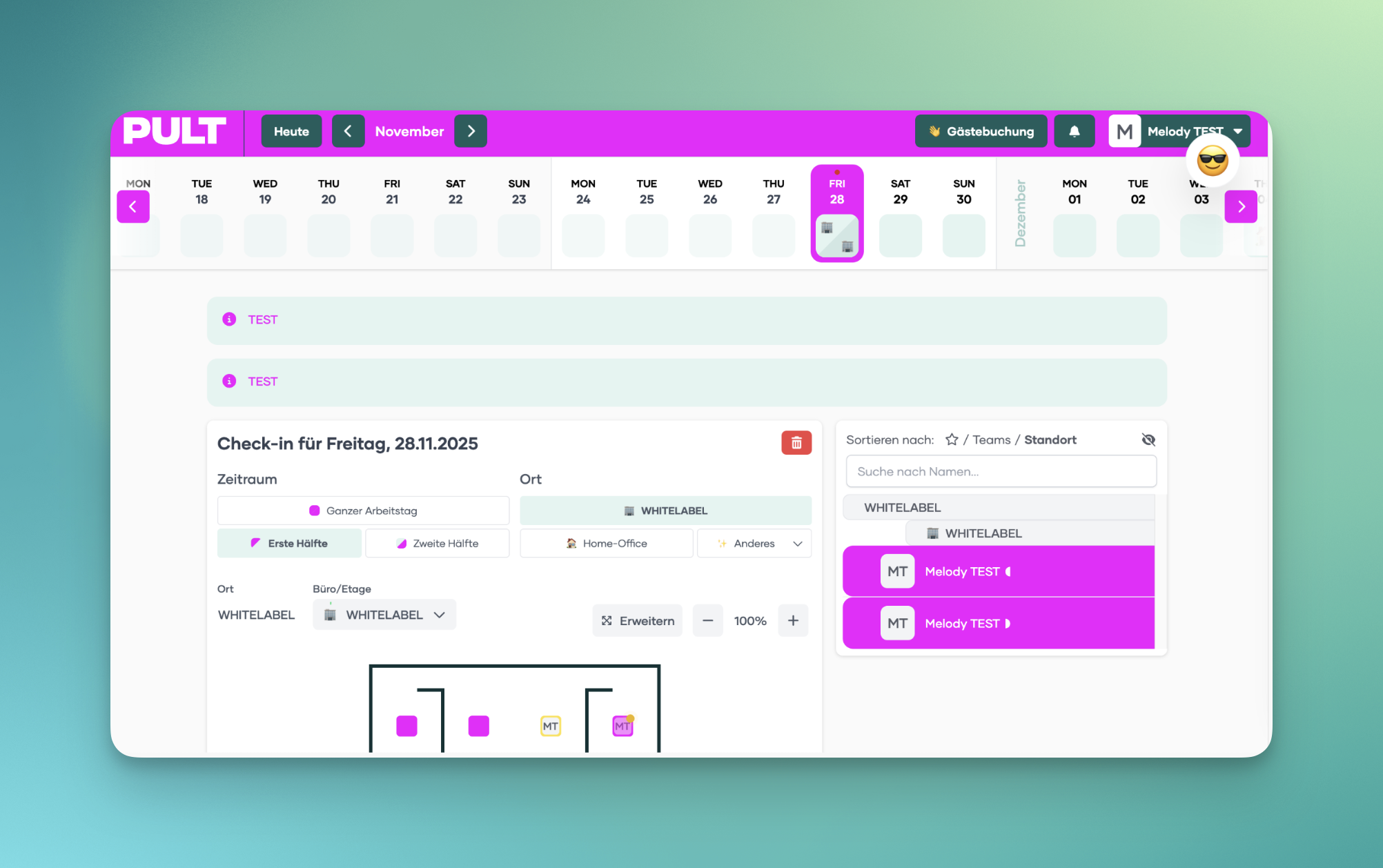
Controls several major interface elements, including:
Desk colors in the floorplan
The primary top navigation bar
The general default background color in multiple views
650
Adjusts the color of the buttons on the main navigation bar.
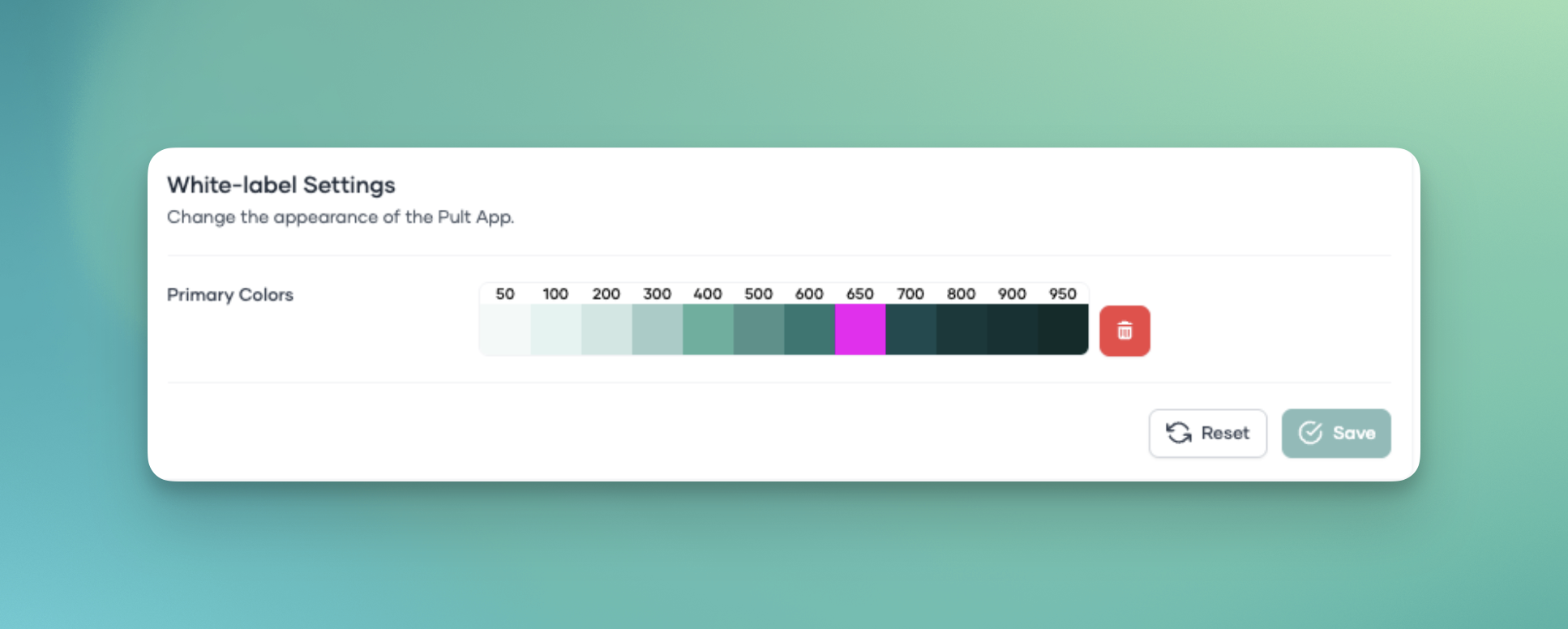
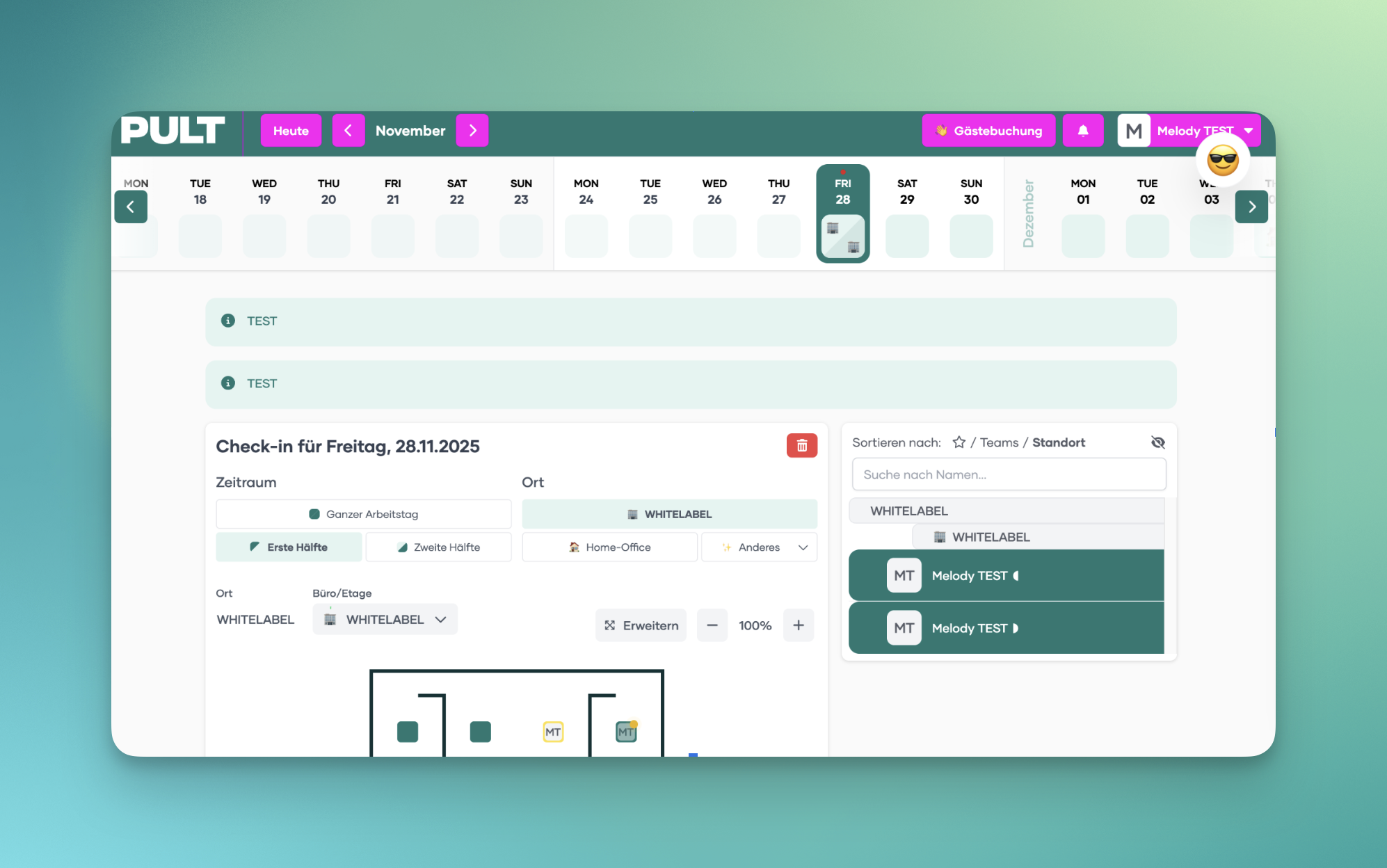
700
Changes the active / clicked state of buttons on the main navigation bar.
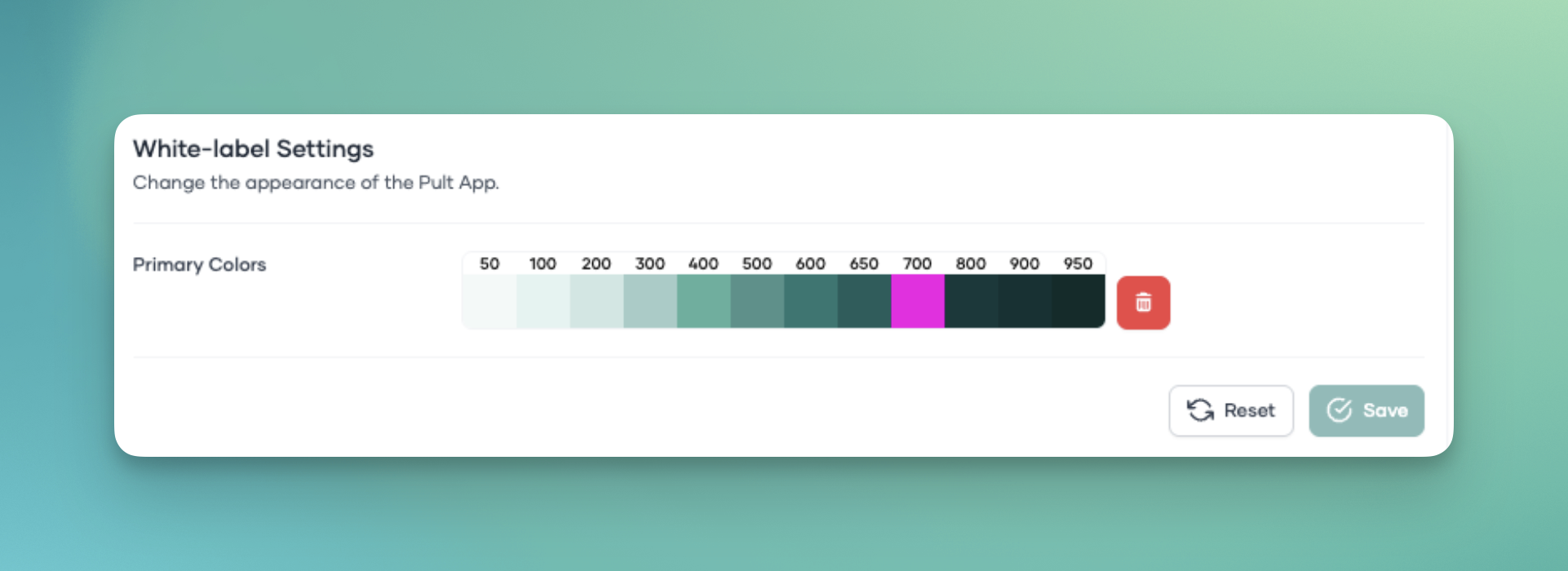
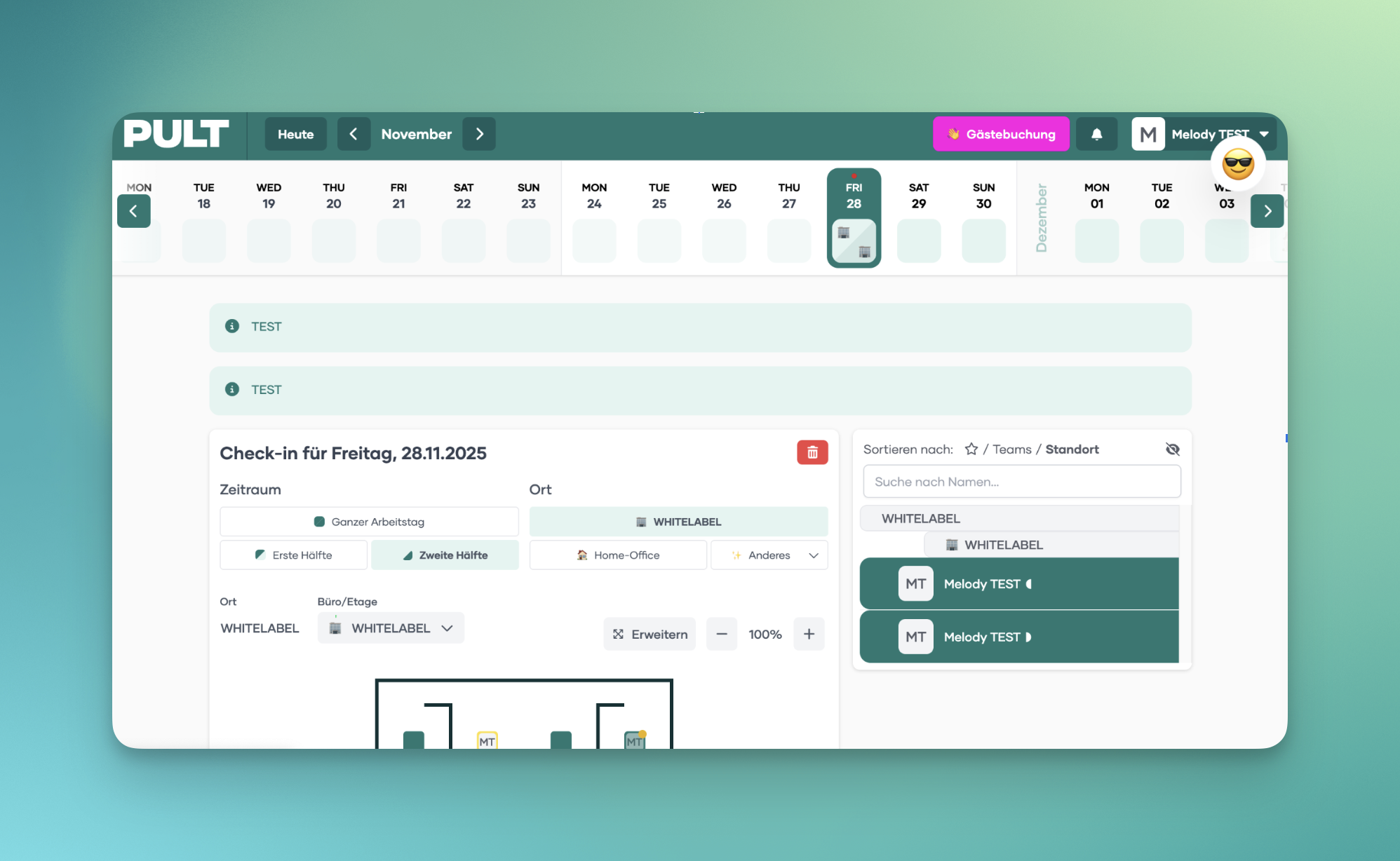
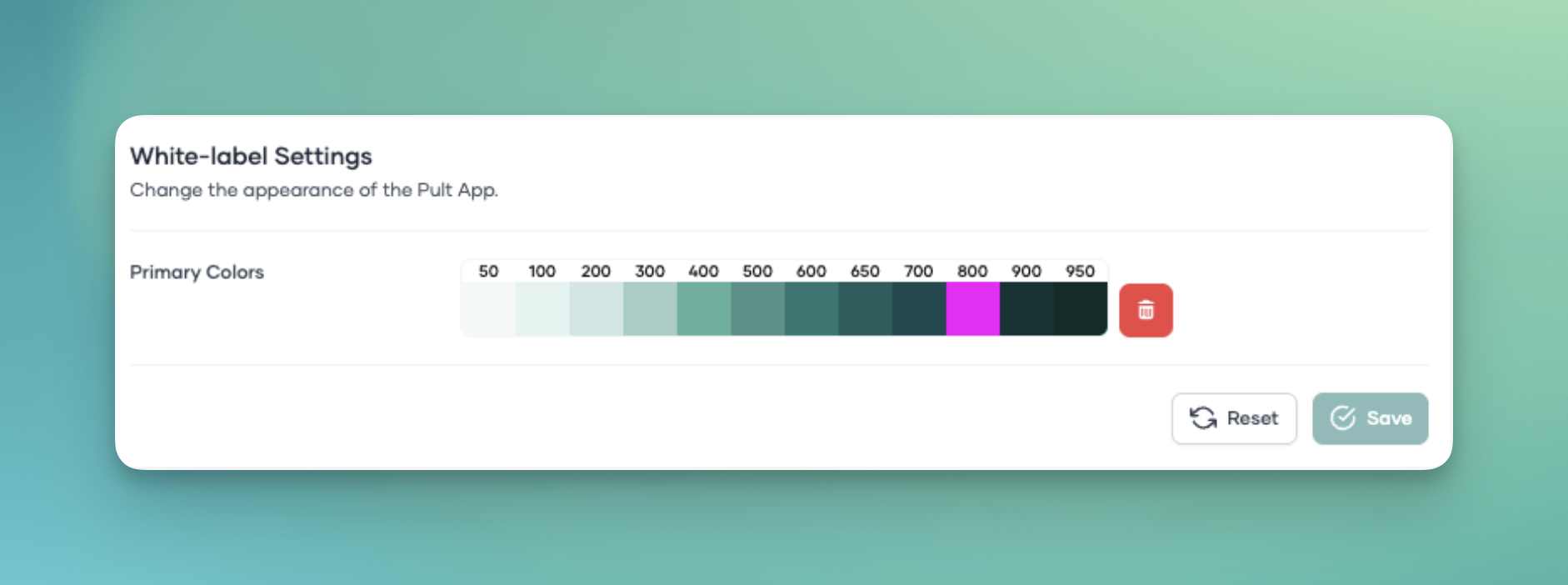
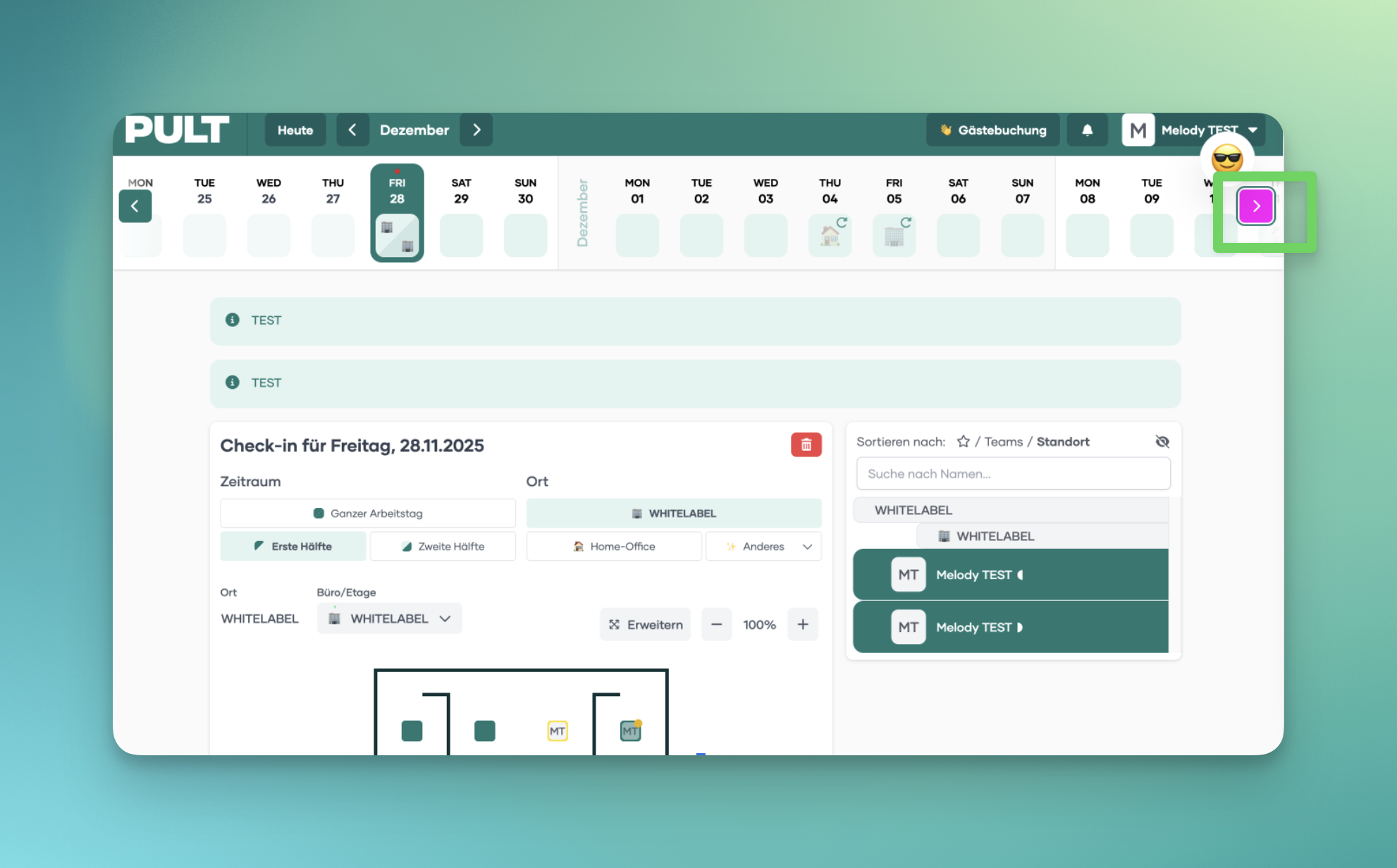
800
Styles the button in the calendar used to navigate to other days.
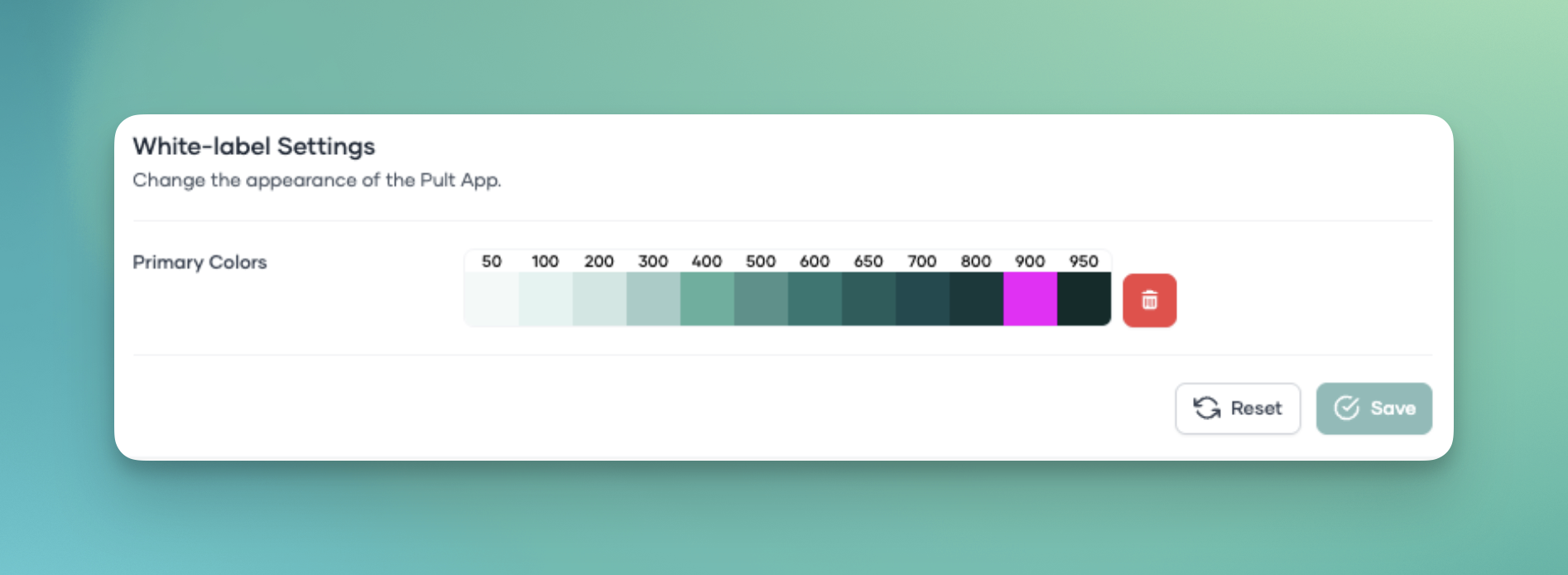
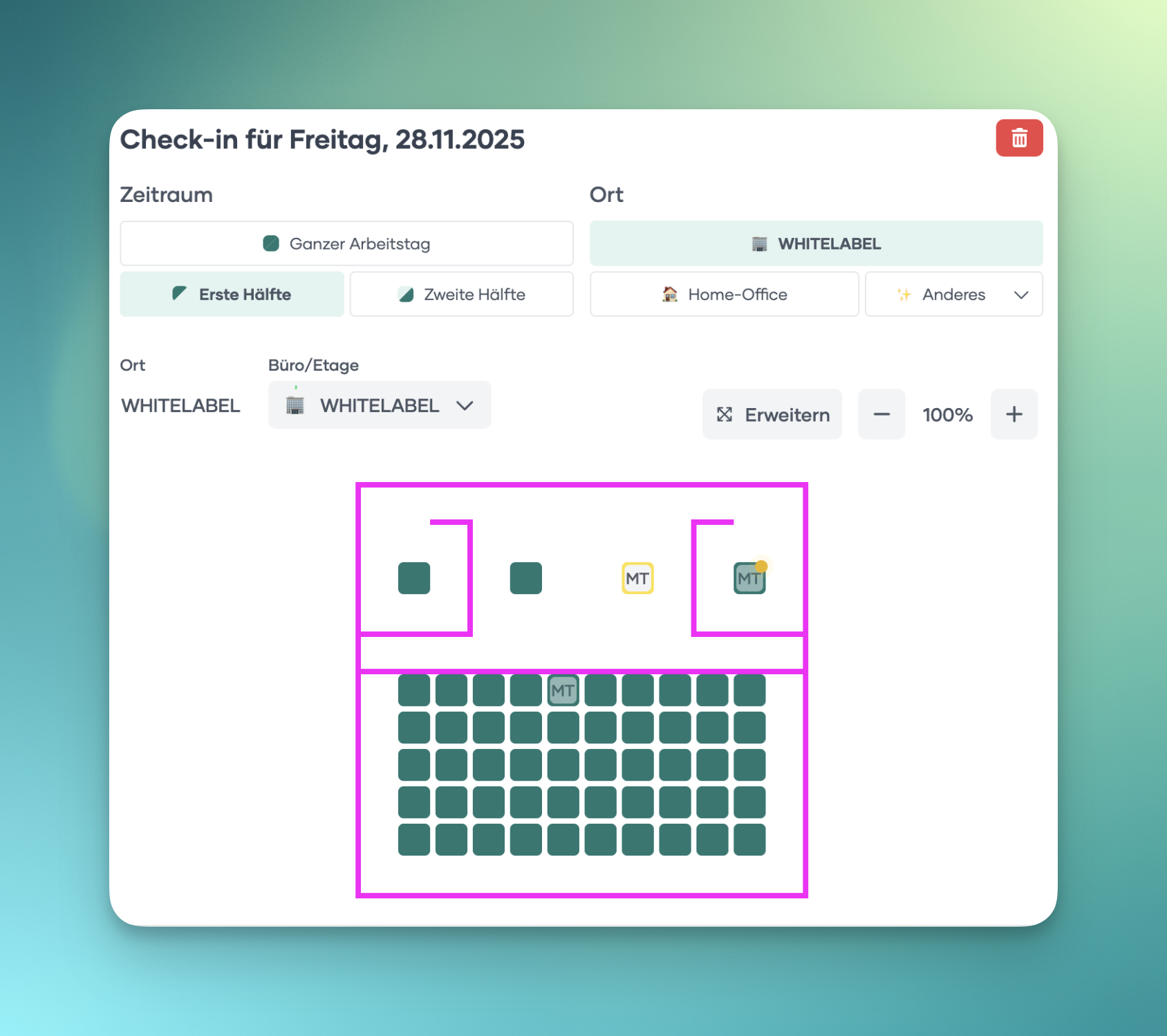
900
Controls the color of the walls in the floorplan.
950
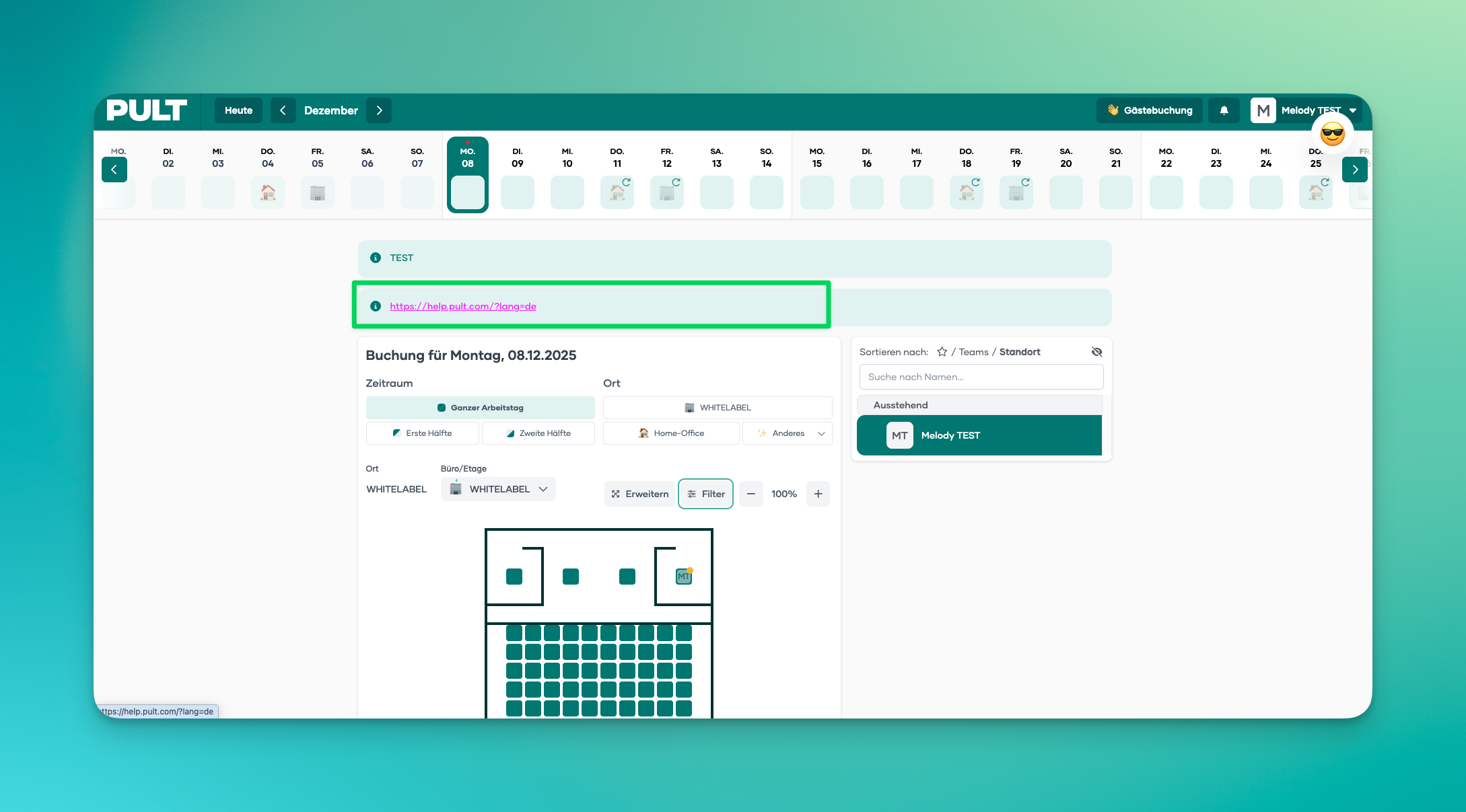
Changes the hover color that appears when moving the mouse over a link (e.g., General Message or Message of the Day)
❓ Need help setting up the right color code for your company?
🤝 Feel free to contact us at Support@pult.com