How do I opt out of the Google or Microsoft integration?
Last updated: October 28, 2026
If your company uses the Google or Microsoft integration, PULT can show your bookings in your calendar. If you don’t want this, you can switch the sync off for yourself. This article shows you how.
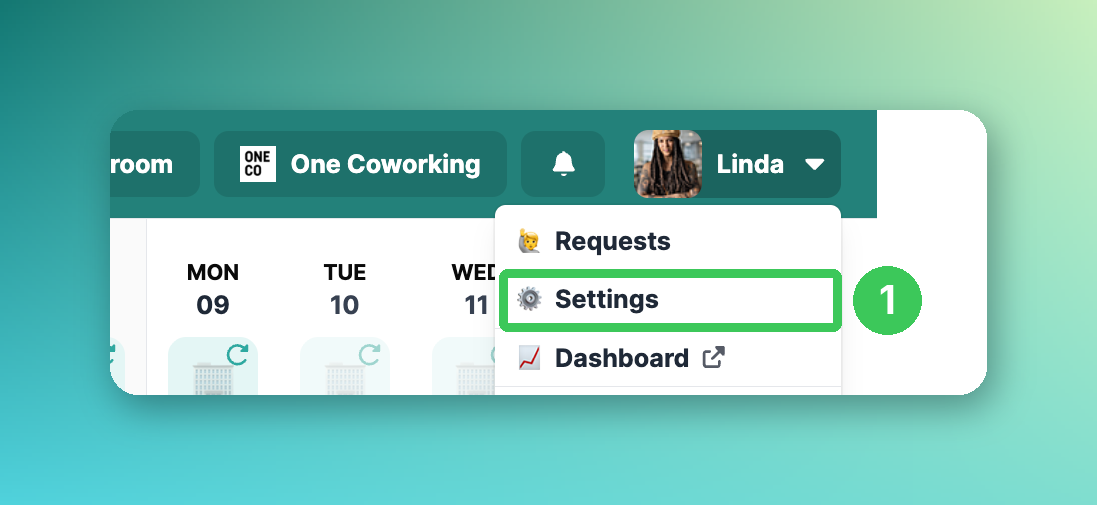
1. Open your settings
In the PULT web app, click your profile picture in the top right corner and select Settings.
2. Switch off the calendar sync
Depending on your company, you see the Google Integration or the Microsoft/Outlook integration. Switch off the option to synchronise PULT bookings to your calendar.
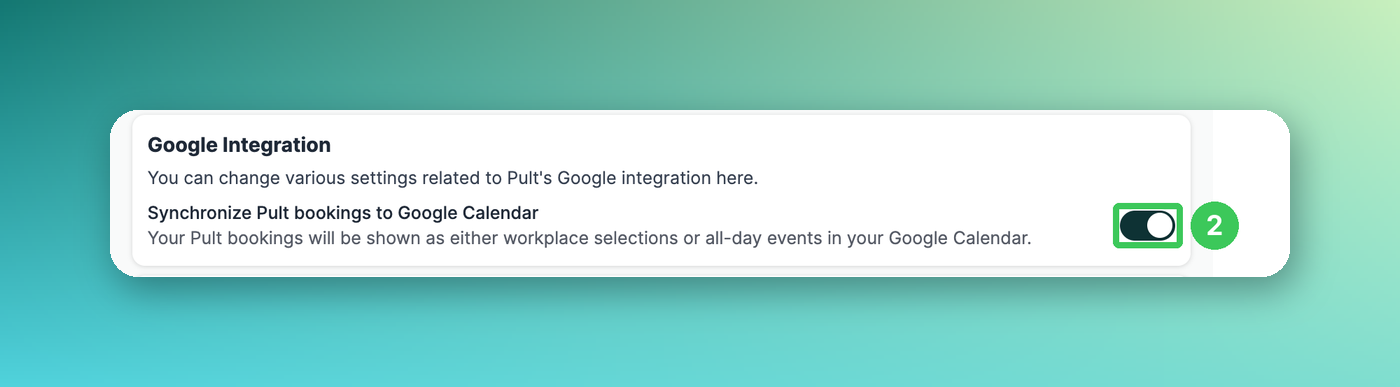
Your PULT bookings are then no longer shown in your calendar.
Frequently asked questions
Does this affect my bookings in PULT?
No. Your bookings stay in PULT – they are just no longer shown in your calendar.
Related articles
If you have any questions, feel free to contact our support team at support@pult.com.