Disabling Slack Status Sync in PULT
Last updated: November 7, 2025
This article will show you how to disable the Slack Status Sync feature
PULT allows you to automatically sync your workplace selection with your Slack status. If you prefer to manage your Slack status separately, you can disable this feature in the PULT settings.
Steps to Disable Slack Status Sync
In the PULT web app, navigate to the Settings page by clicking on your profile picture followed by settings
Locate the toggle switch for Enable Slack status sync. Click the toggle switch to disable Slack status sync. The switch will be turned off (gray).
Once you disable this feature, your Slack status will no longer be automatically updated based on your PULT workplace selection. You will need to manage your Slack status manually.
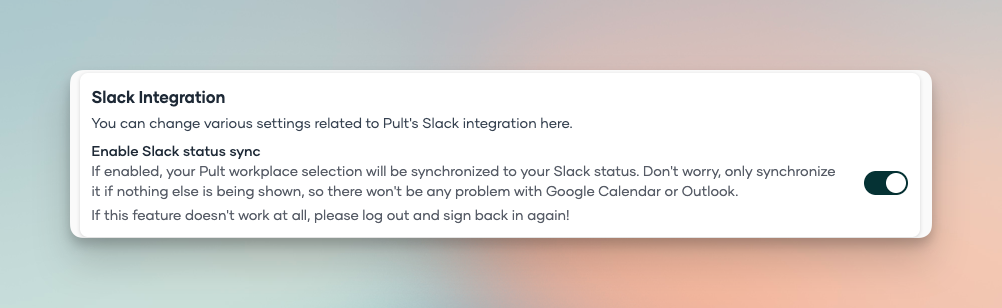
Once this feature is disabled, your Slack status will no longer update automatically based on your workplace selection in PULT. You will need to manage your Slack status manually from that point on.