How to set up the Incognito mode
Last updated: October 22, 2025
This article explains how to enable incognito mode
Incognito mode is a feature that allows you to 'hide' yourself from other users on Pult.
Other users will not be able to see your booked location when incognito mode is enabled.
Please note that your PULT admins have to enable Incognito mode for your company.
To enable incognito mode, follow these steps:
Open the Pult app and click on your profile picture in the top right hand corner, select Settings
Under General settings toggle the Enable user incognito mode switch to the On position
That's it! You've just enabled incognito mode for your account.
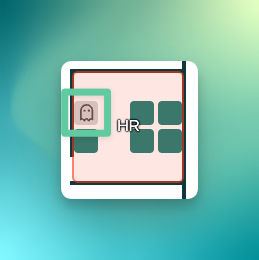
Your coworkers will not see your avatar but a ghost on the floorplan: