Choose sign-in methods for PULT
Last updated: October 27, 2026
As an admin, you decide which sign-in methods the members of your organization can use for PULT. This article shows you where to find the setting and how it works.
1. Open the authentication settings
In the PULT dashboard, go to Settings → Security → Authentication.
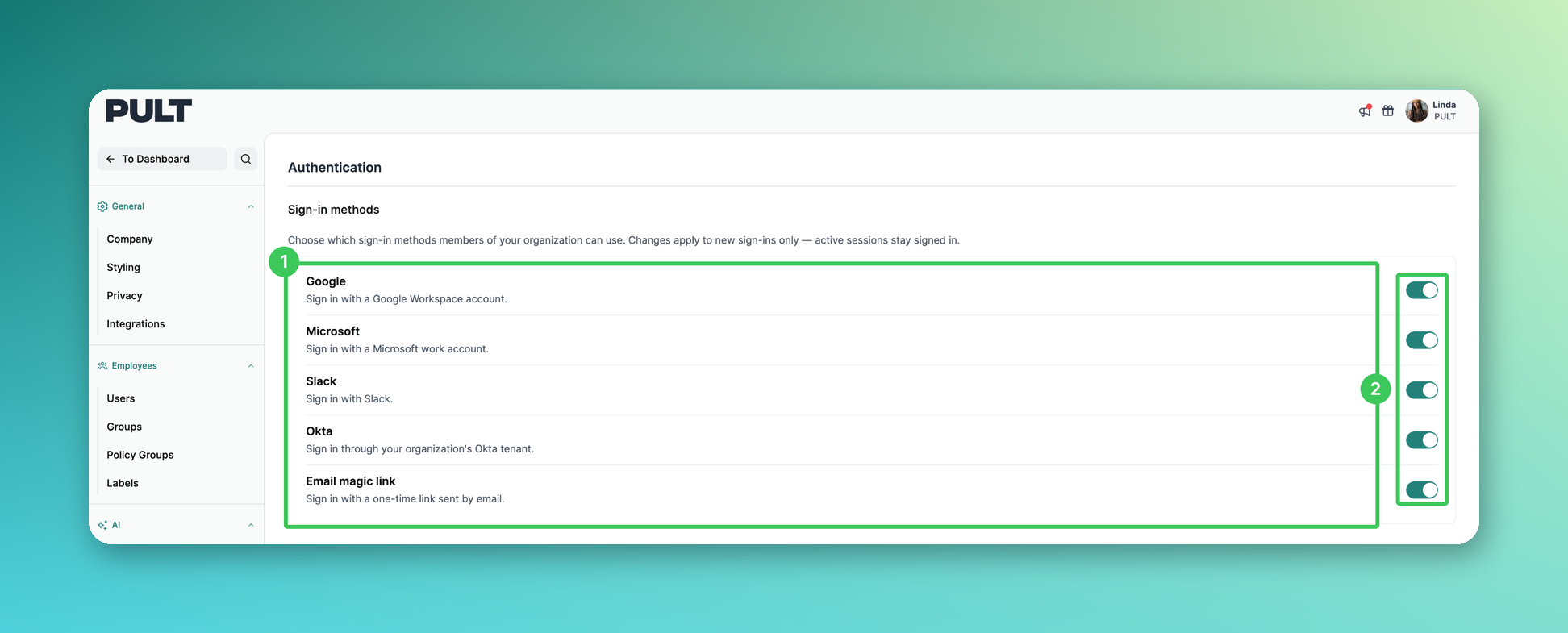
Sign-in methods: You see all available methods – Google, Microsoft, Slack, Okta and Email magic link.
Toggle: Switch a method on or off.
2. The sign-in methods
Google: Sign in with a Google Workspace account.
Microsoft: Sign in with a Microsoft work account.
Slack: Sign in with Slack.
Okta: Sign in through your organization’s Okta tenant.
Email magic link: Sign in with a one-time link sent by email.
📌 Changes apply to new sign-ins only. Users who are already signed in stay signed in.
Frequently asked questions
Are users signed out when I switch off a method?
No. Active sessions stay signed in. The change only applies the next time someone signs in.
What is the email magic link?
Users enter their email address and get a one-time link to sign in – no password needed.
How do I set up Okta?
Follow the steps in Okta SSO.
Which methods should I keep on?
Make sure at least one method stays on that all your employees can use.
Related articles
If you have any questions, feel free to contact our support team at support@pult.com.