Home - Workplace Operations Dashboard
Last updated: February 2, 2026
Overview
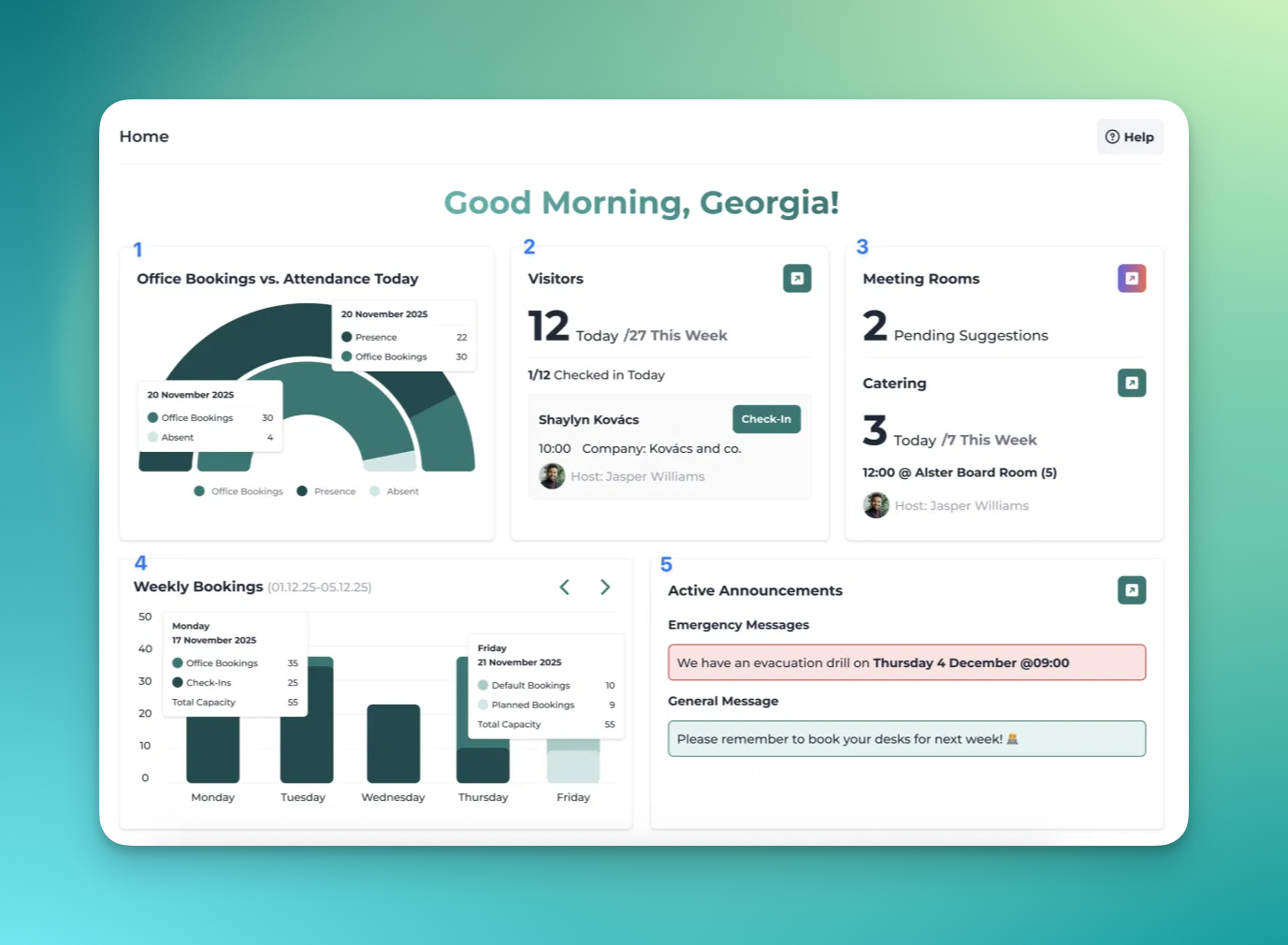
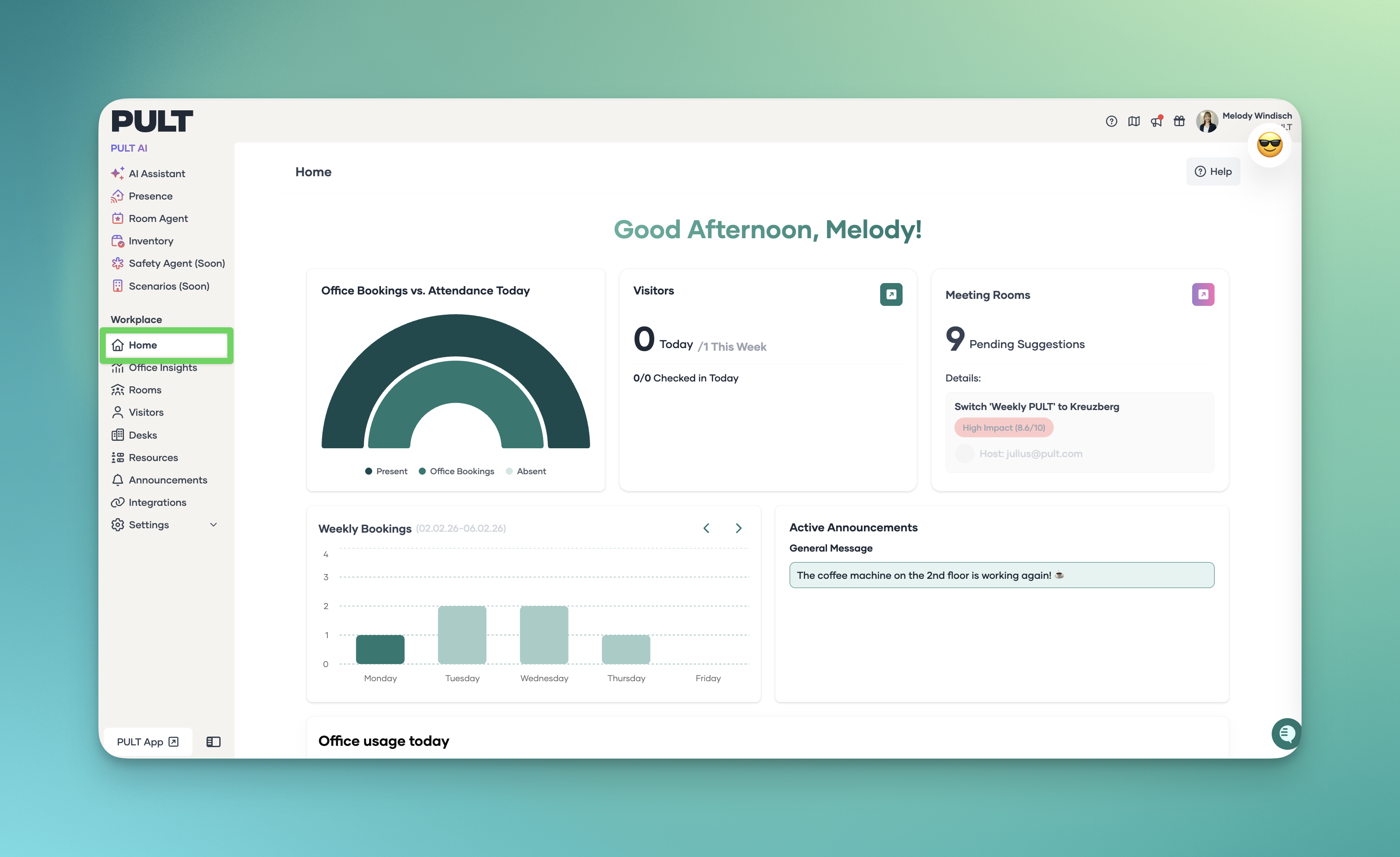
The Workplace Operations Dashboard is the first page on the admin interface and provides a central overview of the current day and overall office activity. It brings together key information on bookings, attendance, visitors, meeting rooms, catering, and announcements—all in one place.
Quick Overview
When you log in to the dashboard, the homepage shows you at a glance:
Daily Overview
Office bookings vs. actual attendance
A graph displays today’s:
Office bookings
Check-ins or presence detection
Absences (e.g., vacation or sick leave, based on the connected HRIS)
Hovering over the graph reveals exact values for each data point.
Guests
You can see how many guests were invited today and how many have checked in.There is also a shortcut link directly to the guest overview.
Meeting Rooms
Shows pending suggestions from the scheduling assistant
Includes a shortcut to the scheduling page
If no catering data is available, the next pending suggestion is displayed here
Catering
Displays meetings requiring catering today or later in the week
Includes a shortcut to the catering management page
Weekly Bookings Graph
The weekly graph provides:
Past days with bookings and actual check-ins
Upcoming days with default and planned bookings
Hover details show exact numbers and office capacity for additional context.
Active Announcements
This section highlights:
Currently active emergency or general announcements
If none are active, upcoming announcements are shown
3. Office Usage Today
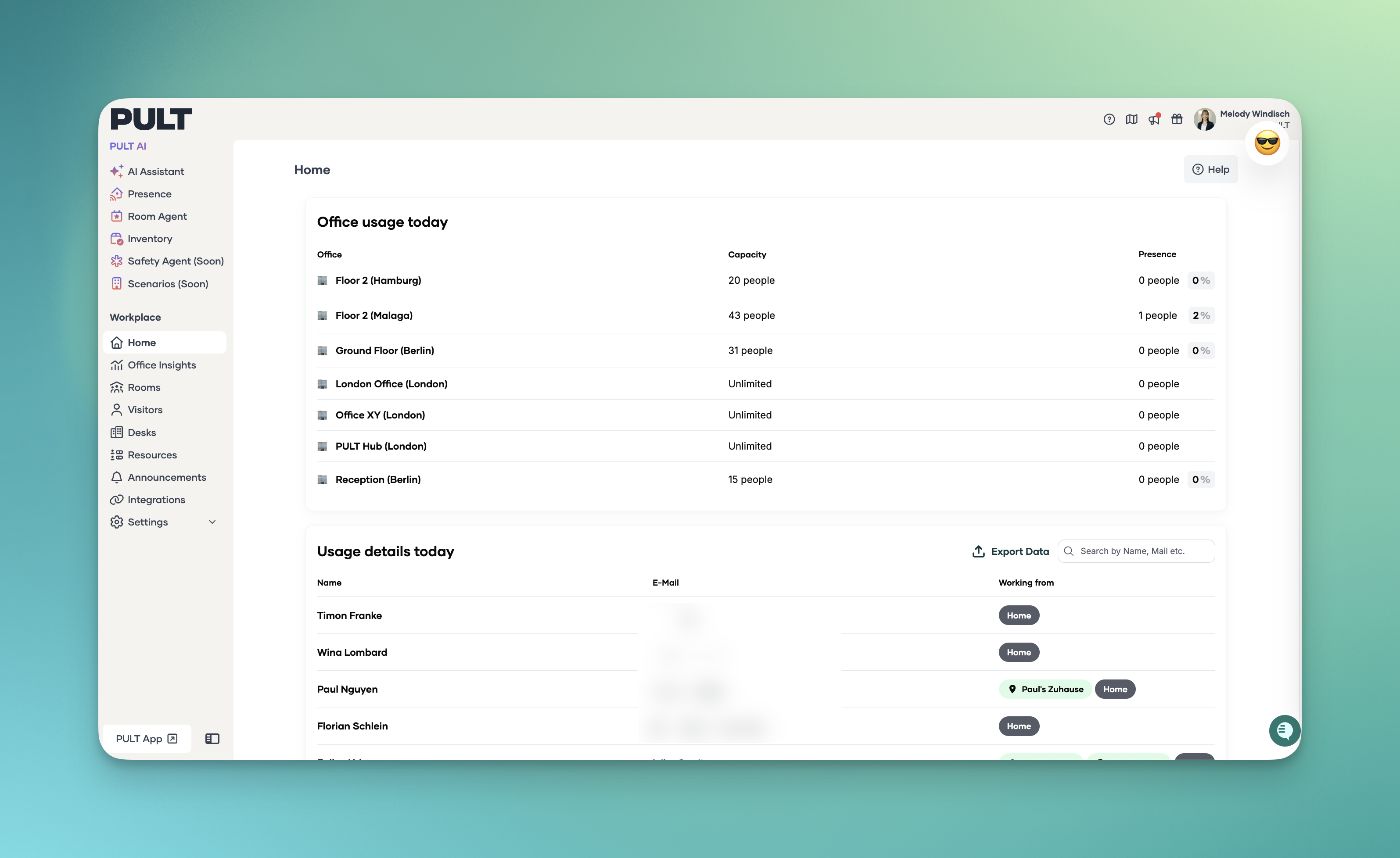
Overview of today’s usage per office
Shows the office capacity and the number of people in each office.
4. Usage Details
At the bottom, you find detailed usage information for today:
If Pult Presence is connected, it shows which office each person was recorded in.
Otherwise, you only see who booked something today.
Status “Pending” means the person has not made a booking yet.
These data can be exported, e.g., for fire safety purposes, to quickly see where everyone is located in an emergency.
💡 Tip:
The homepage is your central hub for a daily overview. The shortcut links let you quickly access key areas without searching.