Sending Announcements in PULT
Last updated: February 2, 2026
Within PULT, you can send important announcements directly to your employees. Here’s how:
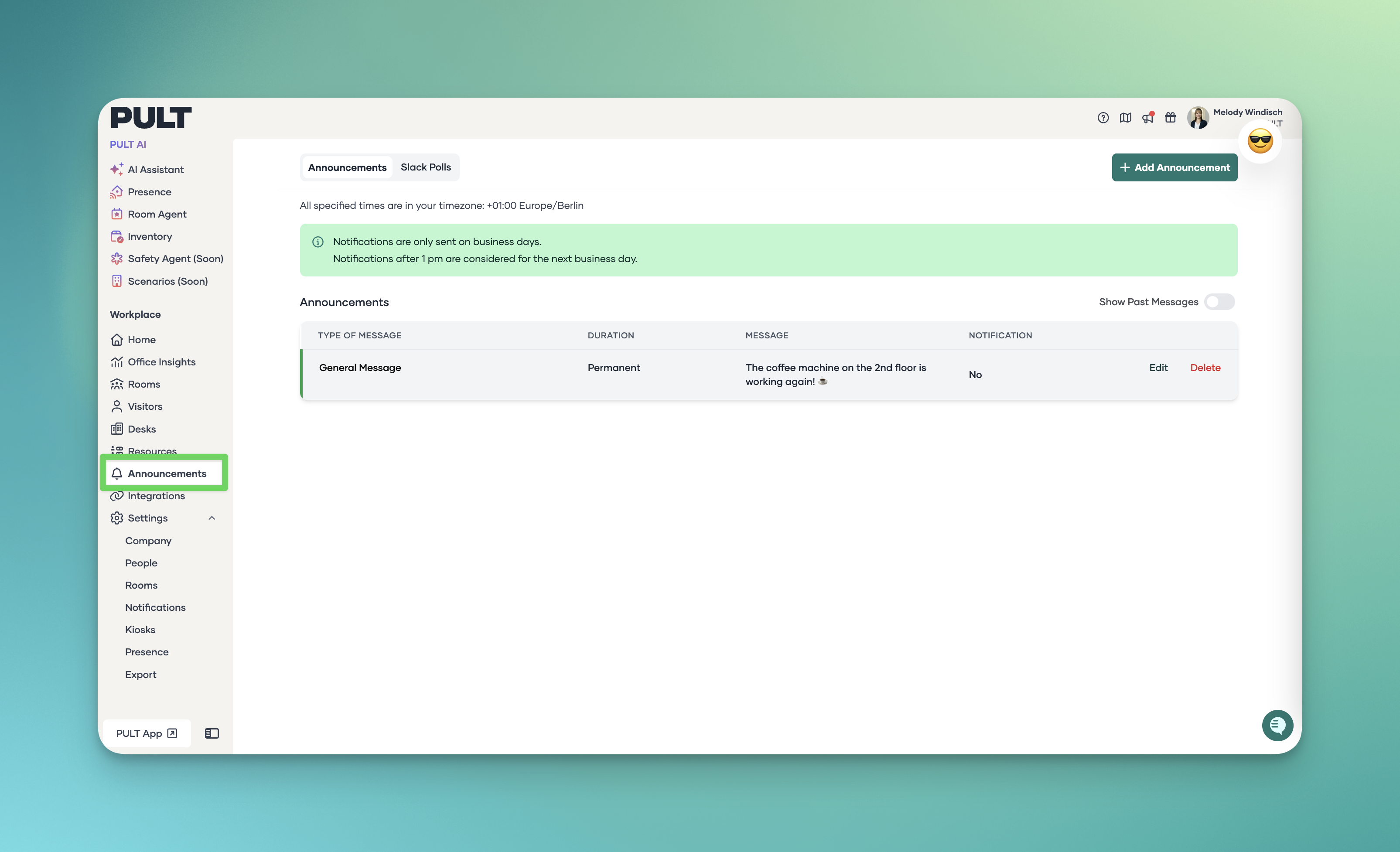
1. Go to the Announcements section
Log in to PULT and go to Announcements on the Dashboard.
2. Create a new announcement
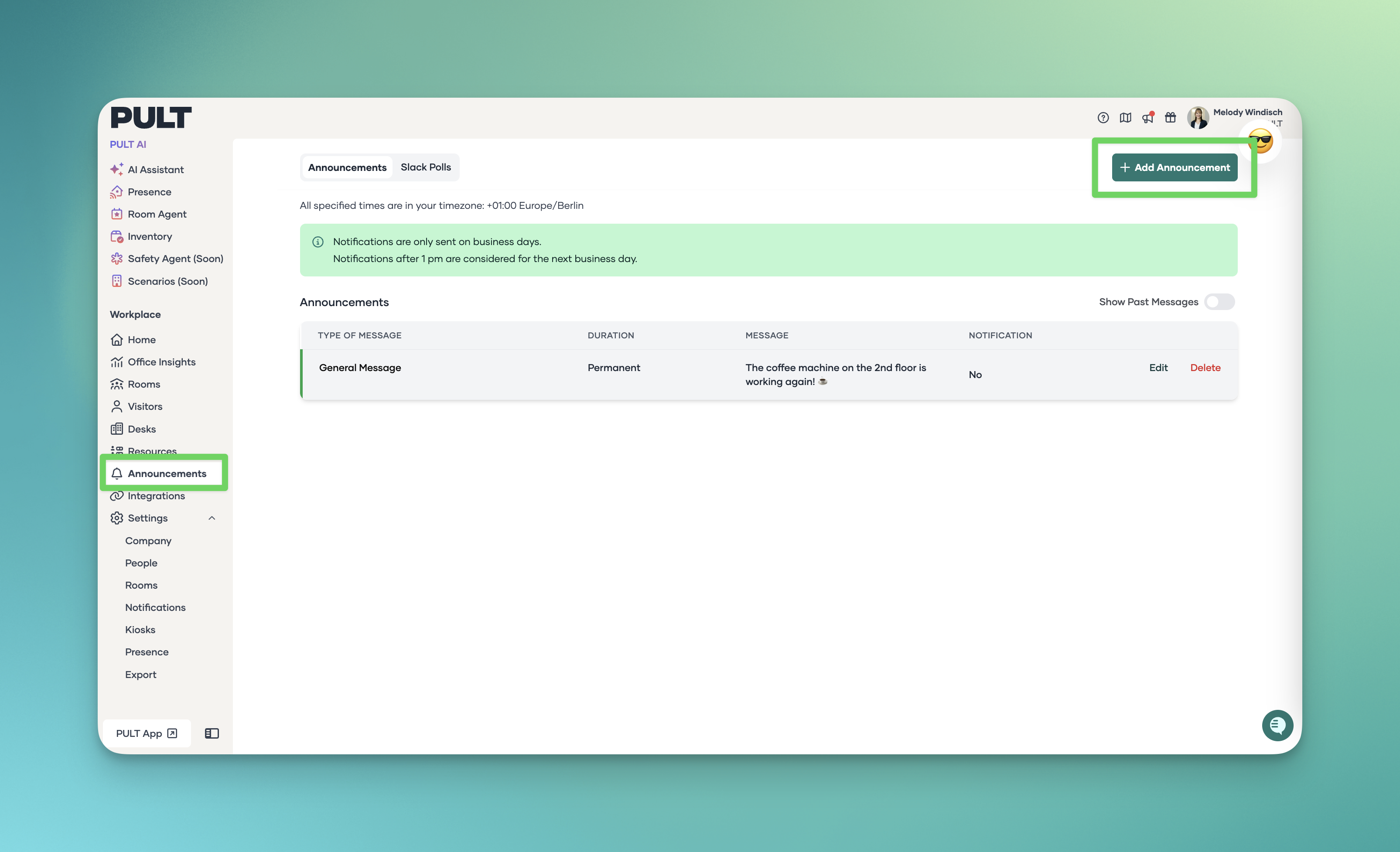
Click “Add Announcement”.
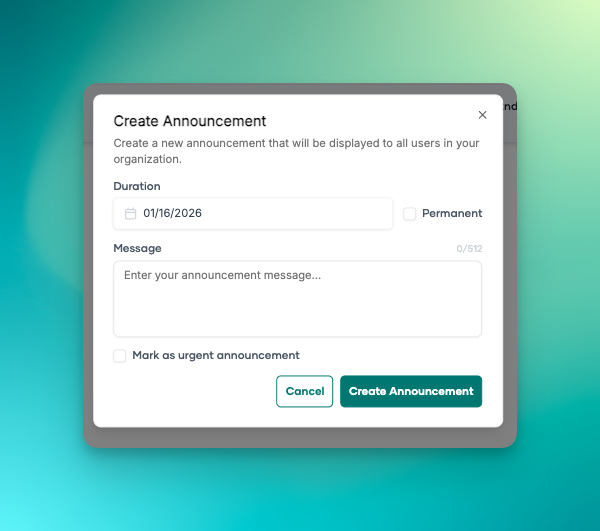
Enter the title and content of your announcement.
You can include text and links. Images and videos are not supported at this time.
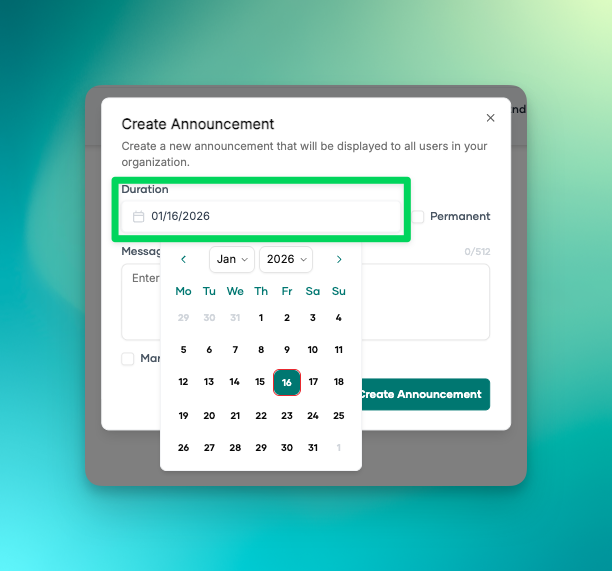
3. Set the duration of the announcement
You can choose a specific duration for how long the announcement is displayed.
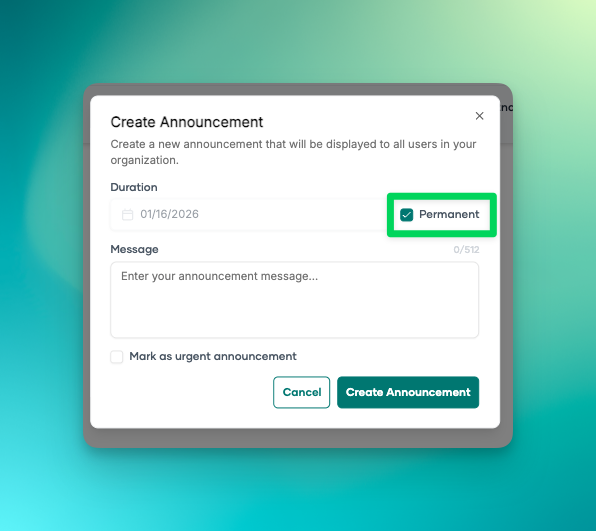
Alternatively, you can set it as permanent, so it remains visible in the web app.
4. Urgent announcements
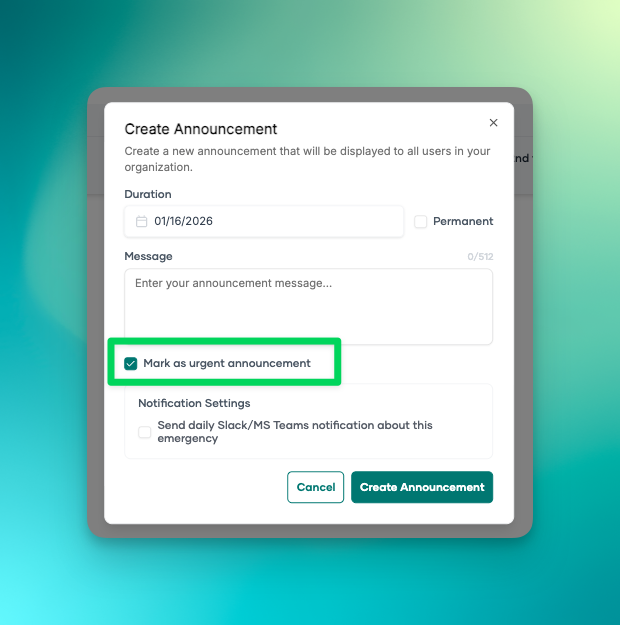
If you mark the announcement as urgent, it will be highlighted in red in the web app.
5. Sending via Slack or MS Teams
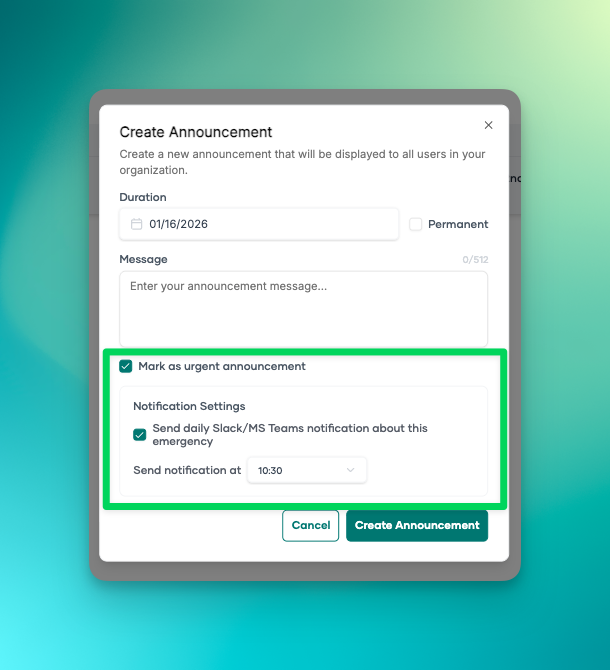
After marking it as "urgent", a window will open where you can schedule the announcement to be sent daily at a specific time via Slack or Microsoft Teams.
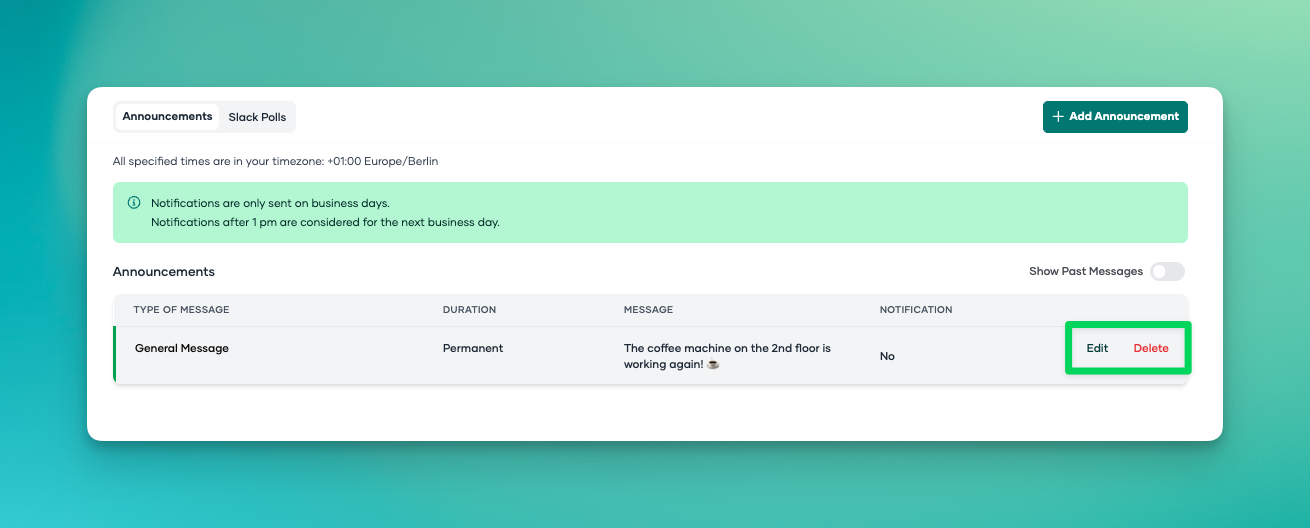
6. Edit or delete
Once the announcement is created, you can edit or delete it at any time.
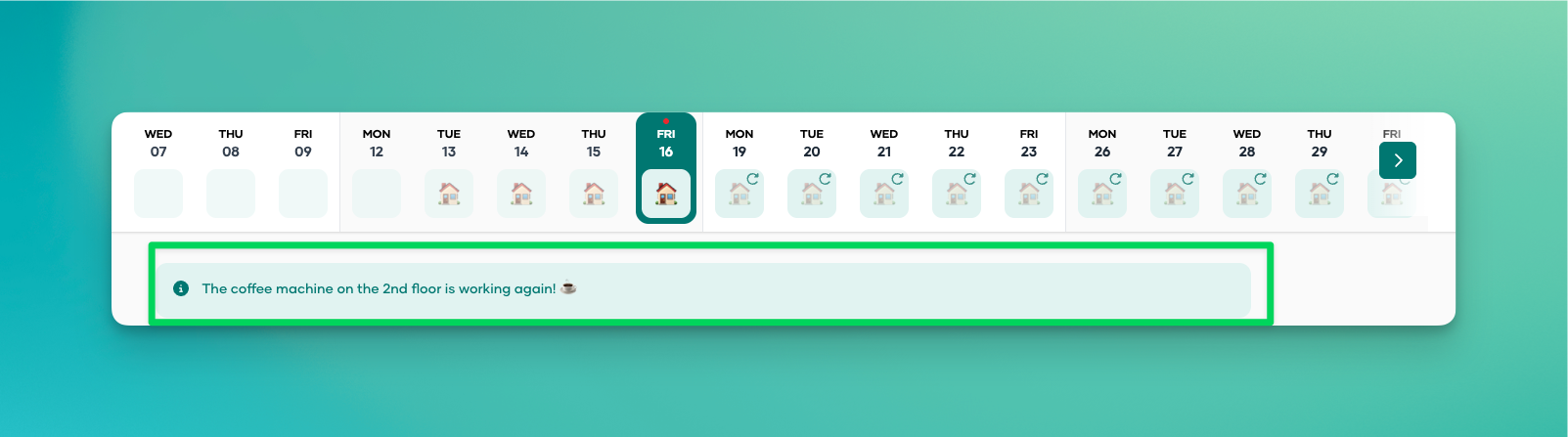
This is what a notification looks like for users in the web app:"