Pult Admin Dashboard – Overview & Guide
Last updated: August 20, 2026
This guide provides a structured overview of all main sections and features available in the Pult Admin Dashboard.
🏠 Dashboard
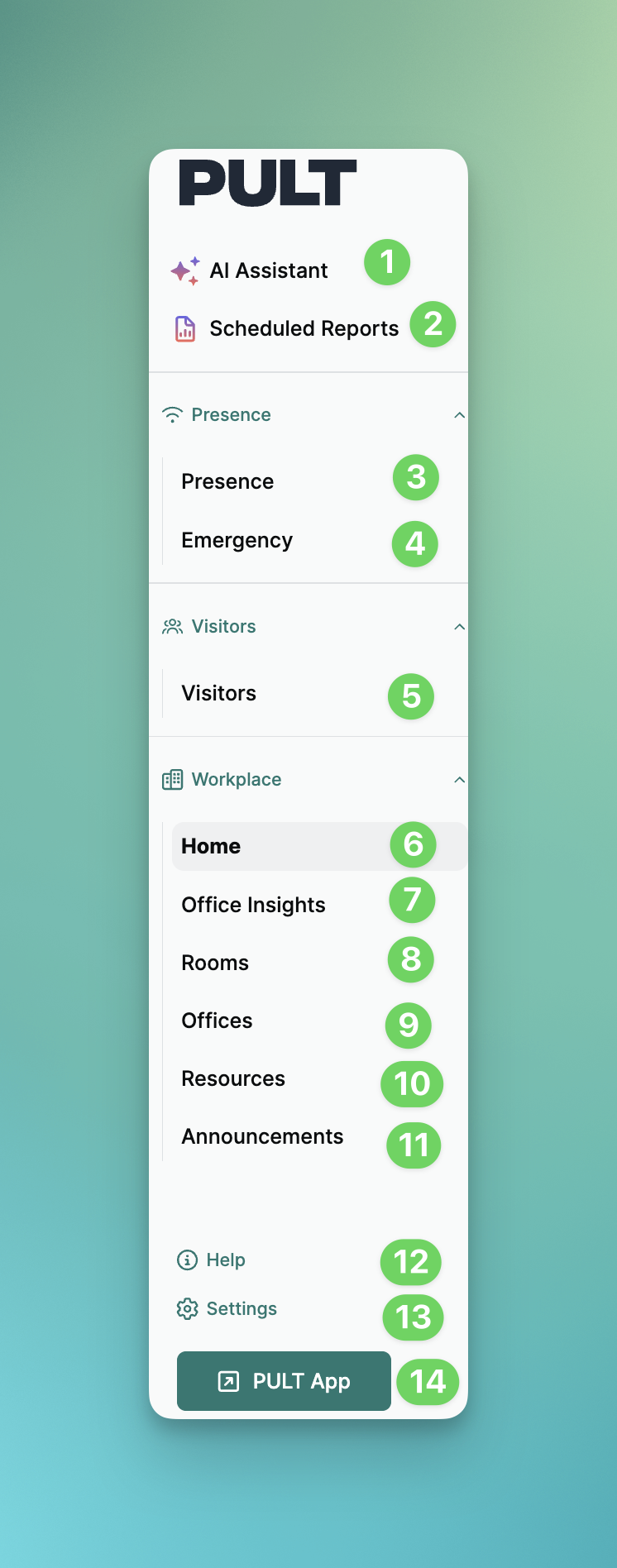
1. 🤖 AI Assistant
The AI Assistant helps admins use workplace data quickly and efficiently.
It answers questions about presence, meeting rooms, and bookings, supports planning, and enables AI-powered exports (e.g. visitor data) without any manual reporting.
2. 🤖 Scheduled Reports
The reports help admins to configure & automated presence/workspace & visitor reports
🛜 Presence
3. Presence
Overview of presence data and office occupancy.
Presence insights
Presence analytics
4. 🚨 Emergency
Overview of the Emergency response settings
🎫 Visitors
5. Visitors
Visitor Management / Visitor overview
Invite Visitors
🏢 Workplace
6. 🏠 Home (Dashboard)
Office bookings vs. presence today
Clear visual overview of all bookings, check-ins, and absences for today, including hover details.
Visitor overview
Quick overview of today’s and this week’s visitors, including quick actions for check-ins.
Meeting rooms & catering
View pending room suggestions and meetings with catering needs, including direct management shortcuts.
Weekly booking chart
Overview of past and upcoming bookings, current check-ins, and available office capacity.
Active announcements
Display of current and scheduled announcements with direct access to management.
Employee-level tables
Office occupancy today
Usage details today
7. 📊 Office Insights (Reports)
Anonymous office utilization overview
Heatmap
8. 🏢 Rooms
Requires active Google or Microsoft integration
Amenities for improved room filtering
Resources (e.g. food & drinks) bookable for meetings
Under Resources → Settings, define who receives:
Event notifications
Daily agenda emails
9. 🪑 Offices / Desks
Create parking lots and enable availability notifications
Define areas (e.g. HR zone or fire extinguisher, marked with emojis)
Temporarily restrict desks (e.g. due to defects)
Disable desks (recommended via temporary restrictions)
Label desks (e.g. “Dog-friendly”, “Docking station”)
Name and number desks for better orientation
Reserve desks (e.g. for CEO or fixed workplaces)
Create workplace policies to control who can book where and when
⚠ Archiving a floor plan deletes all related bookings when confirmed - export data beforehand.
10. 🧩 Resources
Bookable extras (e.g. lunch, yoga, dog spots)
Configurable per day with min/max limits
Notes supported (e.g. special requests)
CSV export available
11. 🔔 Announcements
Send General or Emergency messages
Delivery on weekdays only (or weekends if enabled)
Scheduled announcements visible on the dashboard
12. ℹ Help
13. ⚙ Settings
Here you'll find all the general settings, including employee, AI, Presence, Visitors, Workplace, and Billing information.
❓ Further questions? → support@pult.com