What can Team Leads do?
Last updated: October 20, 2026
This article explains how team leads can support their team in the PULT dashboard: checking attendance, exporting bookings, booking on behalf of team members and analysing office usage.
💡 Team leads log into dash.pult.com with their usual PULT account. Everything they see is limited to the members of their own group. How admins assign team leads is described in How do I add a Team Lead to a Group?.
Review today's attendance
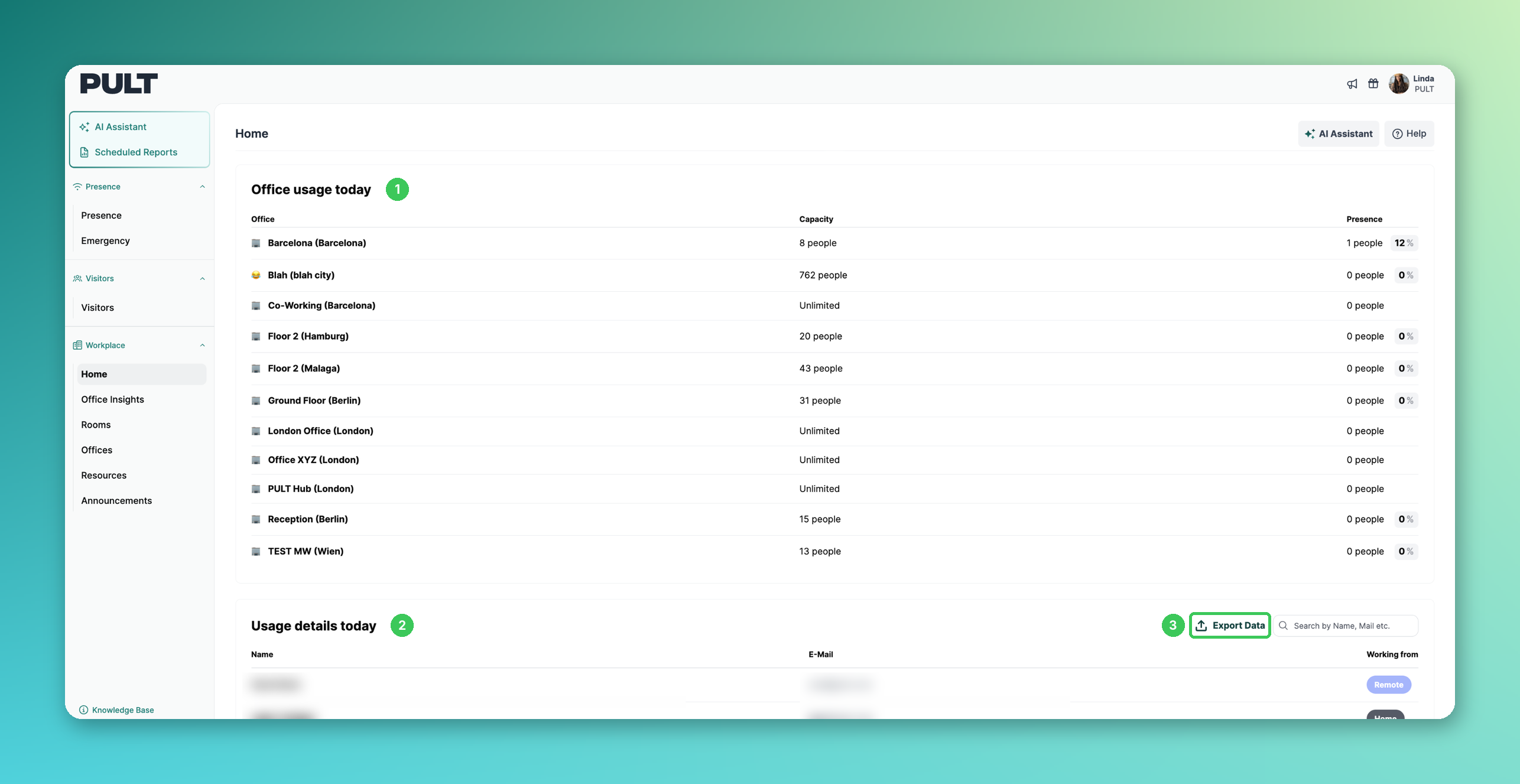
1. Office usage today
On the Home page, team leads see how many people are booked or present in each office today.
2. Usage details today
Shows where each team member is working from today (e.g. office, home or remote). Use the search field to find a person quickly.
3. Export Data
Click Export Data to export the bookings of the team, either for a specific day or for a time range. More in Export your PULT bookings.
Book on behalf of team members
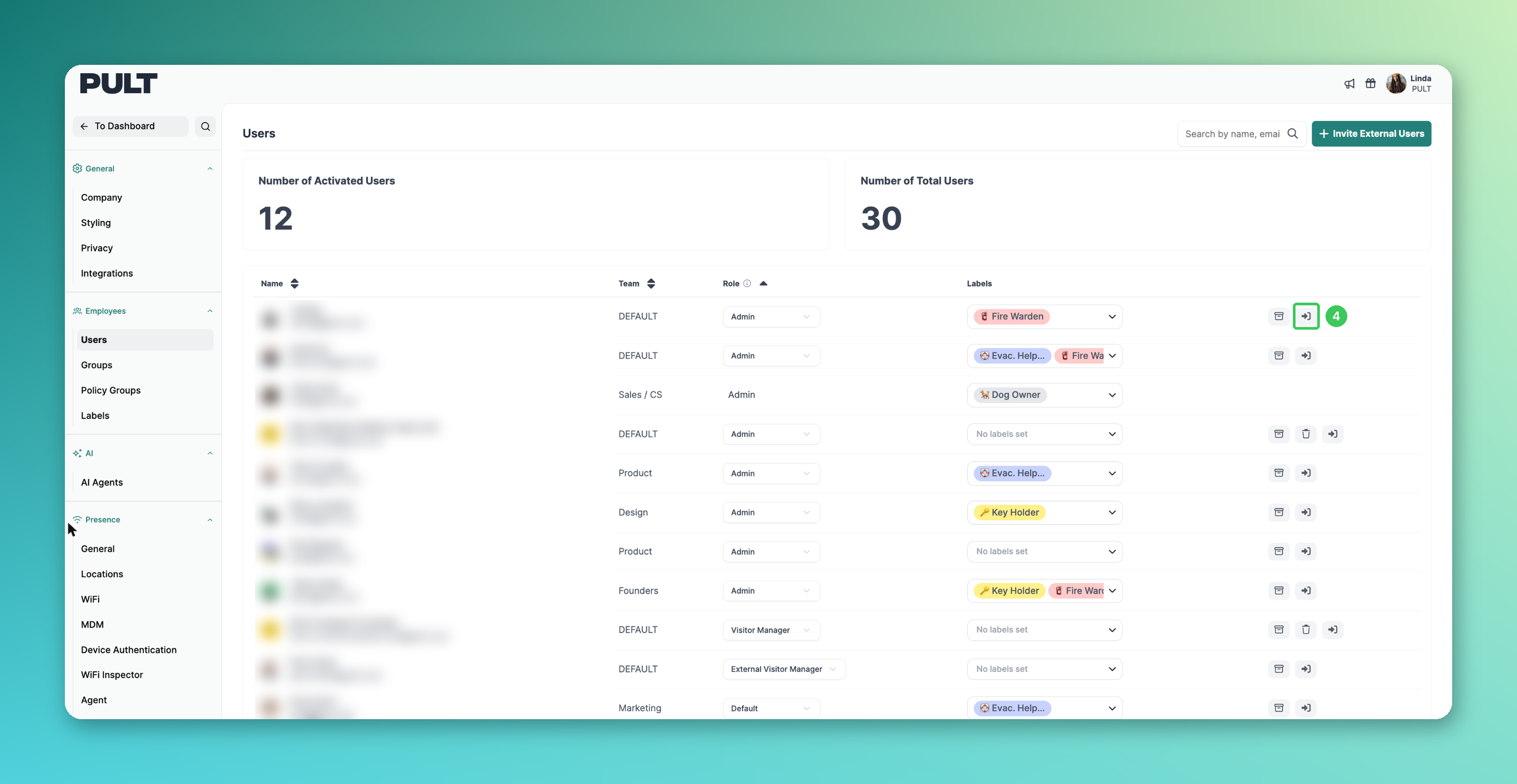
4. Log in as a user
Team leads can log in as a member of their group to book or cancel a desk on their behalf. Click the log-in icon next to the person. Step-by-step instructions are in How to Delete Another User's Desk Reservation (for Admins and Team Leads only).
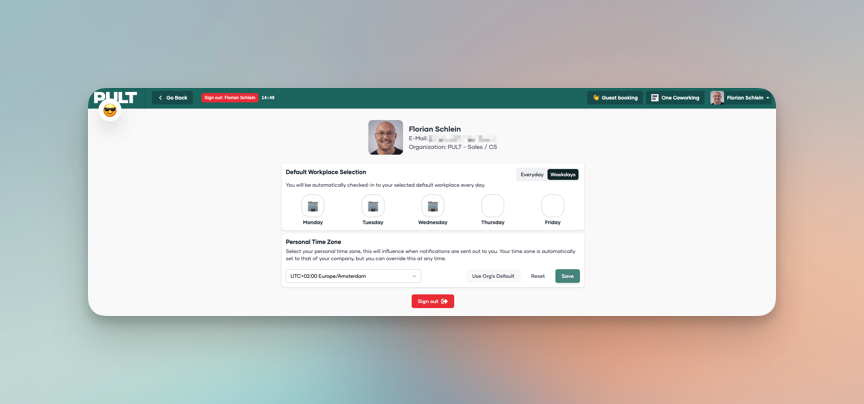
5. Review default bookings
While logged in as the user, team leads can also check the user's default bookings, in case there are any issues with the selection:
Analyse office usage
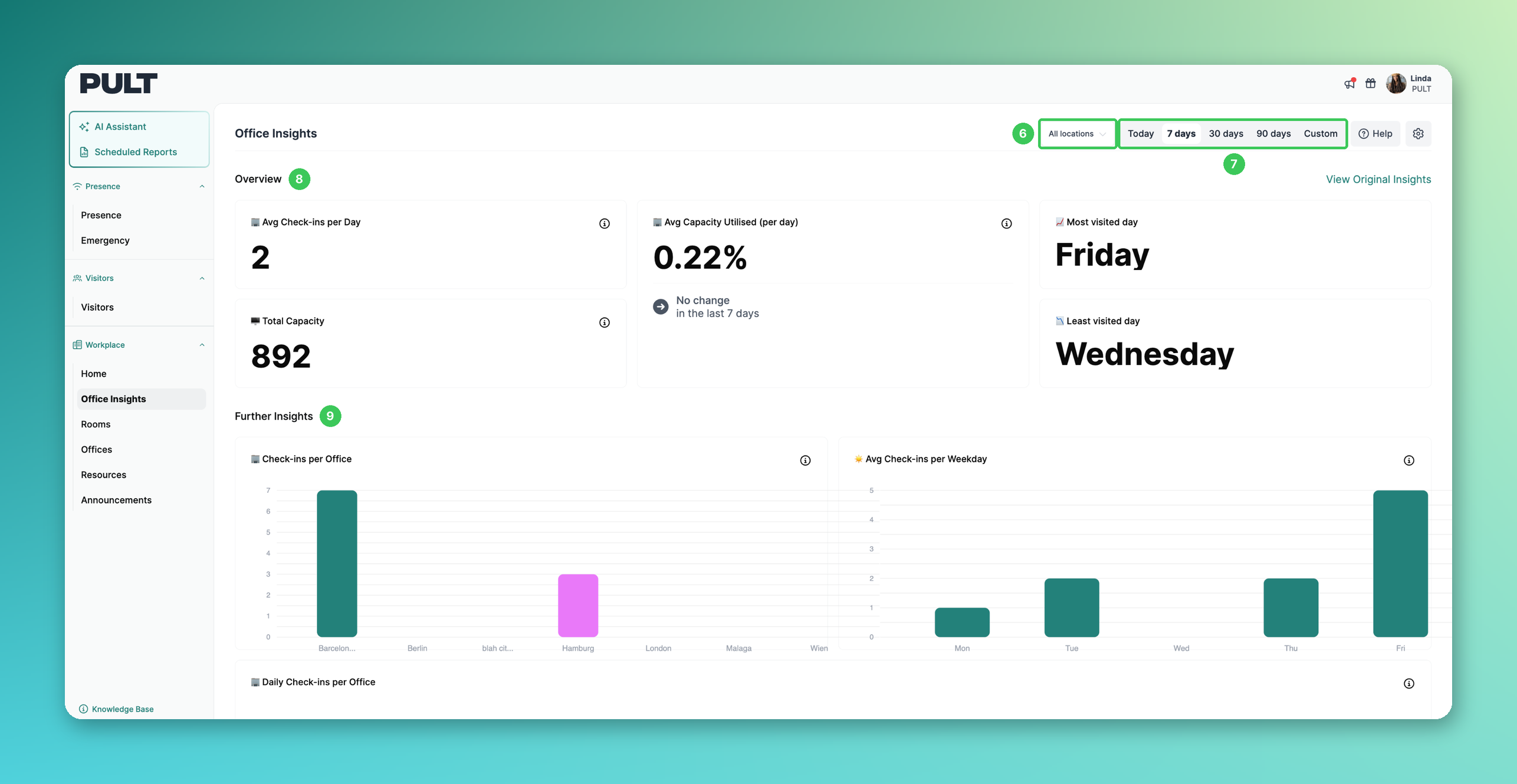
6. Location
Choose All locations or a specific office.
7. Time range
Switch between Today, 7 days, 30 days, 90 days or a Custom range.
8. Overview
Key figures such as average check-ins per day, total capacity, average capacity utilised and the most and least visited day.
9. Further Insights
Charts such as check-ins per office and average check-ins per weekday. More in Office Insights 2.0.
Frequently asked questions
Is there a separate "Team Lead" role?
No. Team leads are assigned per group in the group settings, not via the role dropdown in the user list. See How do I add a Team Lead to a Group?.
Can team leads see other groups?
No. All data and actions are limited to the members of the group(s) they lead.
Can team leads approve home office requests?
Yes, if Enable home booking requests is switched on for the group. See Home Office requests.
What can't team leads do while logged in as a user?
This mode is meant for desk bookings. Company-wide settings, integrations and similar admin settings can't be changed this way.
Can team leads use the AI Assistant and Scheduled Reports?
Yes. Team leads can use the AI Assistant and Scheduled Reports for the group(s) they lead (see How to use "Scheduled Reports").
Related articles
If you have any questions, feel free to contact our support team at support@pult.com.