Visitor Document & Form Settings for Repeat Visits
Last updated: May 19, 2026
Overview
When visitors return to your office multiple times, you may not want them to re-upload documents or fill out the same forms on every visit. PULT allows admins to configure how documents and forms are handled for repeat visitors - saving time for both your front desk team and your guests.
With the Visitor Document & Form Settings for Repeat Visits, you can choose whether returning visitors need to re-submit documents (e.g. ID, NDA, health declaration) or re-complete custom forms each time they check in, or whether previously submitted information should carry over automatically.
Steps
Configure Document Settings for Repeat Visitors
Log in to the PULT Admin Dashboard.
Navigate to Settings and click on Kiosk.
Click on Flow Management.
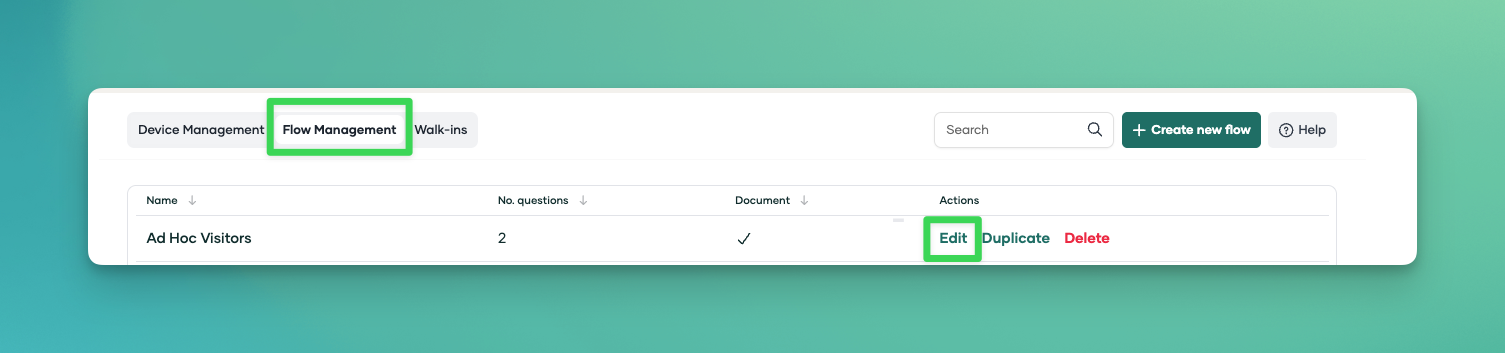
Choose the flow you want to edit and click Edit.
Inside the flow, navigate to Settings.
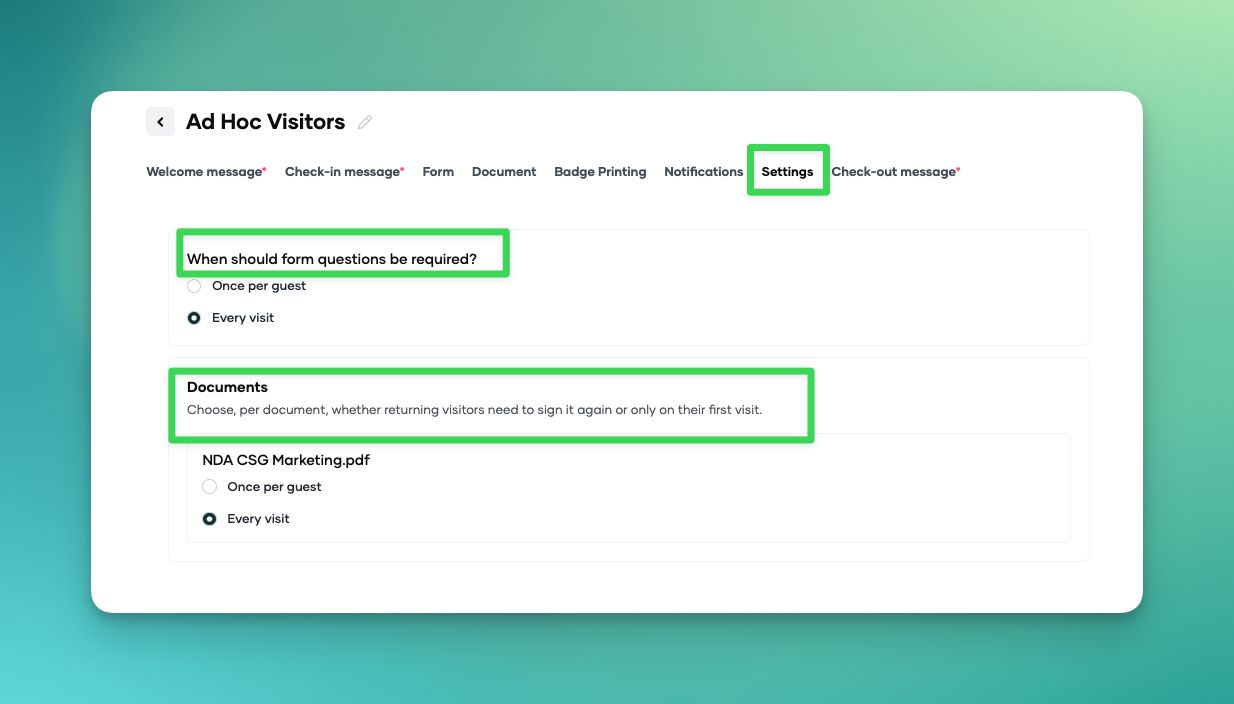
From there you can configure the following options:
Re-use previously uploaded documents - When enabled, returning visitors will not be asked to upload documents they have already submitted (e.g. ID scans, signed NDAs).
Re-use previously completed questions/forms - When enabled, custom form responses from a visitor's last visit will be pre-filled or skipped entirely.
Toggle the settings you wish to apply based on your company's requirements.
Click Save in the top right corner to apply your changes.
How Repeat Visitors Are Identified
PULT identifies repeat visitors by their email address or full name. When a visitor is invited or checks in with the same email/name used on a previous visit, the system recognises them and applies your configured repeat-visit settings automatically.
FAQ
What happens if a visitor uses a different email address?
PULT matches visitors by email. If they use a different email, they will be treated as a new visitor and asked to complete all documents and forms from scratch.
Can I require certain documents to always be re-submitted?
Yes. You can configure individual documents or forms to always require fresh submission, even for returning visitors. This is useful for time-sensitive forms like health declarations.
Does this apply to all visitor types?
Yes, the repeat-visit settings apply to all visitor types unless you have configured separate booking flows with different document requirements.
Related Articles
Tags
Visitor Management, Visitor Kiosk