Exclude Specific Offices from Visitor Management
Last updated: October 20, 2026
This article shows admins how to exclude specific offices from visitor management, so they are no longer offered as a location when inviting visitors.
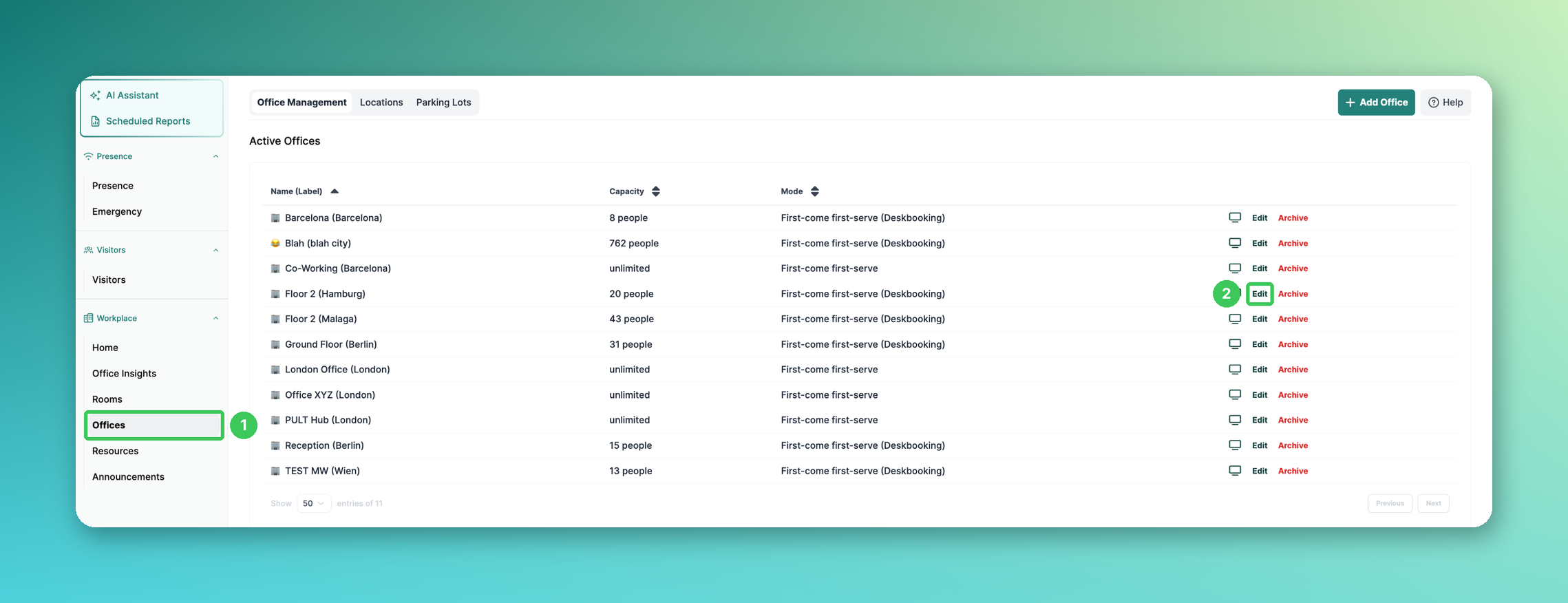
1. Offices
In the PULT dashboard, go to Workplace → Offices.
2. Edit
Click Edit next to the office you want to exclude. The office settings open on the right.
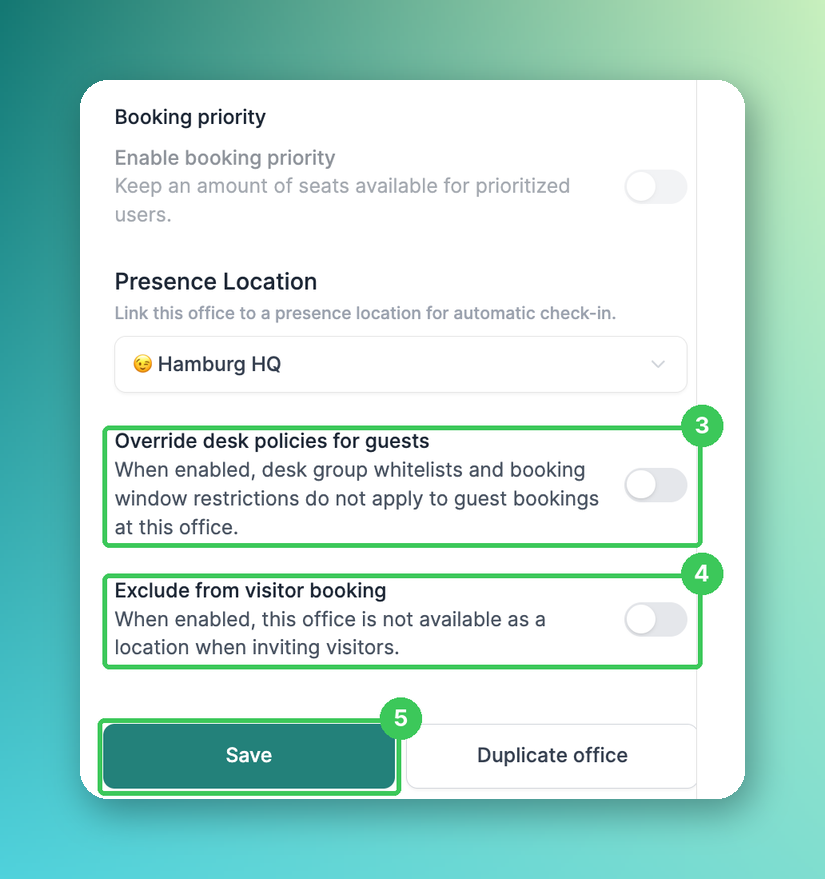
3. Override desk policies for guests
New and optional: If enabled, desk group whitelists and booking window restrictions do not apply to guest bookings at this office.
4. Exclude from visitor booking
Scroll down and turn on this toggle. The office is then no longer available as a location when inviting visitors.
5. Save
Click Save.
Repeat these steps for every office you want to exclude.
Frequently asked questions
Where was this setting before?
In the old dashboard under Desks → Edit. Offices are now managed under Workplace → Offices.
Can employees still book desks in an excluded office?
Yes. The setting only affects visitor invitations; desk bookings for employees work as before.
Related articles
If you have any questions, feel free to contact our support team at support@pult.com.